Inspiring
February 1, 2020
Answered

After upload, nothing is there

  • February 1, 2020
  • 2 replies
  • 1465 views

Simple upload of 166 MB zip file.
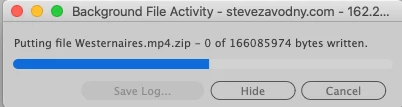
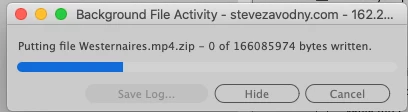
Plenty of progress time, but nothing uploaded at the end.

I dont even know what's possible to check.


Here is the local view showing the westernaires file,
and after all the file activity, there is the remote view - NO FILE

  local                                                    remote

 

progress bar is suspect too:



I upoloaded a jpg file with no trouble.


This topic has been closed for replies.
Correct answer Nancy OShea

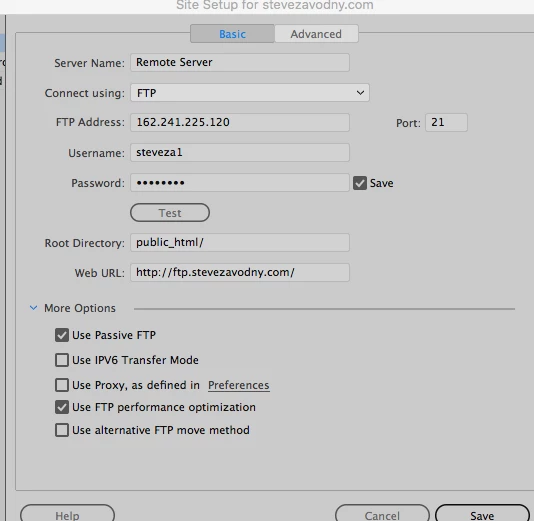
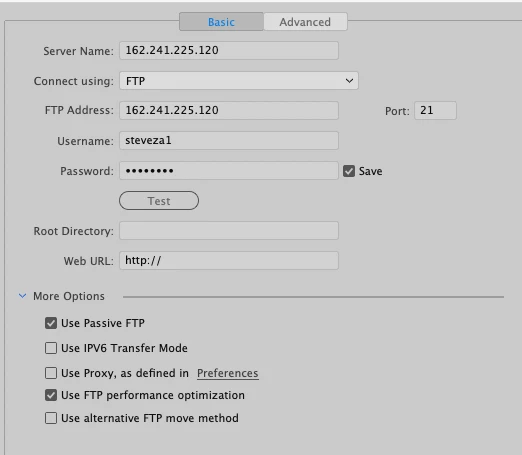
ok here are the 2 panels

this one is the high sierra MacPro 2010 (always works):

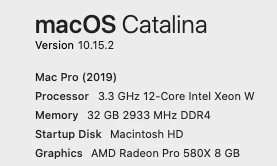
this is catalina, MacPro 2019. It is the one I was complaining about:


No wonder you can't see anything.  You're not uploading to public_html/


2 replies

Nancy OShea
Community Expert
Community Expert
February 1, 2020

Try uploading an unzipped MP4 to see if that goes through.


Nancy O'Shea— Product User & Community Expert
Inspiring
February 2, 2020

ok, I just went back to my old computer and did everything in the

normal way: select file>upload and voila, done.  So what is different in the new? 
CATALINA !!!???


Nancy OShea
Community Expert
Community Expert
February 2, 2020

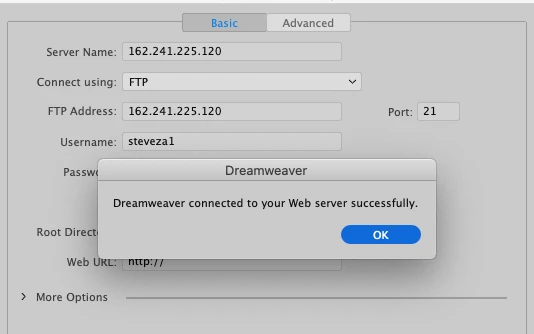
Is your site definition exactly the same?  Are you uploading to the server's root directory?


Dreamweaver & Catalina compatibility issues.

https://helpx.adobe.com/dreamweaver/kb/known-issues-macos-Catalina.html#Known-compatibility-issues


Nancy O'Shea— Product User & Community Expert
BenPleysier
Community Expert
Community Expert
February 1, 2020

The limit depends all on your hosting. FTP client is just the middleman.


To verufy, try using Filezilla to upload the file

Wappler is the DMXzone-made Dreamweaver replacement and includes the best of their powerful extensions, as well as much more!