
CE Cubed
Inspiring
September 7, 2018
Answered

Align an image (.jpg) next to a table

  • September 7, 2018
  • 1 reply
  • 648 views

Hello Support group,

I need help in coding the below. I need the line graph (which is an image) to be side by side with the table. It also needs to be under step 2. How can i get the image of the graph line to be side by side with the table? Please see code below. If there is an easier way to do this please let me know.
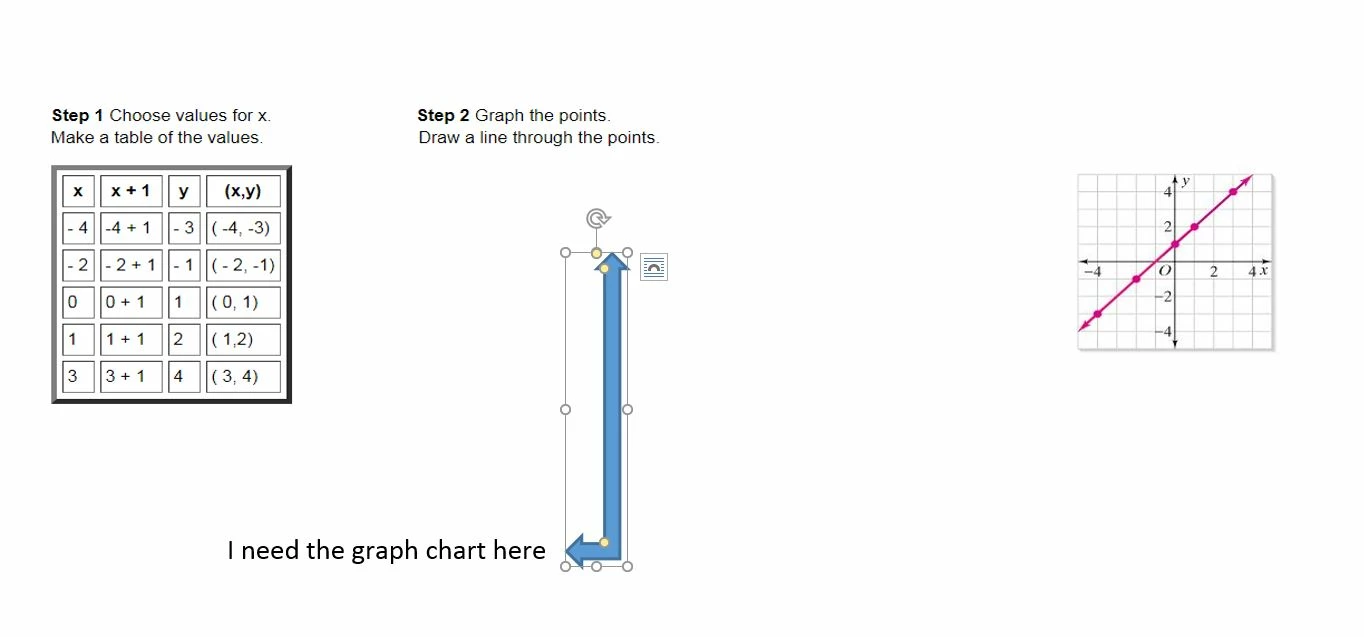
<img src="images7/numberschart.JPG" width="216" height="200" alt=""

style= "float: right" />

<table border="5"

cellpadding="4" cellspacing="5">


  <tr>

    <th>x</th>

    <th>x + 1</th>

  <th>y</th>

  <th>(x,y)</th>


  </tr>

  <tr>

    <td>- 4</td>

    <td>-4 + 1</td>

<td>- 3</td>

  <td>( -4, -3)</td>

  </tr>

  <tr>

    <td>- 2</td>

    <td>- 2 + 1</td>

  <td>- 1</td>

  <td>( - 2, -1)</td>

  </tr>

<tr>

    <td>0</td>

    <td>0 + 1</td>

  <td>1</td>

  <td>( 0, 1)</td>

  </tr>

<tr>

    <td>1</td>

    <td>1 + 1</td>

  <td>2</td>

  <td>( 1,2)</td>

  </tr>

<tr>

    <td>3</td>

    <td>3 + 1</td>

  <td>4</td>

  <td>( 3, 4)</td>

  </tr>

</table>

This topic has been closed for replies.
Correct answer Nancy OShea

One way is to create 2 floated divisions or columns.

Place your table in the 1st column and your image in the 2nd column.

Another more modern way is with CSS Flexbox.

A Complete Guide to Flexbox | CSS-Tricks

CSS

.flex-container {
  display: flex;
}

HTML

<div class="flex-container">
  <div>TABLE HERE</div>
  <div>IMAGE HERE</div>
</div>

1 reply

Nancy OShea
Community Expert
Nancy OSheaCommunity ExpertCorrect answer
Community Expert
September 7, 2018

One way is to create 2 floated divisions or columns.

Place your table in the 1st column and your image in the 2nd column.

Another more modern way is with CSS Flexbox.

A Complete Guide to Flexbox | CSS-Tricks

CSS

.flex-container {
  display: flex;
}

HTML

<div class="flex-container">
  <div>TABLE HERE</div>
  <div>IMAGE HERE</div>
</div>

Nancy O'Shea— Product User & Community Expert