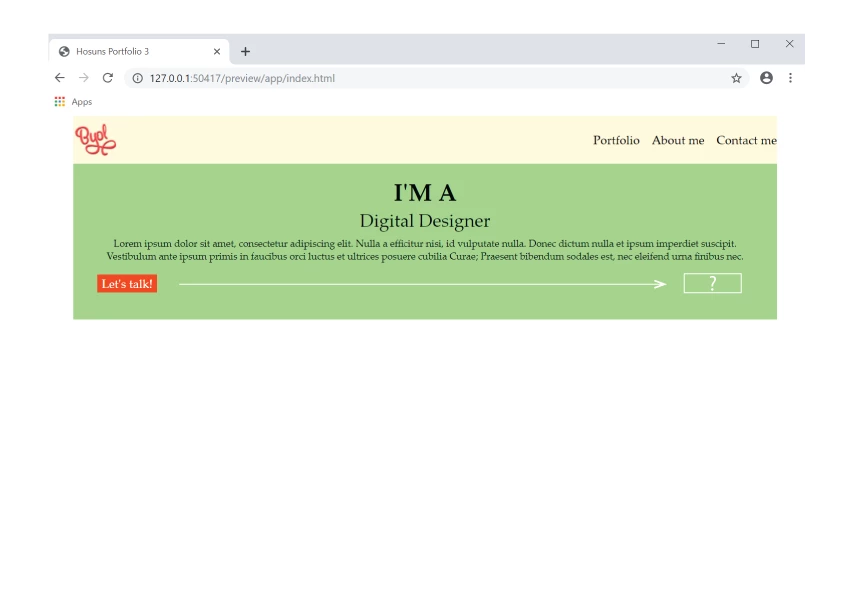
This topic has been closed for replies.
Correct answer Nancy OShea

.box2 {

    height: 24px;

    height: auto:

    width: 80px;

    background-color: orangered;

    margin-top: 16px;

    display: flex;

    justify-content: center;

    align-items: center;

    float: right;

}

1 reply

Nancy OShea
Community Expert
Nancy OSheaCommunity ExpertCorrect answer
Community Expert
June 4, 2019

.box2 {

    height: 24px;

    height: auto:

    width: 80px;

    background-color: orangered;

    margin-top: 16px;

    display: flex;

    justify-content: center;

    align-items: center;

    float: right;

}

Nancy O'Shea— Product User & Community Expert
Hosun
HosunAuthor
Inspiring
June 5, 2019

Hi,

Thank you very much for your reply.

I have one more question.

In your reply, there is

height: auto;

I kept

height: 24px;

There is no difference to me.

What's the difference between "height: auto;" and "height: 24px;"?

Hosun Kang

Legend
June 5, 2019

Hosun  wrote

Hi,

Thank you very much for your reply.

I have one more question.

In your reply, there is

height: auto;

I kept

height: 24px;

There is no difference to me.

What's the difference between "height: auto;" and "height: 24px;"?

Hosun Kang

Setting height on a <div> which contains text is NOT desirable because if an end-user enlarges the text in their browser the text will eventually disappear from view. The height of the <div> stays the same and therefore in some circumstances cannot show the text as it gets larger. It's always best to let the 'text content' of a <div> find its own height naturally unless you set a scroll on the <div>, which should be used sparingly.

As an aside note using 'float' to position elements is a bit of an old workflow these days. It still works but try and implement 'flex' as much as possible as it has a lot better variations and you should get used to it going forward where possible.

.box2 {

margin-top: 16px;

display: flex;

justify-content: flex-end;

}

.box2 a {

background-color: orangered;

color: #fff;

padding: 10px;

}