There are some limited image editing tools in the main Properties window, things like crop, resample, sharpen, etc. There is also a function called Commit Image Size. It's represented by a small checkmark that appears near the width and height attributes when they're changed from the natural settings of the image. If the checkmark is clicked, the image's size is changed permanently, unless undone before closing the current document.
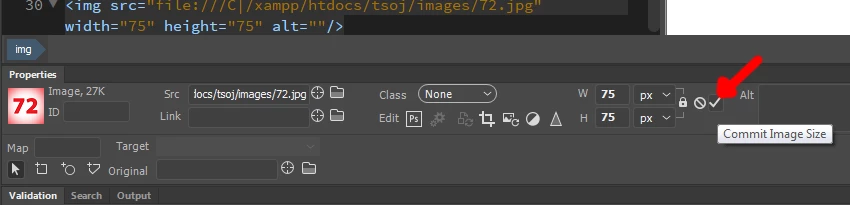
The checkmark is not a "confirmation of image size change" button, which would make much more sense. It's a "change the image size to whatever I just set" button.
Don't click it, and you'll be fine.




 AdChoices