


Inspiring
April 19, 2017
Answered

Applying "source formatting" makes this page look weird!

  • April 19, 2017
  • 1 reply
  • 1717 views

I can't figure out why when I apply "Source Formatting" the page looks unusual and is difficult to work with. I want each new line to be set "flush left." For no apparent reason, after I click the "Apply Source Formatting" icon, the elements  get indented. I don't want that.

How can I make this page have the same formatting style as my others?

Here's what I've set up for a current page. . .
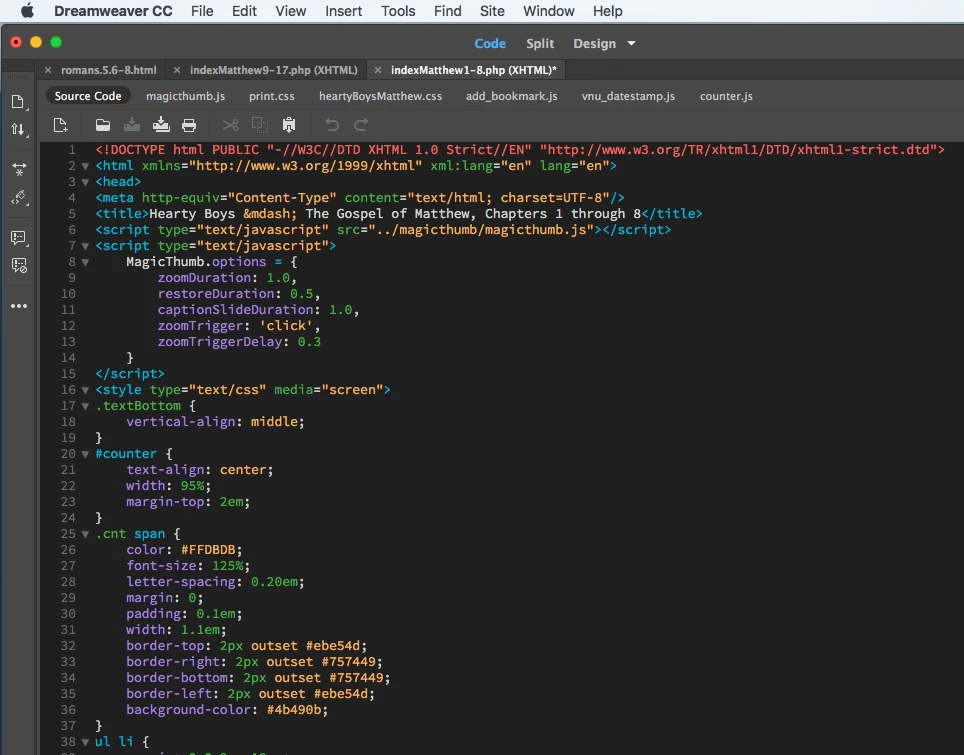
And here's what the same page looks like after I click "Apply Source Formatting."


    This topic has been closed for replies.
    Correct answer Jon Fritz

    Thanks, Nancy.

    Okay. I'll initiate contact with the support staff. I simply wondered if the comments and screen shots that I've made today on this forum will be easily accessible to the technician. Hope so.

    Regarding your inquiry about my opening the page in a plain text/code editor, I'm not aware of the process. Is Apple's "Pages" the appropriate software app? If not, what app does a Mac lover use?

    Tell me also what exactly I need to copy/paste from the code to the text editor app. And what am I to look for? Please advise; never done this previously.

    Thanks.

    Warren

    _______


    They have internet access, you can give them the direct link to the forum post at - https://forums.adobe.com/message/9463602

    1 reply

    pziecina
    Legend
    April 19, 2017

    The problem with source formatting is that no matter how it is done, it will not be done how everyone wants.

    You can go into preferences, select the code format option, then select the advanced formatting option, to customize how formatting is applied.

    wcampAuthor
    Inspiring
    April 19, 2017

    Hello, pz:

    Sorry. I should have been clearer.

    This is the only page of 1,000 or more that reformats with such excessive and undesirable indentations. All other pages (as far as I know) reformat without excessive, compounded indentations.

    Might there be something that causes individual pages to perform independently when Apply Source Formatting is enacted?

    Wondering Warren

    pziecina
    Legend
    April 19, 2017

    Have you checked the language setting at the bottom r/h side of the document window is the same as the other pages?

    I know that there have been a number of complaints about source formatting, but those are in general by users not defining a site, or creating html emails.