
Grimm13
Participant
May 8, 2018
Answered

Background Not Showing

  • May 8, 2018
  • 3 replies
  • 631 views

When ever I want to preview my website the background for my body won't show up, yet in live view it does. I have a box within the main content for my text and I removed it to see if that was the problem but it's not. I'm using both Dreamweaver CC 2015 (School) and Dreamweaver CC 2018(Home). I'm getting annoyed and I cannot find any information to help me, this website is part of my Major Project for yr12 and I'm freaking out that I won't get it finished in time. (First picture is live view, second is preview)
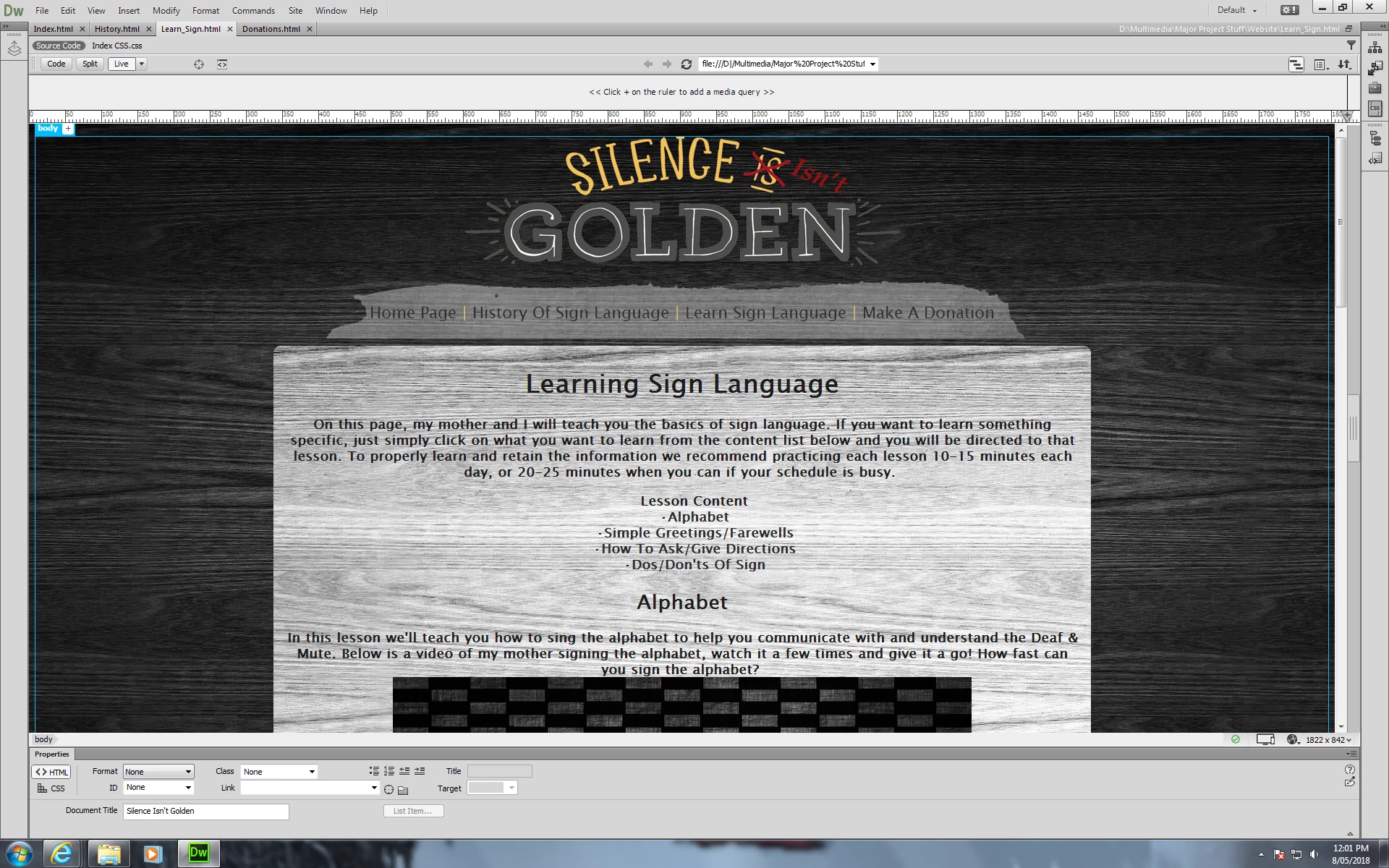
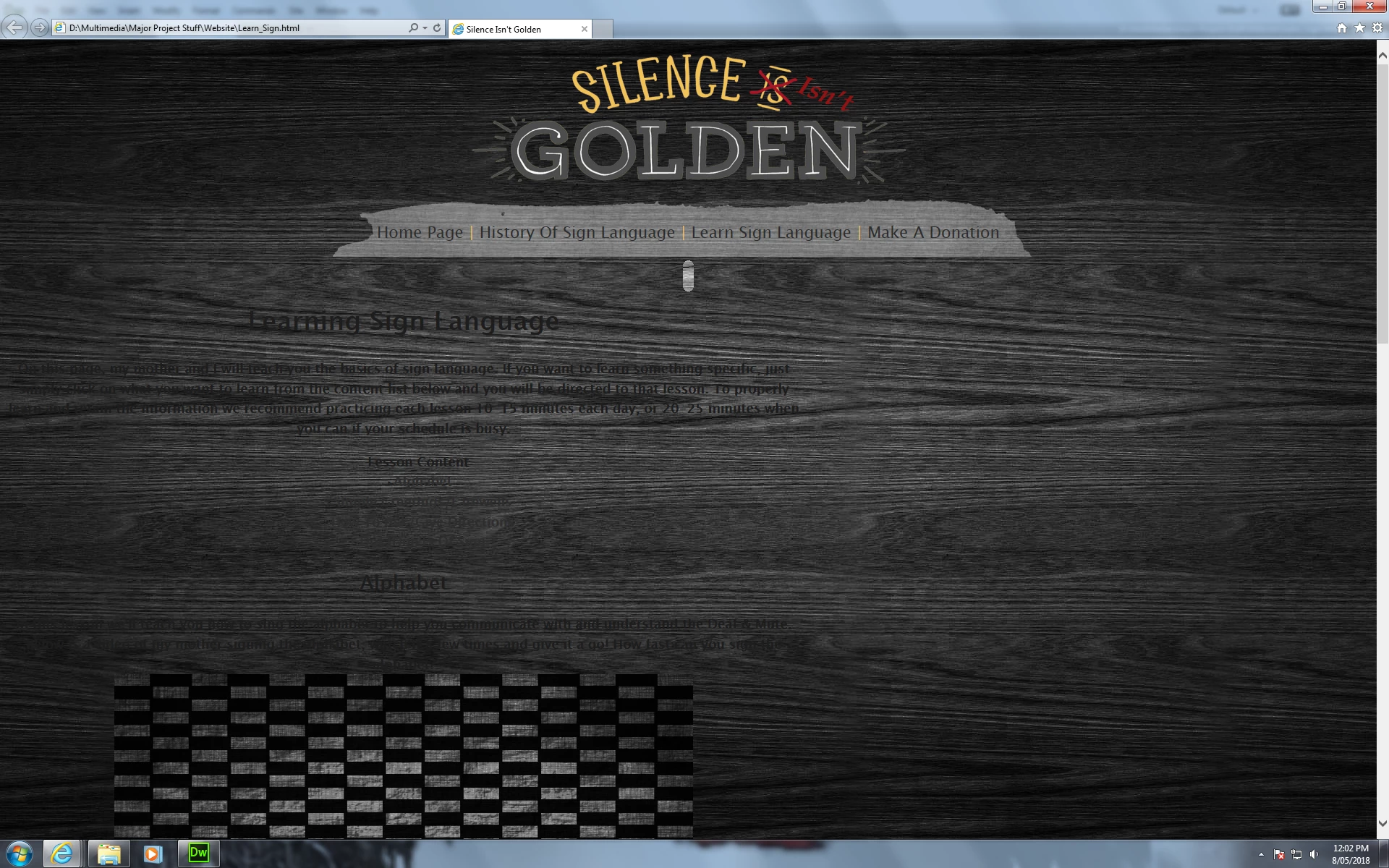
The CSS for the body , Body text and content box are below

body {

background-image: url(Images/Grey_Wooden_BG.jpg);

background-repeat: repeat;

text-align: center;

}

#Body_Text {

background-image: url(Images/Light_Grey_BG.jpg);

text-align: center;

font-family: "Lucida Grande", "Lucida Sans Unicode", "Lucida Sans", "DejaVu Sans", Verdana, sans-serif;

font-size: 18px;

font-weight: bold;

color: #1d1d1d;

padding-top: 5px;

padding-right: 15px;

padding-left: 15px;

padding-bottom: 10px;

height: 2500px;

width: 1100px;

margin-top: 10px;

margin-right: auto;

margin-bottom: 10px;

margin-left: auto;

border-radius: 10px;

}

.Text_Box {

text-align: center;

font-family: "Lucida Grande", "Lucida Sans Unicode", "Lucida Sans", "DejaVu Sans", Verdana, sans-serif;

font-size: 18px;

font-weight: bold;

color: #1d1d1d;

height: 1500px;

width: 1100px;

}

    This topic has been closed for replies.
    Correct answer Grimm13

    I'd like to thank everyone for the help, it seemed that my school's Internet Explorer browser wasn't up to date because Google Chrome and Firefox display my website perfectly.

    3 replies

    Grimm13
    Grimm13AuthorCorrect answer
    Participant
    May 9, 2018

    I'd like to thank everyone for the help, it seemed that my school's Internet Explorer browser wasn't up to date because Google Chrome and Firefox display my website perfectly.

    Nancy OShea
    Community Expert
    Community Expert
    May 10, 2018

    I suspect your school's IE is set to compatibility mode which is certain death for most advanced CSS layouts.   To overcome that unfortunate setting, add this meta tag to the <head> of  your document.   It forces IE to use the most recent rendering engine available.

    <meta http-equiv="X-UA-Compatible" content="IE=edge">

    Nancy O'Shea— Product User & Community Expert
    Nancy OShea
    Community Expert
    Community Expert
    May 9, 2018

    You don't want to paint yourself into a corner with explicit height values that cannot accommodate all your content.  It's best to leave height unspecified to keep the layout flexible.   I also urge you to express your container widths in % to fit on smaller devices (mobile, tablet & desktop).

    Nancy O'Shea— Product User & Community Expert
    John Waller
    Community Expert
    Community Expert
    May 8, 2018

    Can you upload the website and post a link here?

    We can tell a whole lot more then and diagnose accurately.

    Grimm13
    Grimm13Author
    Participant
    May 8, 2018

    I'm. . . not too sure on how to do that, despite knowing how to create a VERY basic website this is all new to me. . .

    BenPleysier
    Community Expert
    Community Expert
    May 9, 2018

    Dreamweaver's Design view was created in a time when Table layouts were the norm and CSS was rarely used. This has never been updated and serious programmers use it only when they want to locate a recognisable section of the document.

    As a Case in mind, have a look at this Design view

    and this is what it looks like in Live view

    This is because Live view uses a chromium-based rendering engine, meaning that it will look the same in many of the current browsers.

    Even then, I do not trust Live view because there are a number of browser rendering engines - see Web browser engine - Wikipedia

    The safest way to ensure that your page renders as you intend it to, is to view the product in real Browsers and devices. You can use the Real-time Preview button for this

    or just open the browser manually.

    I hope this helps and good luck with the project.

    Wappler is the DMXzone-made Dreamweaver replacement and includes the best of their powerful extensions, as well as much more!