Participant
February 3, 2017
Answered

Background Video deferring to poster on mobile.

  • February 3, 2017
  • 2 replies
  • 484 views

Hello all,  I'll start by saying I'm very new to this. 

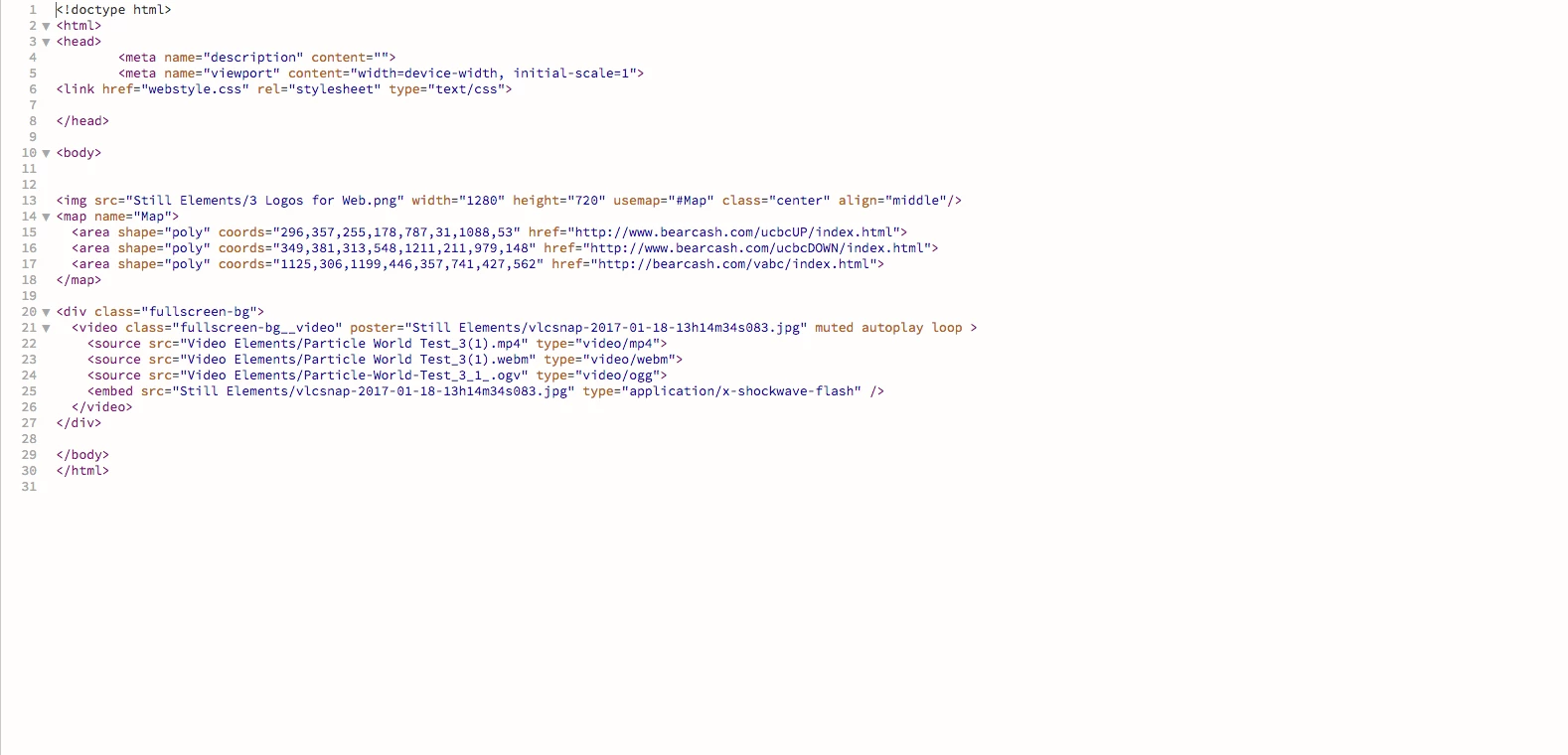
What I'm trying to do is make a website with video as the full screen background. As I've read everywhere, this is a bad idea for mobile users, but what you can do is set it up so that instead of loading video, it'll defer to a still poster for your background.  I've found a pretty good tutorial on how to do this, but I can't seem to get it to work on my android phone or an iphone that I've tried it with.  I feel like I've copied what I'm looking at pretty exactly, and its been very frustrating to not know what I'm doing wrong.  It appears to be working fine on an iPad, but not on my phones.  I get just a black screen. 

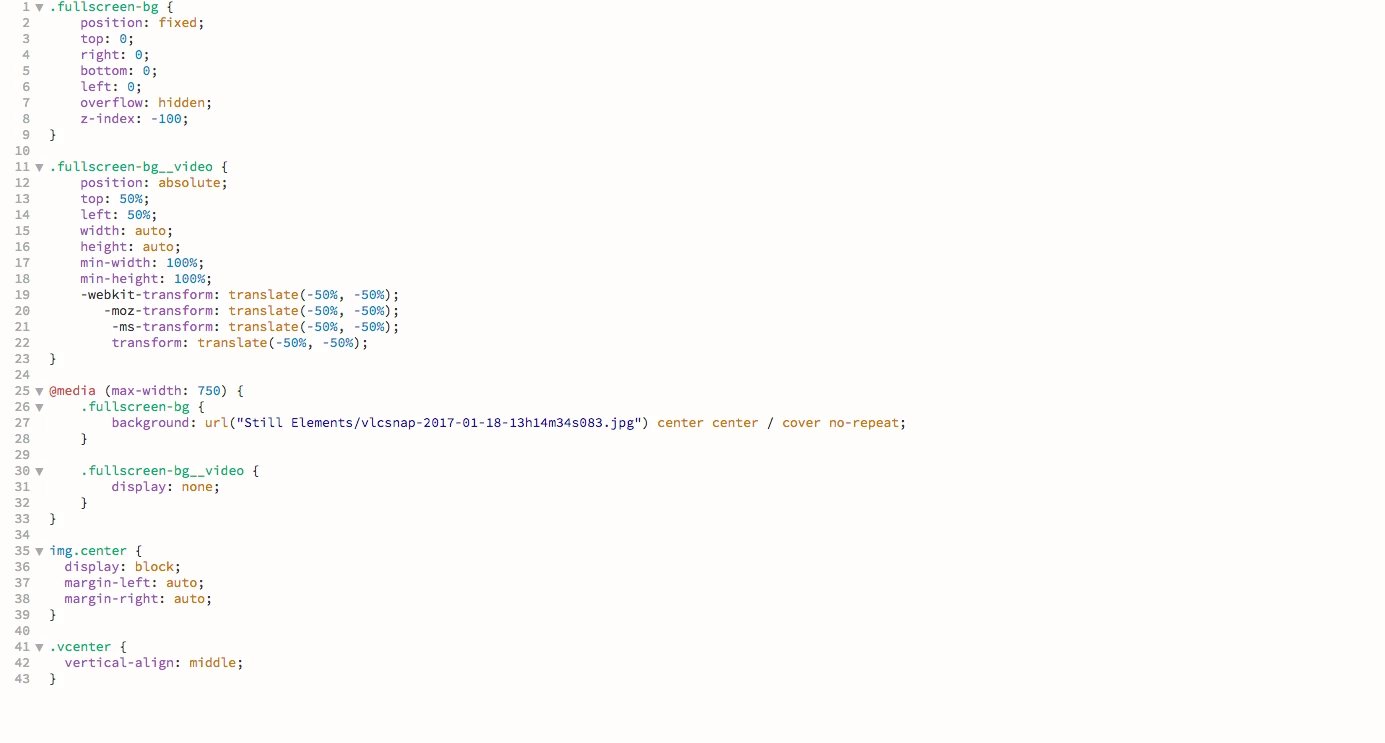
Creating a fullscreen HTML5 video background with CSS - Slicejack - This is the tutorial that I'm working from. Below is my attempt.  Is there something that I'm doing terribly wrong?
    This topic has been closed for replies.
    Correct answer Nancy OShea

    You understand of course that video will load in all devices, right?  So you're not saving mobile users any bandwidth by doing this.  They absorb the bandwidth and they don't get to see the video.  It's kind of the worst of both worlds don't you think?

    Also, autoplay and loop are a very bad idea and not supported on all devices.

    Best option is to give users a responsive video to initiate on click if they want to.  Don't force any media on anybody who doesn't wish to experience it.   That's web design's #1 golden rule of courtesy.

    Nancy

    2 replies

    Nancy OShea
    Community Expert
    Nancy OSheaCommunity ExpertCorrect answer
    Community Expert
    February 3, 2017

    You understand of course that video will load in all devices, right?  So you're not saving mobile users any bandwidth by doing this.  They absorb the bandwidth and they don't get to see the video.  It's kind of the worst of both worlds don't you think?

    Also, autoplay and loop are a very bad idea and not supported on all devices.

    Best option is to give users a responsive video to initiate on click if they want to.  Don't force any media on anybody who doesn't wish to experience it.   That's web design's #1 golden rule of courtesy.

    Nancy

    Nancy O'Shea— Product User & Community Expert
    pziecina
    Legend
    February 3, 2017

    If you read further into the tutorial it says -

    "One more thing we should do is hide the video on mobile and just show the background image. This is because most mobile platforms won’t autoplay HTML5 video and will display it with an embedded play button on top of our content."

    Participant
    February 3, 2017

    That's what I've attempted to do.  I can't seem to get that to work. 

    pziecina
    Legend
    February 3, 2017

    Your @media query is missing the px, and should read max-width: 750px