Inspiring
April 4, 2020
Answered

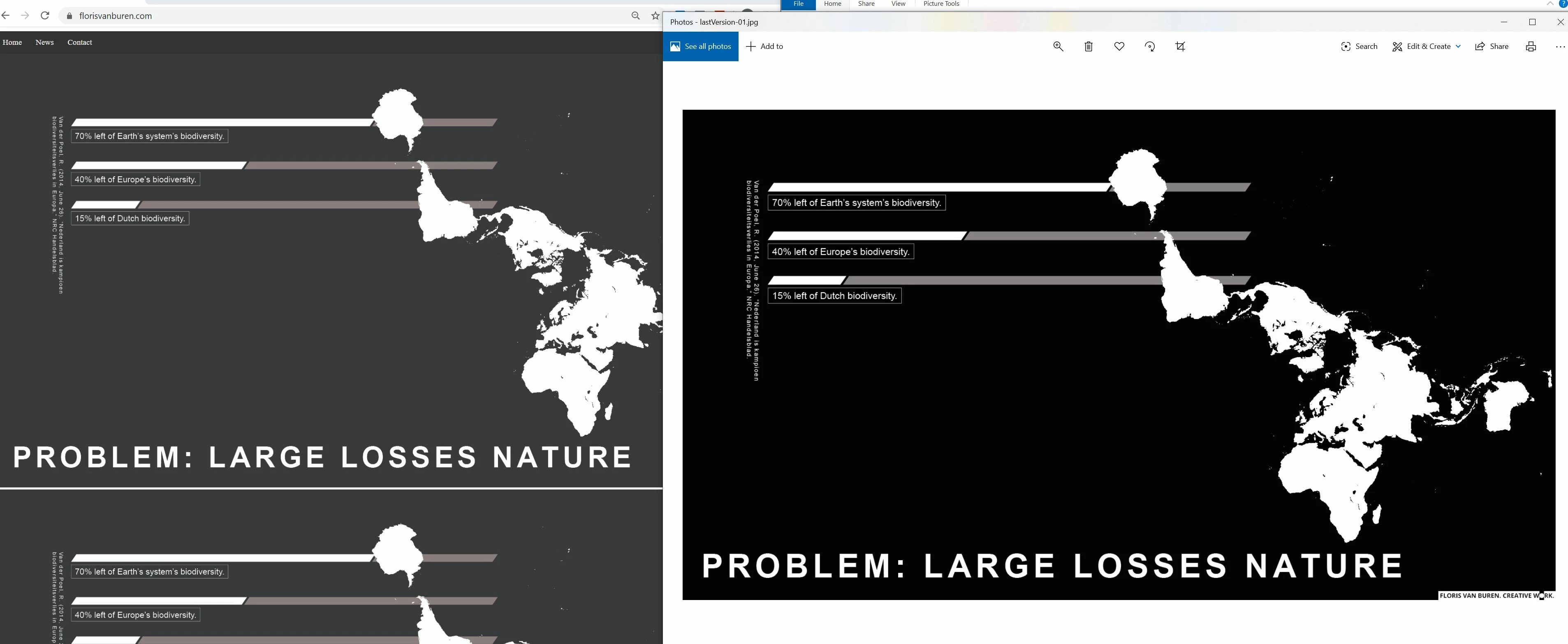
black and white image not black and white when uploaded

  • April 4, 2020
  • 5 replies
  • 1663 views

My black and white image is not black and white when uploaded. What am I doing wrong?
 

    This topic has been closed for replies.
    Correct answer Per Berntsen

    This is a CMYK image and web browsers don't understand CMYK. 

    I don't use Illustrator, but I think it has a Save for web function, which will automatically convert to RGB.

    You will also get a much smaller file size (115 kb vs. 1.23 mb) with better looking text and graphics if you save it as PNG.

    Jpg is best for continuous tone images, like photographs.

    Also bear in mind that text in an image will not be seen by search engines, so it's always best to use real html text.

    5 replies

    Nancy OShea
    Community Expert
    Community Expert
    April 5, 2020

    "I use illustrator and I cannot find how to save the artboards as RGB."


    For info graphics such as this, exporting your artwork in Illustrator to resolution independent Scalable Vector Graphics (SVG) might work better.  Especially in responsive web design because SVG images can be re-scalled without any quality loss.  This is particularly useful for icons, logos and text that must remain sharp & crisp on all devices.  You can't do that with raster images like JPG, PNG or GIF.  And best of all, SVGs can be interactive as well as informative because you can edit the code in Dreamweaver.


    Nancy O'Shea— Product User & Community Expert
    Per Berntsen
    Community Expert
    Community Expert
    April 5, 2020

    Try File > Export > Save for Web (Legacy)

    Per Berntsen
    Community Expert
    Per BerntsenCommunity ExpertCorrect answer
    Community Expert
    April 5, 2020

    This is a CMYK image and web browsers don't understand CMYK. 

    I don't use Illustrator, but I think it has a Save for web function, which will automatically convert to RGB.

    You will also get a much smaller file size (115 kb vs. 1.23 mb) with better looking text and graphics if you save it as PNG.

    Jpg is best for continuous tone images, like photographs.

    Also bear in mind that text in an image will not be seen by search engines, so it's always best to use real html text.

    Inspiring
    April 5, 2020

    Thank you.


    I use illustrator and I cannot find how to save the artboards as RGB.

    Participant
    April 4, 2020

    Did you save the black and white image as a grayscale or rgb image? Should be rgb.

    Nancy OShea
    Community Expert
    Community Expert
    April 4, 2020

    Color shift can occur when people don't save web images with sRGB color space. 


    Nancy O'Shea— Product User & Community Expert
    Nancy OShea
    Community Expert
    Community Expert
    April 4, 2020

    I can't tell much from those screenshots.

    What's the URL to your online page please?


    Nancy O'Shea— Product User & Community Expert
    Inspiring
    April 5, 2020

    florisvanburen.com
