
Participating Frequently
August 27, 2018
Answered

Blue elements box not showing anymore

  • August 27, 2018
  • 3 replies
  • 1357 views

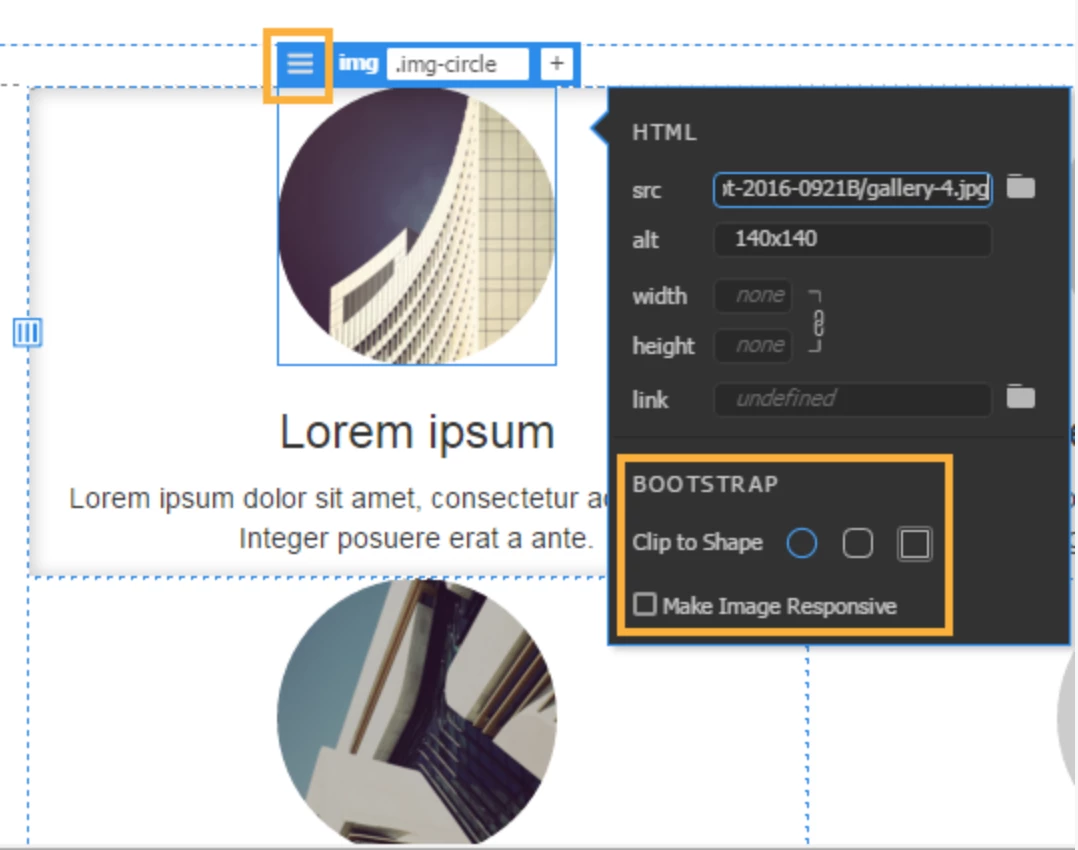
When I turn on Live view to edit images etc the blue elements box doesn't show anymore. It used to. I tried restarting computer etc. They won't show up on opening other html documents either. I'm using Dreamweaver CC 2018. Example of image which doesn't show for me. Thank you
    This topic has been closed for replies.
    Correct answer Ben M

    This happens with all files. When I open the files on a different computer, the blue elements boxes do show


    Have you tried opening the files under a different user account on your own computer? I've seen it happen where an OS user becomes corrupted. Worst case scenario you would have to migrate to a new user account on your computer, but it would clear up the issue.

    3 replies

    Community Expert
    September 5, 2018

    Honestly at this point I would almost recommend backup up your site definitions and re-installing Dreamweaver because loading up a new profile should have fixed the issue unless something is corrupt in the installation itself.

    Participating Frequently
    September 9, 2018

    Thanks for all suggestions as I really appreciate them. I had to get in touch with Adobe Support Team. Finally all working well now after removing CC app from my computer, re-installing, removing prefs, etc. All good now!

    Participating Frequently
    September 4, 2018

    Thank you I have tried using a different and new account on my computer and still no luck unfortunately.

    Preran
    Community Manager
    Community Manager
    September 4, 2018

    If you have a CC license, I suggest getting in touch with the Support team directly using this link

    Contact us | Adobe

    BenPleysier
    Community Expert
    Community Expert
    August 27, 2018
    Wappler is the DMXzone-made Dreamweaver replacement and includes the best of their powerful extensions, as well as much more!
    Participating Frequently
    August 27, 2018

    Thanks but I have tried deleting the cache file and also the configuration folder but no luck unfortunately. Even the blue dotted lines are not showing up

    Community Expert
    August 27, 2018

    Try clicking on View --> Live View Options --> and make sure "Hide Live View Displays" is not checked.