
jamesh20643130
Participant
November 29, 2019
Answered

Bootstrap in CC 2019

  • November 29, 2019
  • 1 reply
  • 478 views

How do I enable the bootstrap template options in Dreamweaver CC 2019?


This is what I want to do: https://helpx.adobe.com/dreamweaver/using/bootstrap.html


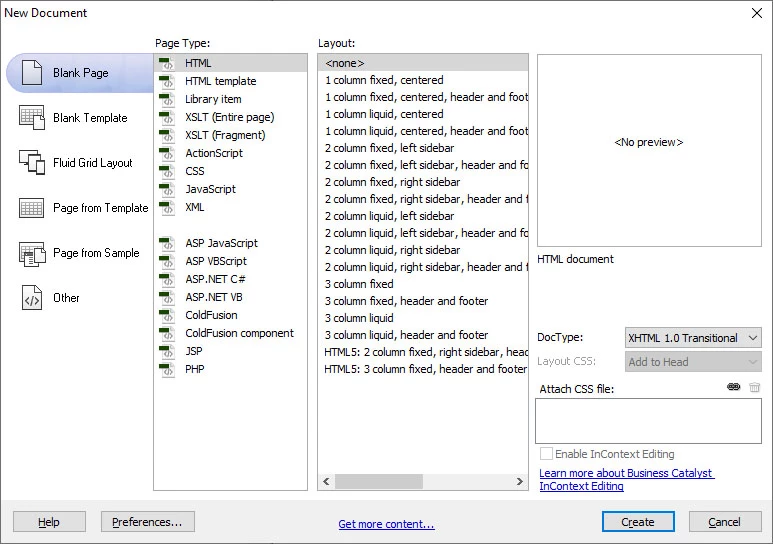
However in my new version of Dreamweaver (CC 2019) there is no option to select bootstrap as a framework when I create new document:
 

Any ideas? Thanks.
This topic has been closed for replies.
Correct answer Nancy OShea

That's not a new version of DW CC.  That screenshot appears to be from a much older version of DW that still had legacy Fluid Grid Layouts (possibly CS6).  To find out which version you have, go to Help menu > About Dreamweaver.


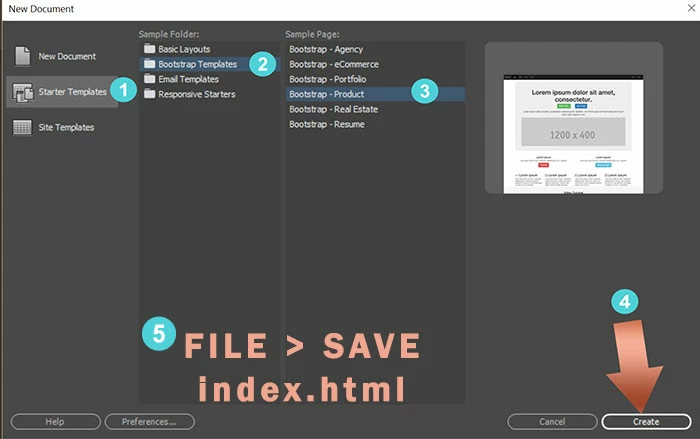
The screenshot below is from a more modern version of DW CC that integrates with Bootstrap.


1 reply

Nancy OShea
Community Expert
Nancy OSheaCommunity ExpertCorrect answer
Community Expert
November 29, 2019

That's not a new version of DW CC.  That screenshot appears to be from a much older version of DW that still had legacy Fluid Grid Layouts (possibly CS6).  To find out which version you have, go to Help menu > About Dreamweaver.


The screenshot below is from a more modern version of DW CC that integrates with Bootstrap.


Nancy O'Shea— Product User & Community Expert