Inspiring
March 10, 2018
Answered

Bootstrap ne s'installe pas ?

  • March 10, 2018
  • 1 reply
  • 2654 views

Bonjour,

Mac OS X El Capitan 10.11.6 - Dreamweaver CC 2018 - Une méconnaissance de débutant...

Quand je crée un nouveau fichier HTML Bootstrap : Bootsrap CSS : créer - OK
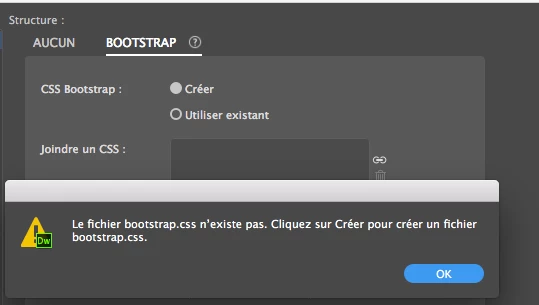
Le message s'affiche à chaque nouveau fichier, y compris les modèles automatiques proposés.

Si je crée quand même un fichier: autre message
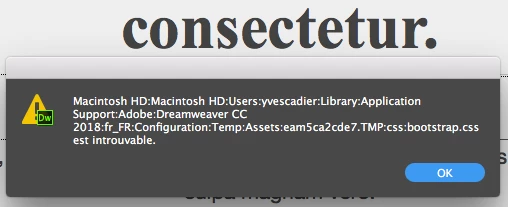
J'ai désinstallé et réinstallé Dreamweaver 2 fois.

Merci pour vos conseils...

This topic has been closed for replies.
Correct answer Jon Fritz

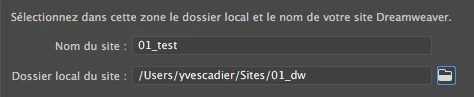
The address of the site folder is good too.


It looks to me like you do have a second Macintosh HD folder within the first...


Open that second Macintosh HD folder and follow the path from your DW screen capture.

I wonder if the files are going to that folder by mistake, rather than the correct local root folder.

1 reply

David_Powers
Inspiring
March 11, 2018

When reinstalling Dreamweaver fails to solve a problem, it's because Dreamweaver is using the original configuration folder. Before reinstalling, you need to delete your personal configuration folder. See Reinstalling Dreamweaver (or Extension Manager) fails to solve problems

Inspiring
March 11, 2018

Thank you very much David, I am a little lost.

Is this the folder "Configuration" that I have to throw?

Thanks for your help,

Yves

David_Powers
Inspiring
March 11, 2018

Yes, that's the one.