Participant
January 21, 2017
Answered

[Bug] Copying a code block causes it to disappear.

  • January 21, 2017
  • 3 replies
  • 1090 views

There is a strange bug in the new Dreamweaver. Whenever I try to select a code block, then click copy, and change windows and back again, it removes the code and replaces it with a "-".

Video here - DreamweaverBug - YouTube

Also, when you use the bottom toolbar to select code blocks, this highlighted section needs to appear in the middle of the code section. Often times it can be selected outside the view area and you struggle to find it, you have to scroll either up or down to find it.

Dreamweaver CC 2017

MacOS Sierra 10.12.2

Cheers

This topic has been closed for replies.
Correct answer BenPleysier

Yep, sure is a bug, a bad one at that! Hopefull Preran​ will see this too.

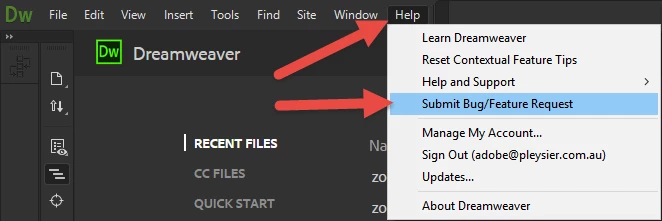
Please submit it as per

3 replies

paulk7737514
Inspiring
January 23, 2017

Good grief!!!

Preran
Legend
January 23, 2017

I am sharing this issue with the team. Will get back to you with any updates.

Thanks,

Preran

Jon Fritz
Community Expert
Community Expert
January 23, 2017

If it's of any use to the Dev guys, I do not get the same effect following the same steps as the OP under Windows 7.

BenPleysier
Community Expert
BenPleysierCommunity ExpertCorrect answer
Community Expert
January 22, 2017

Yep, sure is a bug, a bad one at that! Hopefull Preran​ will see this too.

Please submit it as per

Wappler is the DMXzone-made Dreamweaver replacement and includes the best of their powerful extensions, as well as much more!