Participant
March 5, 2017
Answered

Can not connect to host

  • March 5, 2017
  • 1 reply
  • 341 views

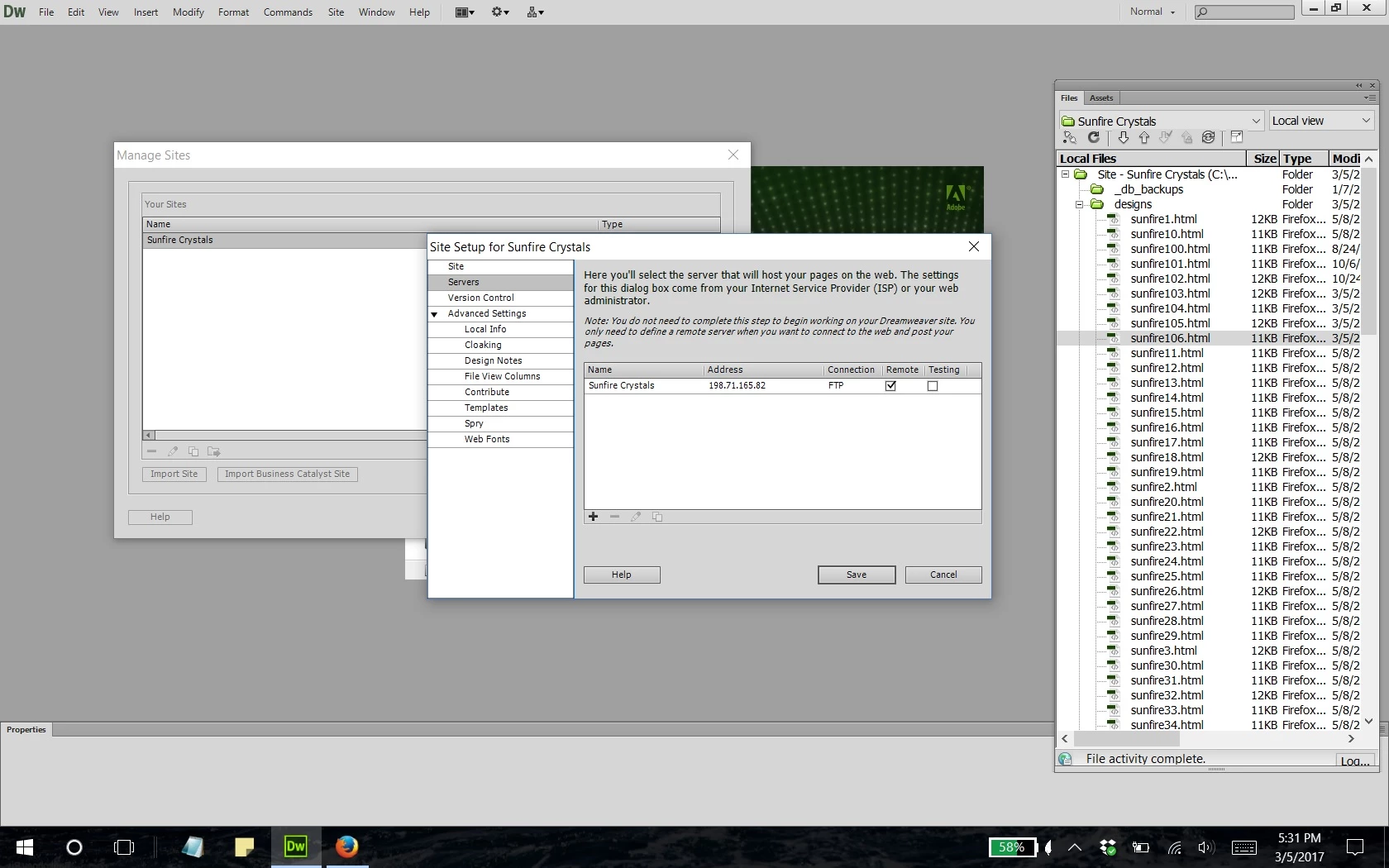
I have changed computers and now I can't connect to the host to upload my new files.

This topic has been closed for replies.
Correct answer Nancy OShea


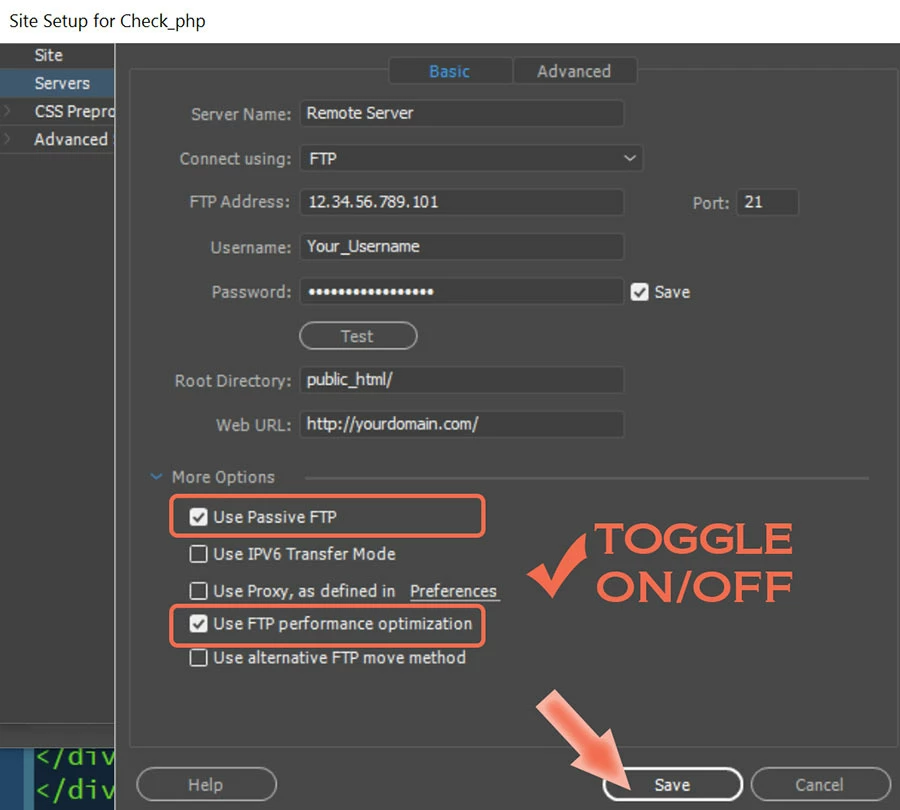
Looks like you're using an older version. It's basically the same except I have a dark UI.

So just click on your Site Name and hit the Pencil Icon to edit your settings.

GoDaddy's Root Directory varies by the level & type of hosting you have.

If your plan is on a Linux server with C-Panel, then you should use public_html/.

If you're on a Windows server with Plesk Panel, it's something different.

Finally, under More Options, toggle the Passive FTP switch to ON (selected).  And then hit the TEST button.

Nancy

1 reply

Nancy OShea
Community Expert
Community Expert
March 5, 2017

Did you define your site and enter your server's FTP log-in credentials and Root Directory?  See screenshot.

Nancy

Nancy O'Shea— Product User & Community Expert
RonBooksAuthor
Participant
March 5, 2017

Very sorry, all this is above my pay grade.  I can't seem to find a screen that looks like yours.  Perhaps a different version.  I have changed nothing except moved the software to my new computer. I can edit and add pages on my computer, I just can't upload them to GoDaddy

RonBooksAuthor
Participant
March 5, 2017