janp50393892
Known Participant
February 22, 2022
Question

Can not open Dreamweaver CC

  • February 22, 2022
  • 3 replies
  • 1216 views

Hello.

I have an older version of Dreamweaver (Dreamweaver CC) that I want to keep and still use - but my problem is that I now can not open the program.

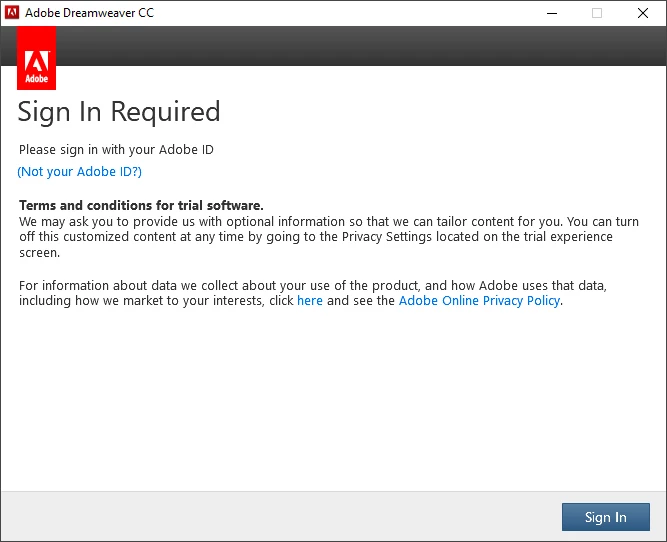
When I try to open the program, I get a message to log in with my Adobe ID.


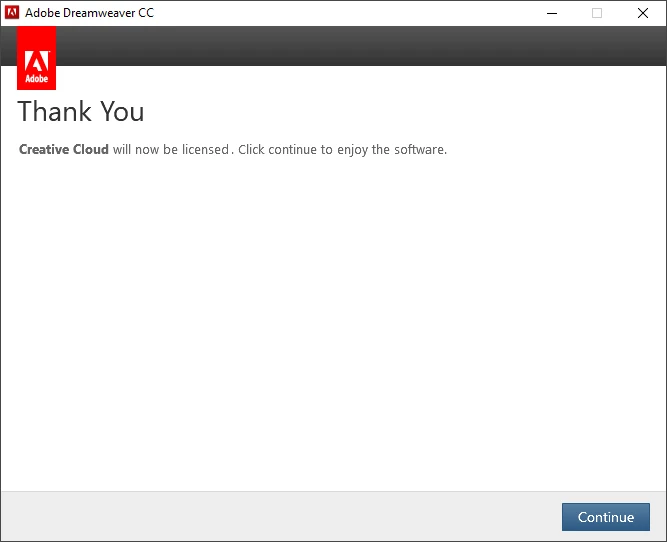
And - when I log in with my Adobe ID I get a message that everything is ok - and that I can go back to my application.


I'm trying to reopen Dreamweaver - and the same message pops up asking me to sign in with my Adobe ID, etc. - an eternal loop.


Anyone can help me solve this so I can open the program?


    This topic has been closed for replies.

    3 replies

    Jon Fritz
    Community Expert
    Community Expert
    February 22, 2022

    I've run into this a few times while running an older CC version of DW. Logging out of, and back into, the CC Desktop App will fix it for me. 

    janp50393892
    Known Participant
    February 22, 2022

    Thanks for the tips, but have not solved the problem.

    Have also installed the latest version of Dreamweaver for testing - that works - but it is impossible to open Dreamweaver CC.

    I have uninstalled and reinstalled DreamWeaver CC without this fixing the issue.

    When I try to open DreamWeaver CC, I get a message to log in with my Adobe ID.

    And - when I log in with my Adobe ID I get a message that everything is ok - and that I can go back to my application.

    When I'm trying to Dreamweaver CC - the same message pops up asking me to sign in with my Adobe ID, etc. - an eternal loop.

    I think there must be a file in the Dreamweaver CC folder that prevents me from opening Dreamweaver, can it be deleted or changed?

    Jon Fritz
    Community Expert
    Community Expert
    February 22, 2022

    Have you tried logging out and back into the CC Desktop Application, not Dreamweaver, but the Creative Cloud Desktop App specifically?

    1. Open the CC Desktop App and click in the upper right...


    2. Choose Sign Out at the bottom

    3. Restart your computer.

    4. Go back to the CC Desktop App and sign in.

    5. Try opening Dreamweaver CC

    If the above still doesn't work, you can use this resource to go after a few different files that might be causing the disconnect...

    https://helpx.adobe.com/x-productkb/policy-pricing/activation-network-issues.html

    BenPleysier
    Community Expert
    Community Expert
    February 22, 2022

    Have you tried to install the latest version of Dreamweaver to see if you get the same problem? Yes you can keep your older version as well as the newer version. You just can't run both at the same time.

    Wappler is the DMXzone-made Dreamweaver replacement and includes the best of their powerful extensions, as well as much more!
    B i r n o u
    Legend
    February 22, 2022

    did you try to close (quit) and open your CC desktop application. in the same time, just verify that your CC destop is up to date.

    the CC desktop is located on the task bar


    janp50393892
    Known Participant
    February 22, 2022

    Yes, I have tried to close and reopen my CC desktop and it is up to date.

    Also reinstalled Dreamweaver without this help.

    Have no problem opening other Adobe programs - the problem only applies to Dreamweaver.