
Maggybeths
Participating Frequently
Feb 4, 2017 7:31 PM UTC
Answered

Can't insert any components through the insert panel

Using Dreamweaver 2017 with the latest update.

Mac Sierra

When I start a new document (regular html5 or bootstrap; doesn't matter), I am unable to use the insert panel. I can click once, twice, 100 times on any of the selections and nothing happens. Once in a while, I get lucky but then if I'm trying to nest it or put it after another div it wont give me the option.

So far:

I've restarted

uninstalled

re-installed

deleted the configuration files

Now I just started with Dreamweaver 2017 and I'm use to Dreamweaver CS5 but I honestly don't know what I'm doing wrong.  I can drag and drop! But then it doesn't give me any options where to place it, what CSS file to put the the styles in, etc etc... so I have to actually go into the code but it doesn't seem like it should work like that?

This topic is closed to new replies. Start a new post to keep the conversation going.
Nancy OShea
Nancy OSheaCorrect answer
Community Expert
Feb 4, 2017 11:24 PM UTC

If I do that would be REALLY weird o_O

But no, I only have one monitor.


I can't reproduce it on Win10, so I'm guessing this is Mac related.

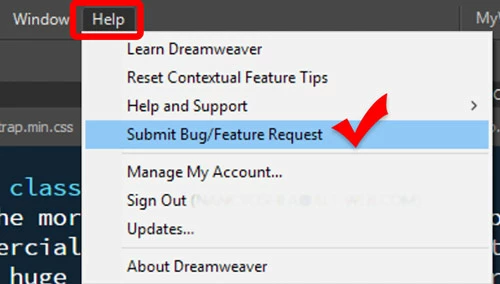
Ber sure to submit a bug report.

Nancy O'Shea— Product User & Community Expert

11 replies

Nancy OShea
Community Expert
Community Expert
Feb 4, 2017 8:26 PM UTC

Are you in Design View or Live View?

Have you saved and named the new document yet?

Are you working in a defined local site folder?

Nancy

Translate
Nancy O'Shea— Product User & Community Expert
Maggybeths
Participating Frequently
Feb 4, 2017 9:08 PM UTC

I've tried it in both views and it doesn't seem to matter. Since I am trying to build it in bootstrap (I'm more graphics oriented than code oriented :/) it keeps telling me I have to stay in live view? But I have tried it in both. I've even tried to create an HTML 5 document and use only HTML components but the insert panel still will not work.

I have saved the document and my local site folder has been defined.

Translate
Nancy OShea
Community Expert
Community Expert
Feb 4, 2017 9:39 PM UTC
Nancy O'Shea— Product User & Community Expert