


Cannot edit in DW 2018
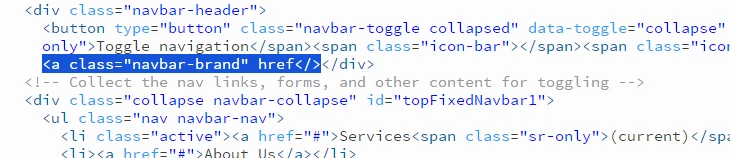
This is the craziest thing I've ever seen. I cannot edit in DW 2018. When I click anywhere it highlights the entire class, div, whatever. You cannot see your cursor, you sort of have to guess and type something in order to see if you hit it right. As you can see here, I want to insert my cursor to correct where the href is not anchored. Yet
when I click it highlights the ENTIRE area and the cursor vanishes. Apparently this was an issue in 2017 and Adobe for whatever reason decided not to fix the problem. Why in the world would you create a style that hides the cursor? I do not want the entire class, div, or whatever highlighted I want to be able to code directly. I googled and found something about editing some file, but I cannot believe there is no fix for this?




 AdChoices