

barbrab
Known Participant
March 13, 2019
Answered

Cannot launch Photoshop from within Dreamweaver on Mac

  • March 13, 2019
  • 2 replies
  • 2290 views

Hello,

When I try to edit a photo by launching Photoshop within Dreamweaver (right click on photo, choose Open) I ma being told that Photoshop 2018 cannot be found:
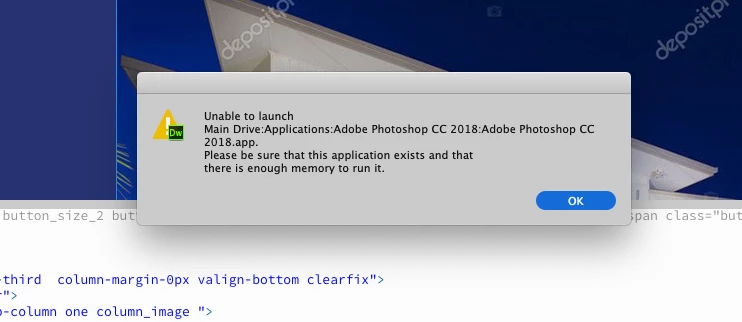
I don't have 2018 0n my system, and in my preferences I have it set up as 2019, the version that is on my system. In addition, I have 8 gig of ram, and about 80 gig free hard drive space, so I don't think it's a memory issue either:
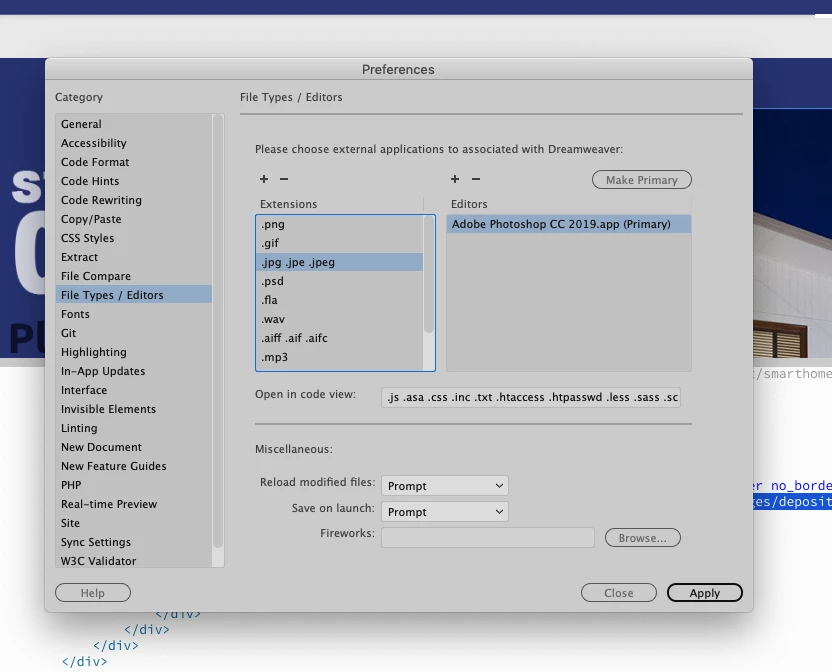
And it doesn't matter how many times I reboot, relaunch, reload, or reinstall. And the path is correct, since in order to pick the program at all I have to navigate to the executable on my hard drive to choose it.

Any ideas? I've gotten really tired of paying a huge monthly fee for a program that has a new array of issues, as well as most of the old ones, with every update.

This topic has been closed for replies.
Correct answer Nancy OShea

She's talking about previous editions of the Mac OS, not Adobe.
I already went back to using CS6 for almost a year because of the issues with the fans with running overtime that went on for more than a year.
I find it interesting that every time we mac users struggle with this program the answer is to use something older that did work. I pay a huge amount of money for this service. I own CS6, but I can't even drop my subscription and go back to that because they charge you a couple of hundred dollars to do that!


I use Windows without any problems.

Have you reached out to Adobe  support?

Contact Customer Care


2 replies

WebDevStudio
Known Participant
November 30, 2021

Your description/ image helped me to correct my situation. Thank you. 

Nancy OShea
Community Expert
Community Expert
March 13, 2019
  1. Close Dreamweaver.
  2. Restore Preferences. 
    Unusual behavior in Dreamweaver? Try restoring preferences.
  3. Launch Photoshop 2019 from your desktop icon before you open DW.


Nancy O'Shea— Product User & Community Expert
barbrab
barbrabAuthor
Known Participant
March 13, 2019

That was done when I reinstalled the program.
Amazing that an issue from the 2014 edition is STILL an issue with a complicated fix.

Nancy OShea
Community Expert
Community Expert
March 13, 2019

Re-installing doesn't restore preferences unless you  ran the Adobe Cleaner tool. 

Use the Creative Cloud Cleaner Tool to solve installation problems

Nancy O'Shea— Product User & Community Expert