
Inspiring
April 8, 2022
Answered

Cannot turn off auto push on save or keep Code View as default in Dreamweaver 2021

  • April 8, 2022
  • 2 replies
  • 299 views

If I only open one file at a time everything works as expected. But as soon as I open a second file (or more)  behavior changes.

Files after the first open in Split Code-live view AND files upload to the testing server on open and on save and whenever Dreamweaver loses focus in Windows.

Automatically upload and Automatically push are unchecked in the Server Settings in Site setup.

I have reset preference in dreamweaver. I have uninstalled and reinstalled Dreamweaver. I have attempted to not sync settings from the cloud back to my computer. I have tried resetting the developer workspace, and I have tried creating my own workspace.


Running Dreamweaver 21.2, 15523 Build.

Windows 11 Pro, Version 21H2
 

    This topic has been closed for replies.
    Correct answer Nancy OShea

    As a rule, Dreamweaver remembers the last mode used when program shut down.

    1. Toggle between Live / Design view (Ctrl/Cmd + Shift + F11). 
    2. Save (Ctrl/Cmd + S). 
    3. Close all  (Ctrl/Cmd + W).
    4. Restart Dreamweaver.
    5. Go to File > Open recent.


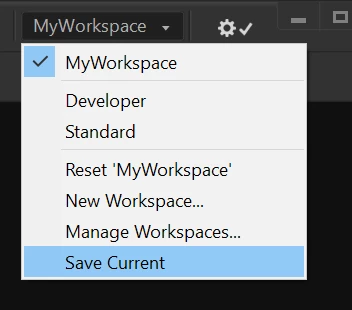
    Failing that, try creating a new custom workspace and save it.


    2 replies

    Nancy OShea
    Community Expert
    Community Expert
    April 8, 2022

    Another shortcut:  Ctrl + click on Code view button. 

    That will switch ALL opened documents to Code view.


    Nancy O'Shea— Product User & Community Expert
    Nancy OShea
    Community Expert
    Nancy OSheaCommunity ExpertCorrect answer
    Community Expert
    April 8, 2022

    As a rule, Dreamweaver remembers the last mode used when program shut down.

    1. Toggle between Live / Design view (Ctrl/Cmd + Shift + F11). 
    2. Save (Ctrl/Cmd + S). 
    3. Close all  (Ctrl/Cmd + W).
    4. Restart Dreamweaver.
    5. Go to File > Open recent.


    Failing that, try creating a new custom workspace and save it.


    Nancy O'Shea— Product User & Community Expert
    Inspiring
    April 8, 2022

    Toggling between views saving and closing seems to have fixed it.

    Thank you.