
Cannot turn off Automatically push files to testing server
I am using Dreamweaver 21.2 on Windows 11. I just moved over to a new computer and all my settings synced over from my old machine, which was great.
But now every time I saw it pushes to the testing server, which I have not done in the past, and I have reasons for not wanting to. I went in and made sure the box was unchecked and it was.
I have 2 servers set up in the site, 1 is remote, the other is testing. Both servers have the auto push checkbox as unchecked as show here:
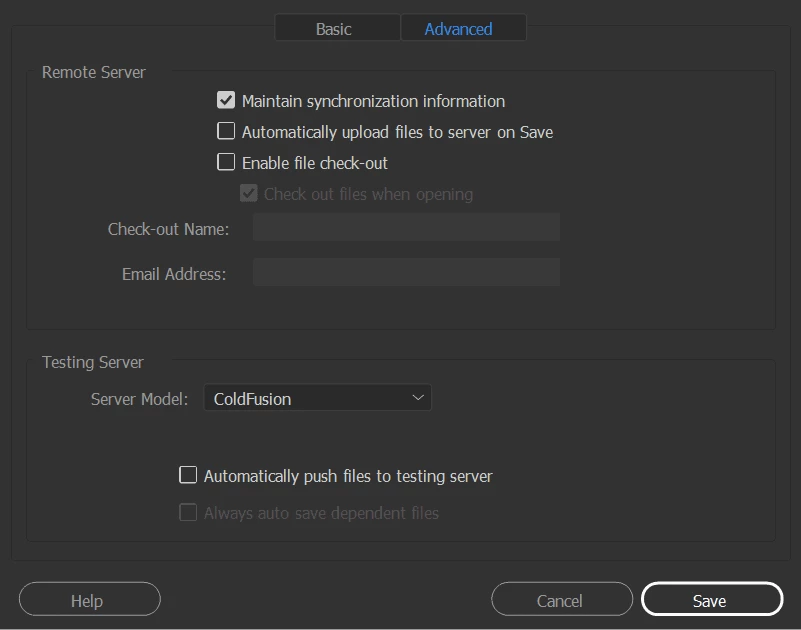
I have tried checking the box, saving the setup, and then going back in and unchecking it and saving again. It still auto-pushes on save.
I tried deleting the servers from the site entirely. Then set up the servers again making sure the box was unchecked on both, and it still auto-pushes.


 AdChoices