

CC 18.2 Randomly Converts Special Characters to Chinese
When I open an .html file in DW any special characters in the file get converted into Chinese characters for some reason.
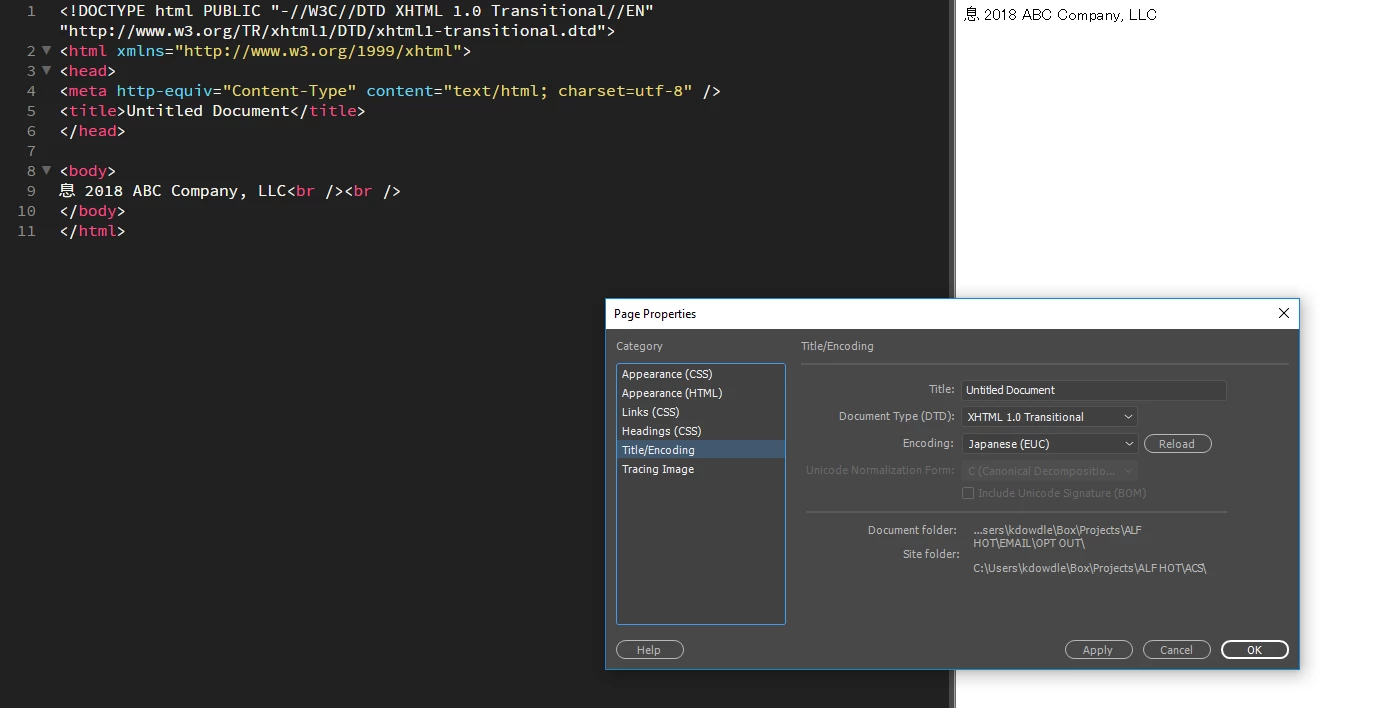
For example, if I have the copyright symbol © in the .html document and I open it in DW, that symbol gets converted to this Chinese character: 息
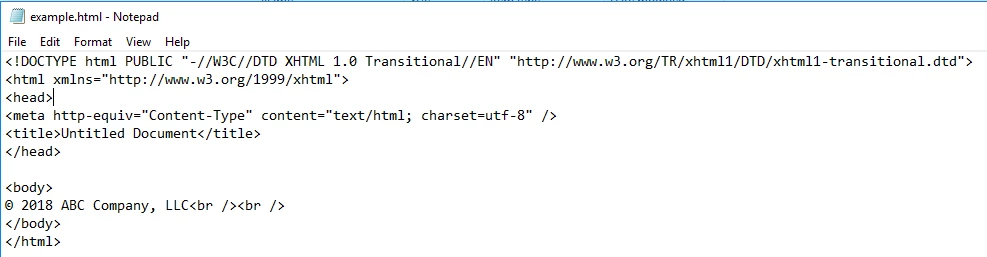
Here's some example HTML that contains the © symbol:
It seems to have something to do with the encoding setting because it looks like it gets automatically switched to "Japanese (EUC)" when the file is opened, even if the Title/Encoding was originally set to UTF-8 when I created the .html file:
Does anyone know a way to prevent this from happening? Or to force all .html files to open with UTF-8 encoding by default?
This only started happening in the last couple of weeks. I'm not sure if it was caused by a recent CC update or something...
When I open the .html file in question in other text editors, or even just notepad, the © remains intact, no issues.
Thanks in advance!



 AdChoices