
Participant
May 1, 2019
Answered

center-block not working

  • May 1, 2019
  • 5 replies
  • 542 views

Hi,

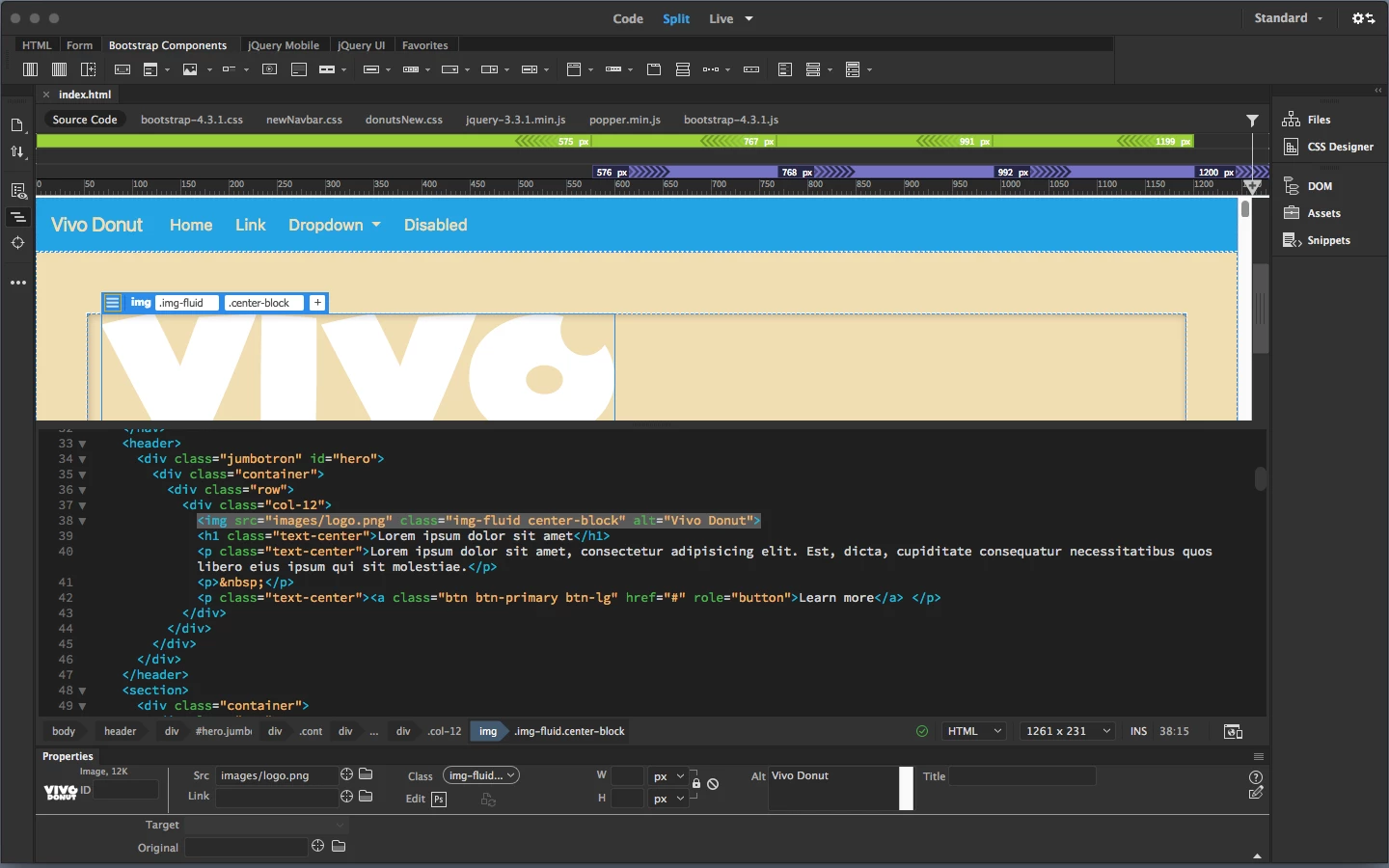
I am following a Tutorial do customize a Bootstrap site. At a certain point, I try to center a responsive image by using the center-block class, exactly the way it is done in the Tutorial. But it does not work. Follow a print screen of the code, everything seems to be correct, but the image is not centered. Any ideas on what could be the problem?
best

Marcus

This topic has been closed for replies.
Correct answer Paul-M

Here's your reference for more about positioning images in Bootstrap 4: https://getbootstrap.com/docs/4.0/content/images/

It sounds like you are working on a project with Bootstrap 4 but following a tutorial for Bootrap 3.

5 replies

mbastosAuthor
Participant
May 1, 2019

Ben,

thanks for your answer!

best
Marcus

Paul-MCorrect answer
Legend
May 1, 2019

Here's your reference for more about positioning images in Bootstrap 4: https://getbootstrap.com/docs/4.0/content/images/

It sounds like you are working on a project with Bootstrap 4 but following a tutorial for Bootrap 3.

Paul-M - Community Expert
BenPleysier
Community Expert
Community Expert
May 1, 2019

Assuming that you are using Boottrap 4, the image has to be converted from the default inline-block to a block level element. This is done using the class of d-block.

Secondly, we centre the image by setting the horizontal margins to auto by adding the class of mx-auto.

We now finish up with

<img src="images/logo.png" class="img-fluid d-block mx-auto" alt="Vivo Donut">

Wappler is the DMXzone-made Dreamweaver replacement and includes the best of their powerful extensions, as well as much more!
Legend
May 1, 2019

so like this:

<img src="images/logo.png" class="img-fluid d-block mx-auto" alt="Vivo Donut">

Paul-M - Community Expert
mbastosAuthor
Participant
May 1, 2019

Paul, thanks for your reply, it works perfectly.

Legend
May 1, 2019

Is this Bootstrap 4 ? - if it is then you need the classes 'd-block' and 'mx-auto'

I ask because the image also has the class 'img-fluid' which is Bootstrap 4 specific

Paul-M - Community Expert