This is responsive with the help of Bootstrap 3.7

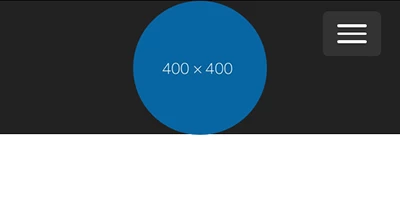
<!doctype html>
<html lang="en">
<head>
<meta charset="utf-8">
<title>Bootstrap 3.3.7</title>
<meta name="viewport" content="width=device-width, initial-scale=1">
<meta http-equiv="X-UA-Compatible" content="IE=edge">
<!-- Latest compiled and minified Bootstrap CSS-->
<link rel="stylesheet" href="https://maxcdn.bootstrapcdn.com/bootstrap/3.3.7/css/bootstrap.min.css" integrity="sha384-BVYiiSIFeK1dGmJRAkycuHAHRg32OmUcww7on3RYdg4Va+PmSTsz/K68vbdEjh4u" crossorigin="anonymous">
</head>
<style>
.navbar { min-height: 100px }
.brand-centered {
display: flex;
justify-content: center;
position: absolute;
width: 100%;
left: 0;
top: 0;
}
.navbar-brand {
display: flex;
align-items: center;
padding: 0;
height: 100px;
}
.navbar-brand>img {
height: 100%;
width: 100%;
}
.navbar-toggle { z-index: 1; }
/* Special Rules for Medium+ devices*/
@media only screen and (min-width: 766px) {
.navbar-nav > li > a {
padding-top: 40px;
padding-bottom: 40px;
}
}
</style>
<body>
<nav class="navbar navbar-inverse">
<div class="container-fluid">
<div class="navbar-header">
<button type="button" class="navbar-toggle collapsed" data-toggle="collapse" data-target="#navbar"> <span class="sr-only">Toggle navigation</span>
<span class="icon-bar"></span>
<span class="icon-bar"></span>
<span class="icon-bar"></span> </button>
</div>
<div class="brand-centered"> <a class="navbar-brand text-hide" href="#"><img class="img-circle" src="https://dummyimage.com/400x400/0866a2/fff.png.jpg" alt="...">Brand Name Here.... </a> </div>
<div id="navbar" class="navbar-collapse collapse">
<ul class="nav navbar-nav navbar-right">
<li class="active"><a href="#">Home</a></li>
<li><a href="#">About</a></li>
<li><a href="#">Search</a></li>
<li><a href="#">Contact</a></li>
</ul>
</div>
<!--/.nav-collapse -->
</div>
<!--/.container-fluid -->
</nav>
<!--latest jQuery 3-->
<script src="https://code.jquery.com/jquery-3.2.1.min.js" integrity="sha256-hwg4gsxgFZhOsEEamdOYGBf13FyQuiTwlAQgxVSNgt4=" crossorigin="anonymous"></script>
<!--Bootstrap 3-->
<script src="https://maxcdn.bootstrapcdn.com/bootstrap/3.3.7/js/bootstrap.min.js" integrity="sha384-Tc5IQib027qvyjSMfHjOMaLkfuWVxZxUPnCJA7l2mCWNIpG9mGCD8wGNIcPD7Txa" crossorigin="anonymous"></script>
</body>
</html>





 AdChoices