
Chronic problem uploading files to server
[Nancy was extremely helpful to me in November. I hope she won't mind assisting me resolve a new DW CC problem that I've experienced daily for seven months.]
My problem deals with DW's uploading of files (which are generally small "HTML" and "jpg" files). This has been happening with v. 21.0 and v. 20.2. I removed my antivirus apps and browser extensions but those efforts weren't helpful. I also deleted and replaced Dreamweaver's cache files but that was also ineffective in correcting this problem.
For the past two weeks, I've e-communicated with my host to see if it was a server-side problem. It tweaked a number of ht-access settings and the mod_expires extension but the problem continues, every time I attempt to upload one or more of my local files to the server.
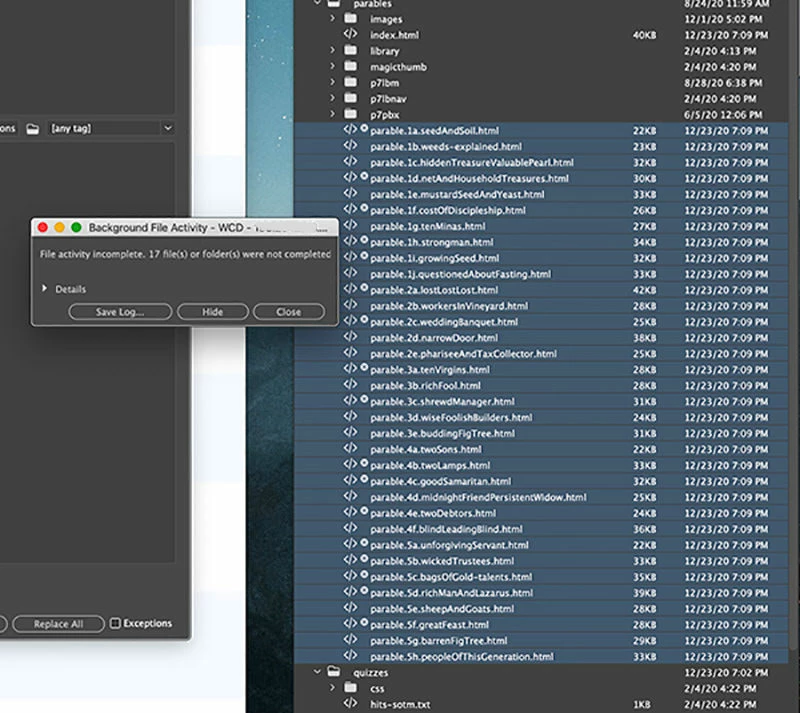
Basically, after selecting the files I want to upload, I click the upload icon to put the files; after a few seconds, I get a notice saying: "File activity incomplete." It shows how many of the selected files were NOT completely uploaded. I also get a small, white circular "failure" icon (that you can see in my attached screenshots) corresponding to those files that weren't uploaded on each attempt.
I then clicked the upload icon again, waited a few seconds, and found a smaller number of the same files that were not uploaded. I make this repeated uploaded attempt numerous times until all the selected files have been confirmed as "File activity complete."
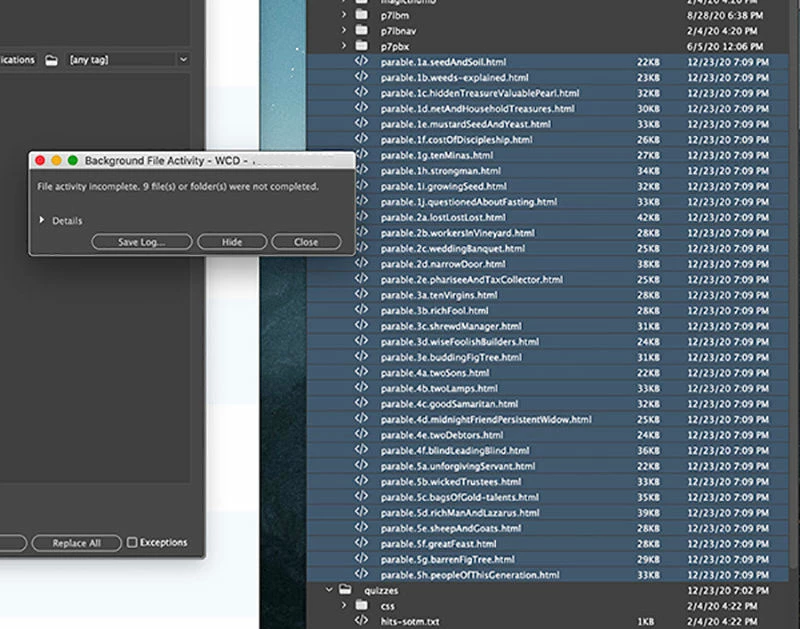
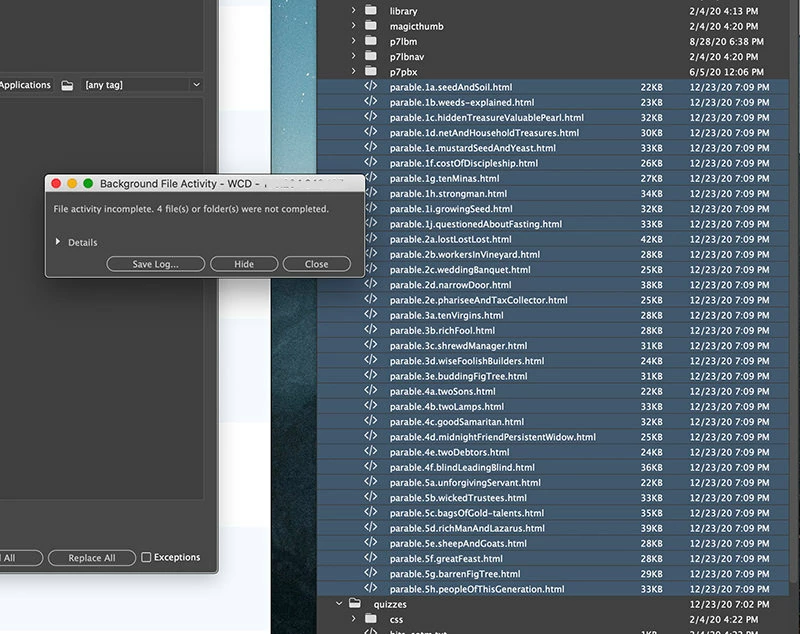
Please see the progression in the following screenshots. Thanks.
First screenshot: Seventeen files failed to upload.
Screenshot #2: Nine files failed to upload.
Screenshot #3: Four files failed to upload.
Screenshot #4: One file failed to upload.
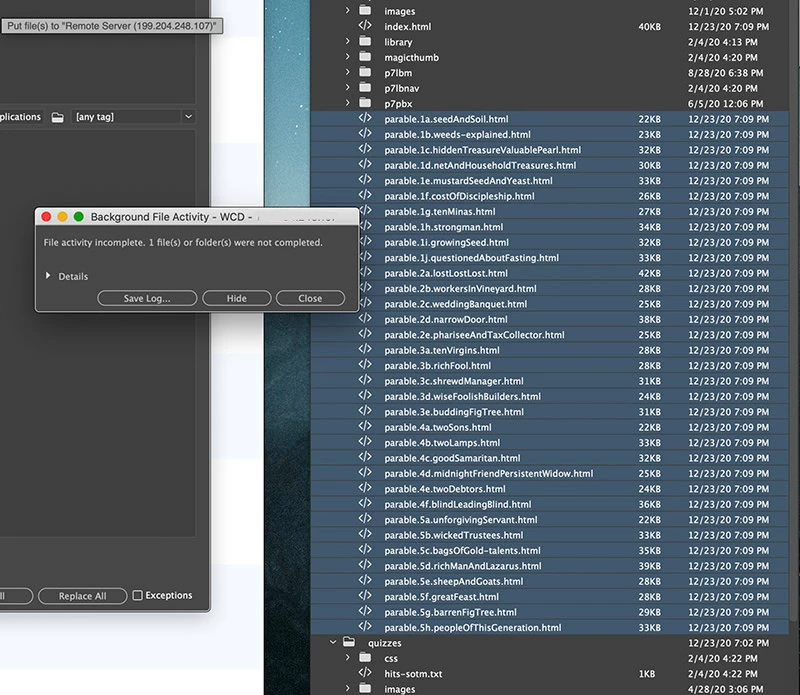
. . . The following upload attempt successfully uploaded to the server.
It seems to me that what my server technician says has merit: "Since the FTP connection is working fine and the files are getting uploaded after some tries, this may be due to issues with Dreamweaver, not the FTP server."
Add to that the following details that I discovered this morning when attempting to upload files from a different directory.
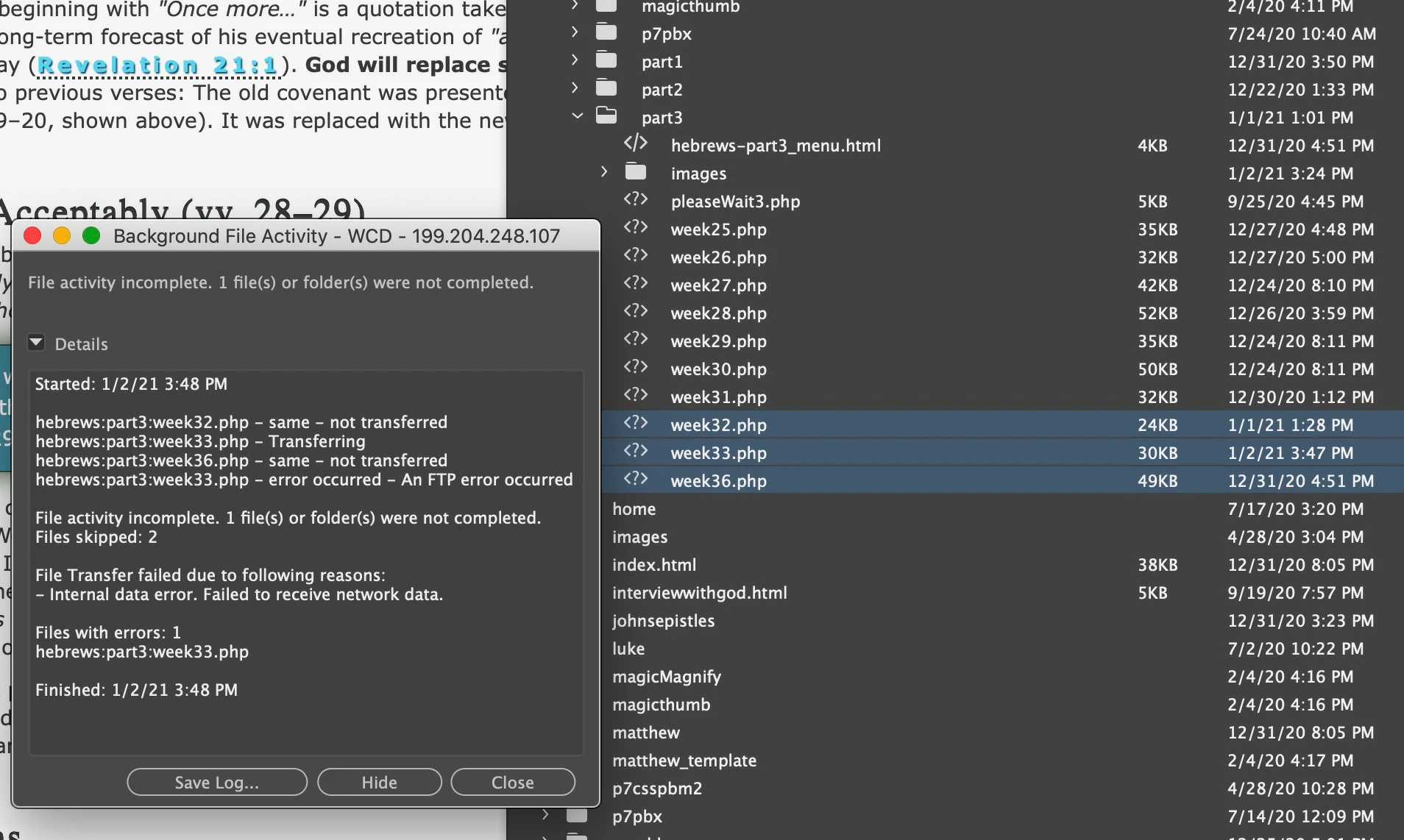
It cites this in the "Details" drop-down section: "Internal data error. Failed to receive network data."
Does that detail help focus on the problem's cause?
I hope very much that this problem has already been evaluated and its resolution has been disclosed on this forum. Correcting this chronic problem will save me lots of wasted time during my daily workflow.
Thanks, in advance, for your help in resolving this issue.
Warren


 AdChoices