

Answered
Code View
In Code View, all the text is bold. Is there any way to put it back at the default without bold and a regular font? I attached an image for your understanding.
i'm on a Mac OSX El Capitan with Dreamweaver 2017.0.1 Release.
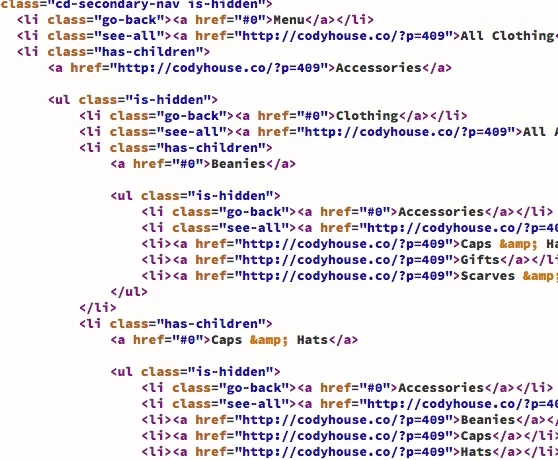

In Code View, all the text is bold. Is there any way to put it back at the default without bold and a regular font? I attached an image for your understanding.
i'm on a Mac OSX El Capitan with Dreamweaver 2017.0.1 Release.
Already have an account? Login
Enter your E-mail address. We'll send you an e-mail with instructions to reset your password.

 AdChoices