
Participating Frequently
January 12, 2019
Question

Code view not loading or very slow

  • January 12, 2019
  • 2 replies
  • 1808 views

This post is an act of desperation as most of my time with the latest Dreamweaver is just WAITING for the code to load.

I've been using DW for many years working with files of similar structure. CS6 worked seamlessly. CC 2015 was a bit troublesome. The CC 18 has this issue but:

This latest version CC19.0 is not actually functioning AT ALL!

Because of the nature of the website I'm working on, sometimes I'm opening several pages at the same time and use 'Find and replace' function. This worked on previous versions but now opening just two pages is proving impossible. Here is a screenshot after THREE HOURS OF WAITING!!!
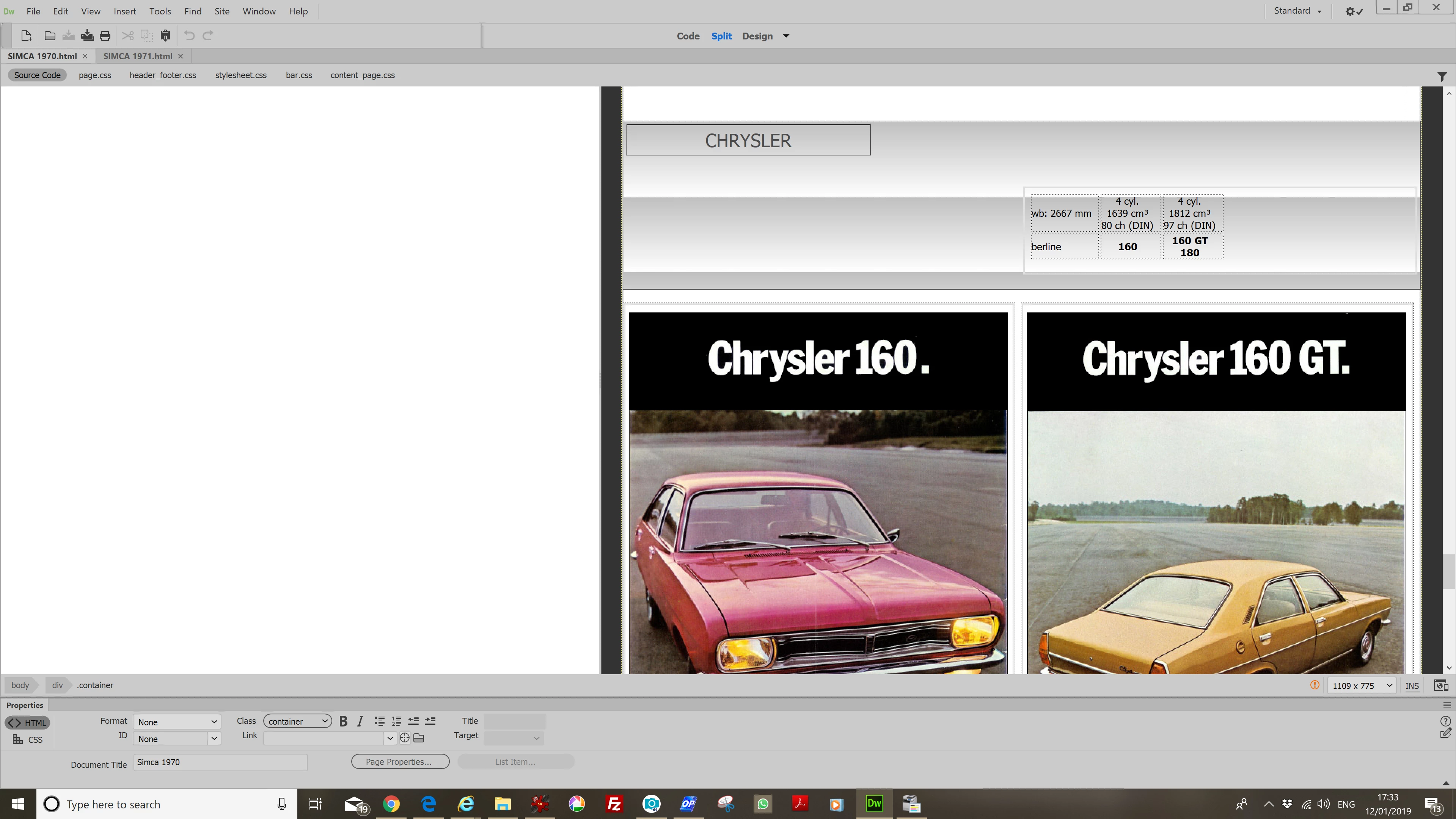
Editing links in code view requires switching off code hints, otherwise it takes ages or freezes completely.

This topic has been closed for replies.

2 replies

Participant
February 13, 2019

Did you get any joy on this? I can't face having to uninstall all my CC and then do this mammoth exercise just to find it has done nothing. I have exactly the same problem. I'm not even trying to preview the files as I only use DW as an IDE

Participant
February 13, 2019

Just adding to this that I have, in desperation, uninstalled every Adobe product, run the cleaner, cleared out any rogue files left behind, and reinstalled. The problem is still there.

Jon Fritz
Community Expert
Community Expert
February 13, 2019

As a CC subscriber, you have access to all major versions of the program since the subscription service started. You can have any, or all, of them installed on the same machines at the same time, they just won't run concurrently.

To do that...

1. Open the CC Desktop App
2. Click the Apps tab
3. Click the small arrow icon next to DW Install/Update button
4. Choose Manage
5. Choose Other Versions
6. Pick a version prior to the Brackets engine being added (CC2015 or earlier)

Make sure to contact Adobe Customer Care here, maybe their tech support will be able to help, but at least you'll be able to get work done in the older version while troubleshooting continues in the newer one.

Nancy OShea
Community Expert
Community Expert
January 12, 2019

Does this happen with all files in all sites or just certain ones?

I ask because I have no latency problems in CC 2019 on Win10 64-bit.  I mainly work with database driven content (PHP & MySQL).   I also frequently use Bootstrap and jQuery.

  • My local site folders all reside on my primary hard drive and not a networked  or cloud drive.  
  • Power saving sleep mode is turned off.
  • I check my Task Manager to see which other processes are running and  disable or delay all non-essential ones until after work hours.
Nancy O'Shea— Product User & Community Expert
Participating Frequently
January 13, 2019

Hi Nancy.
Thank you for your reply. I'm running Win 10 64-bit on Intel Core i5-7400 CPU 3,00GHz, 32 BG RAM.
I tried opening THE SAME single file few times: design view opens instantly, ready for editing every time; code view sometimes stays blank for 10-15 seconds, then appears but stays non responsive for another 20-30 seconds, sometimes is visible instantly but still non responsive for up to a minute.

Opening more than one file is virtually impossible unless I wait for each one to become fully active before opening the next one. Still: this only applies to code view, the design being fully operational straight away.

The code it very simple HTML with 4-5 CSS files attached to each page. No php, j-query etc. The site I'm working on is stored on the drive on my computer. It is pretty big, containing about 9000 html files, but my argument to that would be: it was always like that and worked seamlessly on my old CS6, opening 10-15 html files with no trouble.

This problem started when I moved from Win7 with CS6 to Win10 with CC18 and is becoming increasingly difficult. Sometimes it is actually quicker for me to open and edit the file in Notepad.

BenPleysier
Community Expert
Community Expert
January 13, 2019

Try deleting the cache file or even the whole configuration folder as per Deleting a corrupted cache file

Wappler is the DMXzone-made Dreamweaver replacement and includes the best of their powerful extensions, as well as much more!