
Participant
Feb 1, 2017 3:09 PM UTC
Question

Code View - To Word Wrap or not to Word Wrap

OK, this is a relatively new problem, maybe since I got CC (or maybe from a more recent update) and I've decided I can't live with it anymore.

When coding an email with lots of nested tables (or anything with a few levels of nesting) my code, with Word Wrap enabled eventually starts showing as a column of one character down the right hand edge of the page:
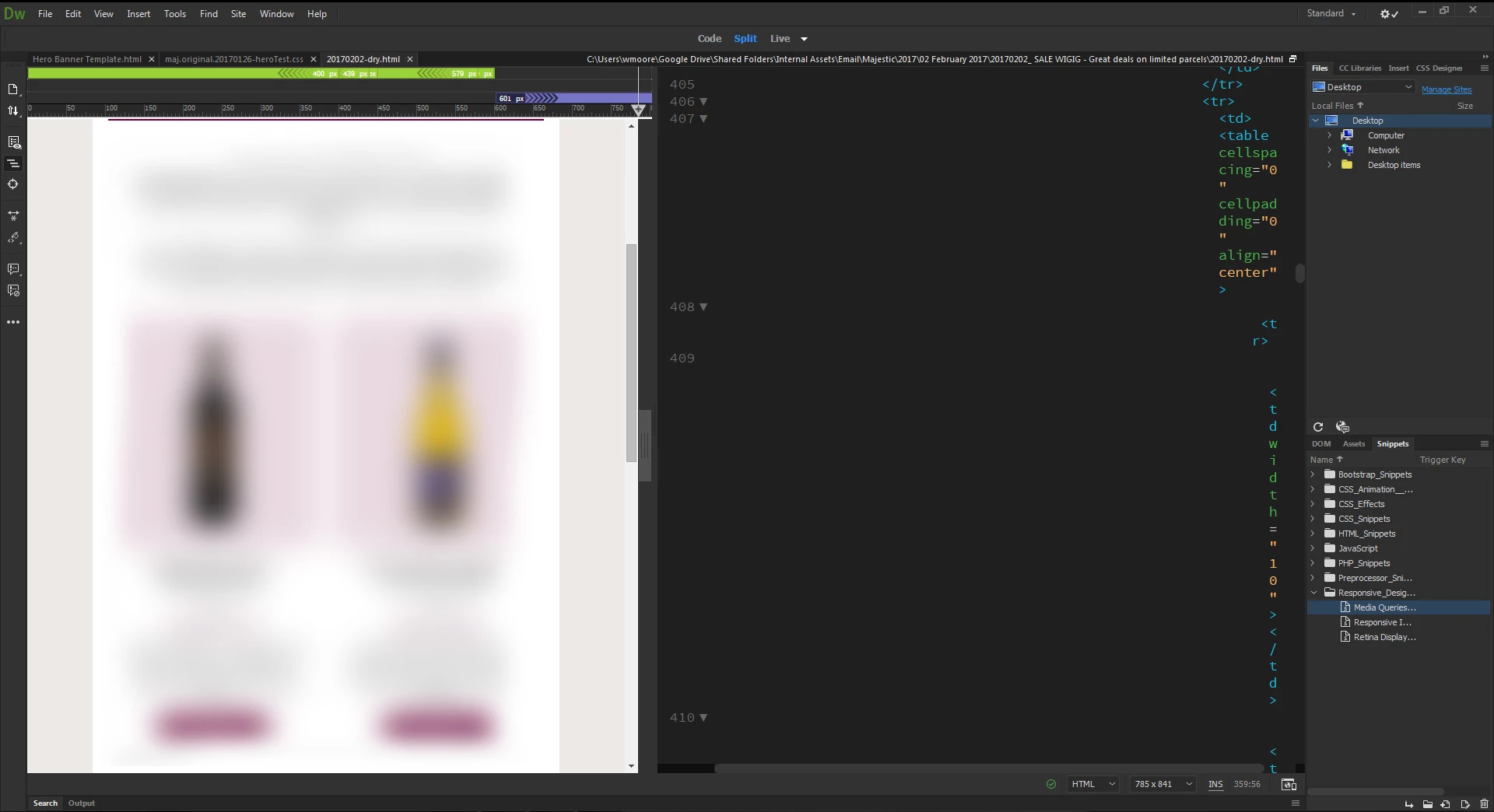
I've tried Word Wrap on and off and although turning Word Wrap off at least solves this it does mean I have to use a horizontal scroll bar when I'm sure older versions used to just bring your code back to the left when it stopped fitting in.

Has anybody got a solution to improve this situation. It's pretty much impossible to work on when it runs down the age in single characters.

This topic is closed to new replies. Start a new post to keep the conversation going.

2 replies

Nancy OShea
Community Expert
Community Expert
Feb 1, 2017 7:19 PM UTC

Click the Code Format icon on Common Toolbar.

Define code formatting in Edit Tab Libraries.  Afterwards, Apply Source Formatting.

I'm not a huge fan of indented code. So I keep word wrap on.

Nancy

Translate
Nancy O'Shea— Product User & Community Expert
Jon Fritz
Community Expert
Community Expert
Feb 1, 2017 3:26 PM UTC

Looks like your code has gone extremely indent happy.

Aside from taking out a lot of Tabs/indents by removing them from the Tag Libraries and using Apply Source Formatting, you might get some relief switching to an over/under positioning for the Split View.

Click View > Split > Split Horizontally if you're going to be working in Code View more than Live/Design.

Translate