Answered
Coding Error Help [was Dreamweaver help]
Hello, I'm new to Dreamweaver and trying to get this mysterious vertical line out of our webpage. Any idea the code I need to remove for this? Thanks
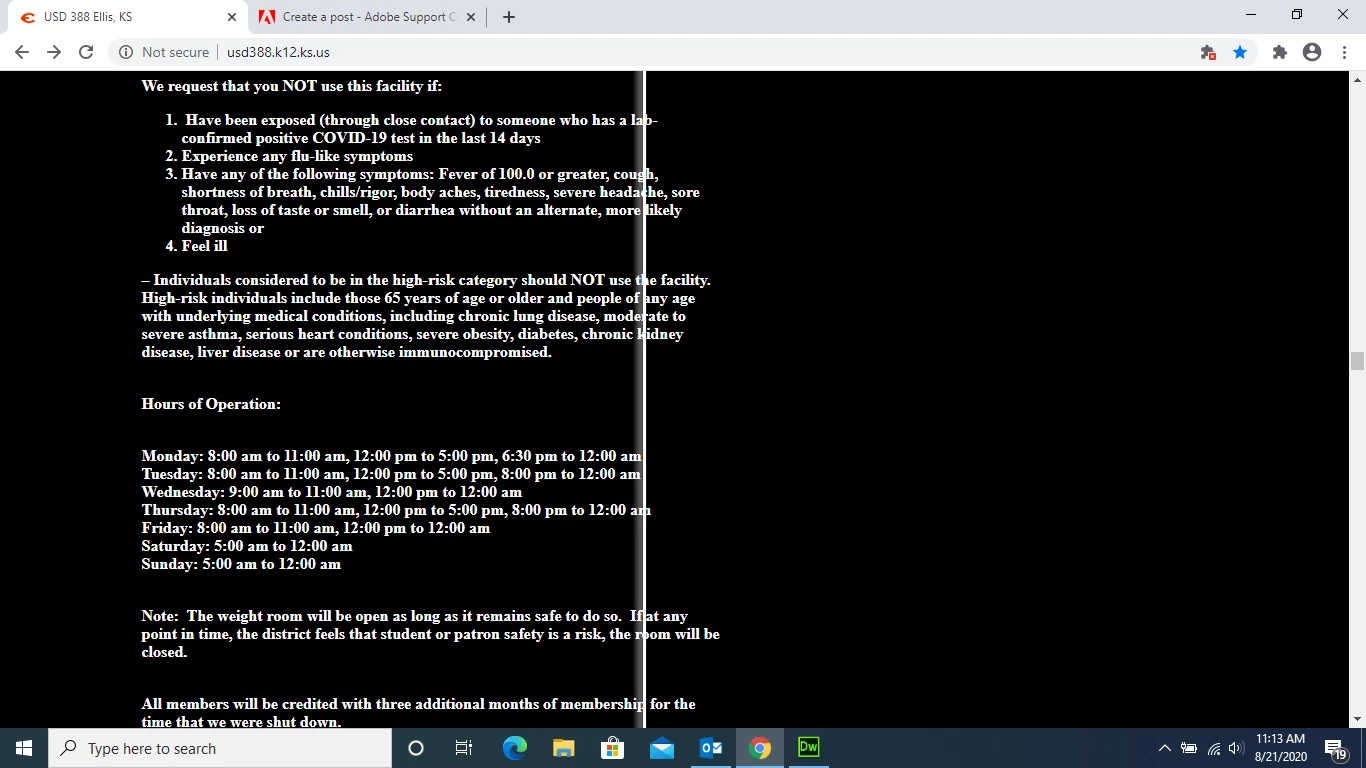

Hello, I'm new to Dreamweaver and trying to get this mysterious vertical line out of our webpage. Any idea the code I need to remove for this? Thanks
Answers to problems like this are contained in your code.
Without a URL to look at, I'm guessing it's caused by a background image that's repeating on the page vertically and horizontally. Hence the white line. Replacing the background image with a solid color like #000 for example should work.
body {
background: #000;
}
Already have an account? Login
Enter your E-mail address. We'll send you an e-mail with instructions to reset your password.


 AdChoices