


Participating Frequently
March 24, 2023
Question

Conflicting Settings Error

  • March 24, 2023
  • 3 replies
  • 300 views

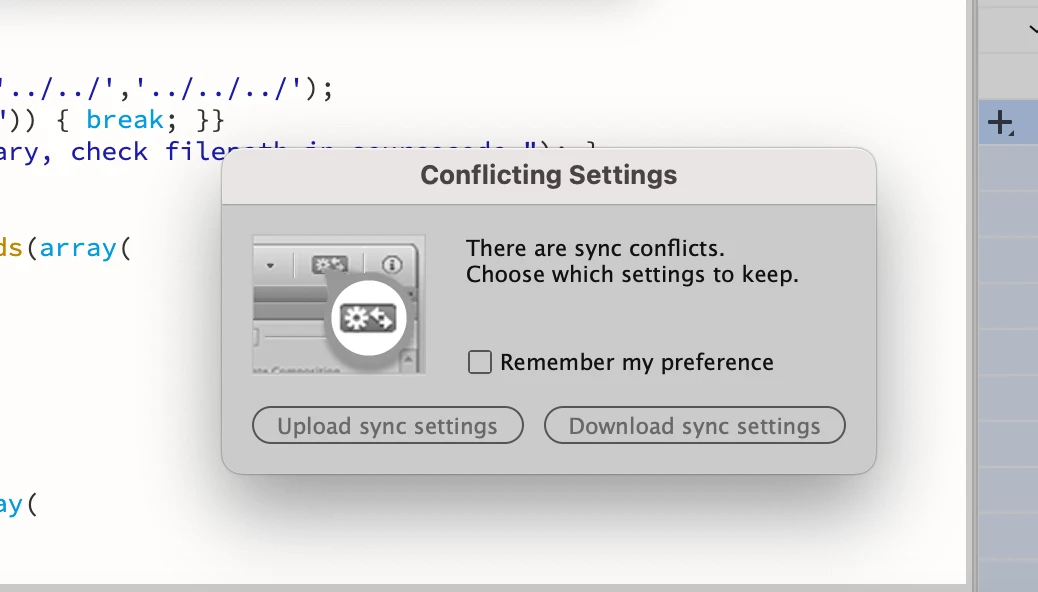
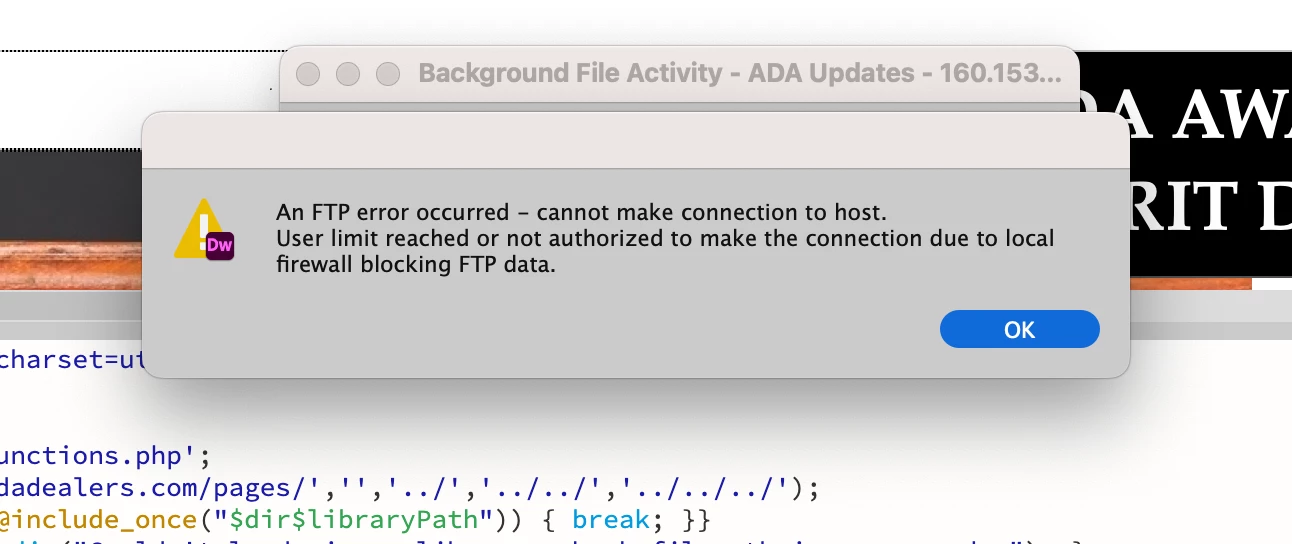
I was updating a page on a clients HTML website, and without telling me, he also started working on the same page (super frustrating and I've had a conversation with him about it so it won't happen again). Anyway, I was having issues connecting to the server and kept getting an FTP error that my user limit was reached and it couldn't connect, so I don't believe I was actually connected. But now it's giving me a conflicting settings error and says that there are sync conflicts and I need to choose which settings to keep, upload sync settings or download sync settings. I can't force close or in any way get out of DW until I select one. I hadn't made any changes on my end so the changes the client made need to stay. Can someone explain this error to me so that I can make an informed decision? What is download sync settings vs upload sync settings? Again, what's on my local computer is not accurate and what is on the website is. See screenshots.


I have adobe creative cloud so I'm using the most up-to-date version of DW. My device is a Macbook with macOS Ventura 13.2.1. Thanks for your help!
 

    This topic has been closed for replies.

    3 replies

    Participating Frequently
    March 27, 2023

    Nothing happens when I hit the escape key. I truly cannot get out of this page without selecting either upload or download. I contacted adobe support and they said to shut down my computer, but I read via one of their articles about these sync settings that when you force close it, it will choose an option for you...this is a nightmare!

    Nancy OShea
    Community Expert
    Community Expert
    March 27, 2023

    "Sync Settings" is merely asking if you want to download your saved Dreamweaver Preferences settings, workspaces, snippets, etc.. from the Cloud OR upload your current settings to the Cloud.   It has nothing to do with your site files.


    Nancy O'Shea— Product User & Community Expert
    Nancy OShea
    Community Expert
    Community Expert
    March 24, 2023

    Hit the ESCAPE key.


    Nancy O'Shea— Product User & Community Expert
    Nancy OShea
    Community Expert
    Community Expert
    March 24, 2023

    This just underscores why nobody should use file sync with remote servers.  🙄


    Expand your Files Panel and check the Modified Files' Date & Time stamps on both Local and Remote files. 

    That should tell you what you need to know. 


    Nancy O'Shea— Product User & Community Expert