jesusj203133
Participant
January 6, 2017
Answered

connecting my form to a mysql database

  • January 6, 2017
  • 2 replies
  • 1321 views

Hello!

I am having some trouble connecting my form on dreamweaver to my database that i have set up on my cpanel.

What I am trying to do is create a registration form that connects to the database that I have on the phpmyadmin page on my cpanel. This way users can register and their information will be saved on the mysql database.

one of the issues is that i am not quite sure what to put under  the MySQL Connection which are found when adding a database in the Database window on DW.

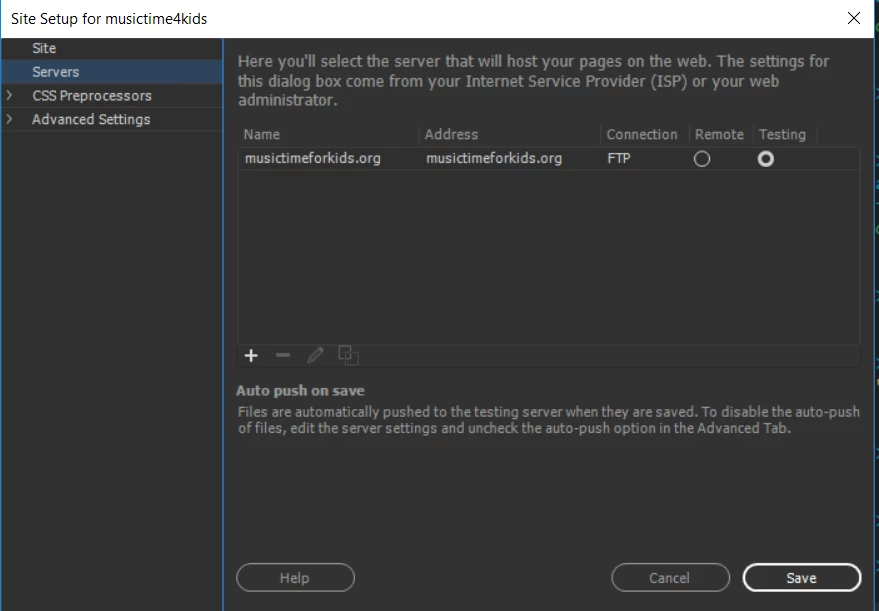
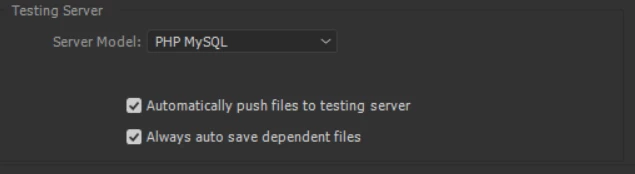
another issue is that i have a FTP host already connected to the website but not a testing server. i assumed that i already have one set up due to this
If anyone can help me with this matter, that would be awesome!

This topic has been closed for replies.
Correct answer Nancy OShea

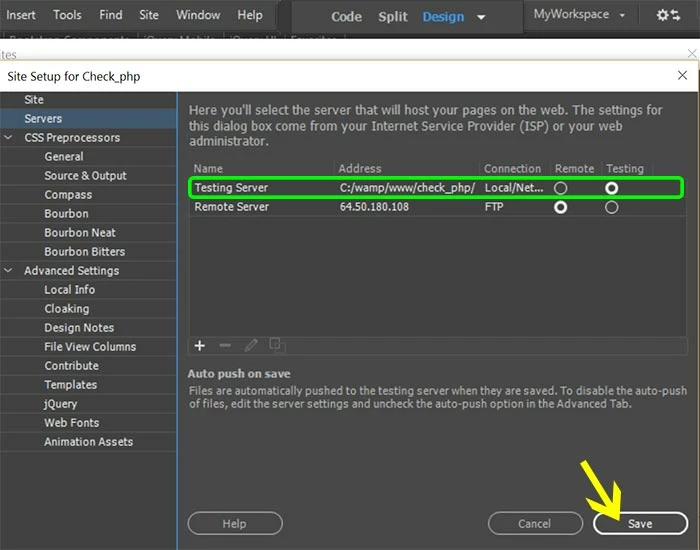
Developing a CRUD usually requires a local Apache testing server on your computer.  Obviously, you don't want to deploy an app on your remote server until you know it works properly.  You must test locally first.

I use Wamp testing server on my Windows computer.  But you could use Xampp or Mamp or Mamp Pro for Mac. 

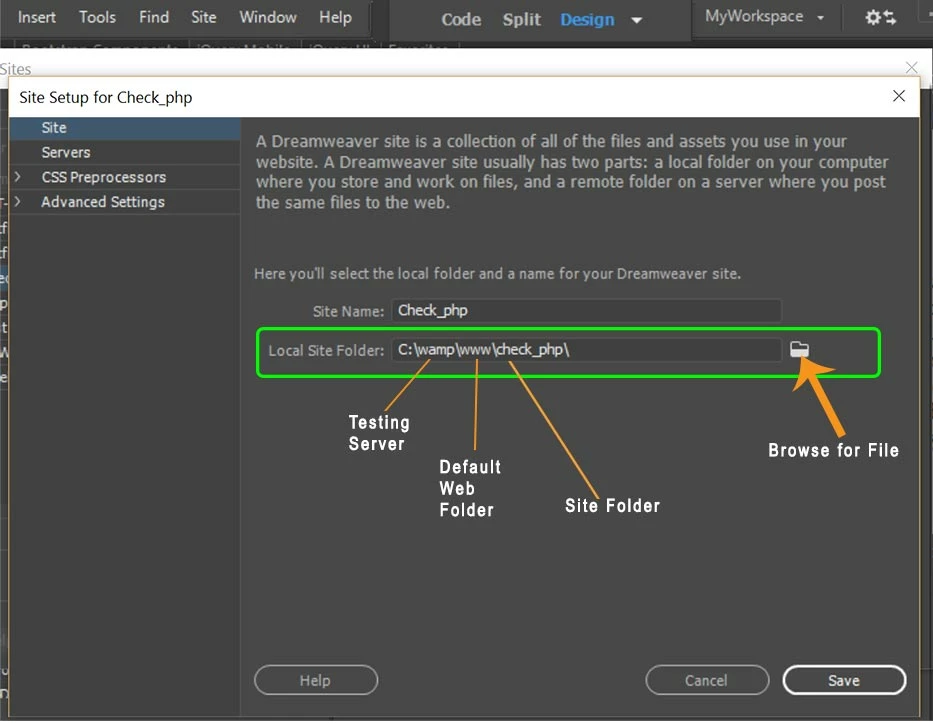
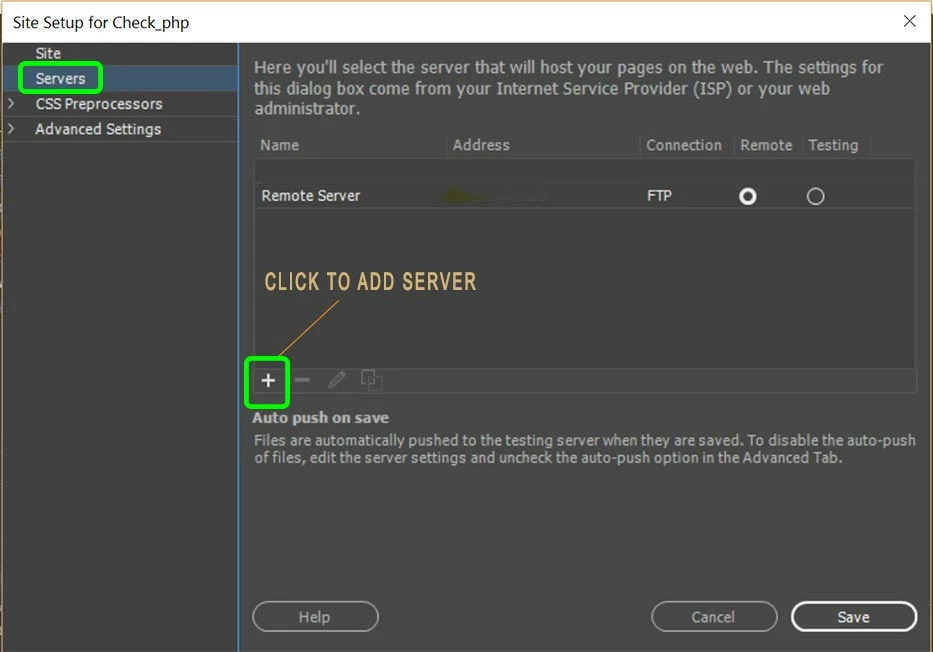
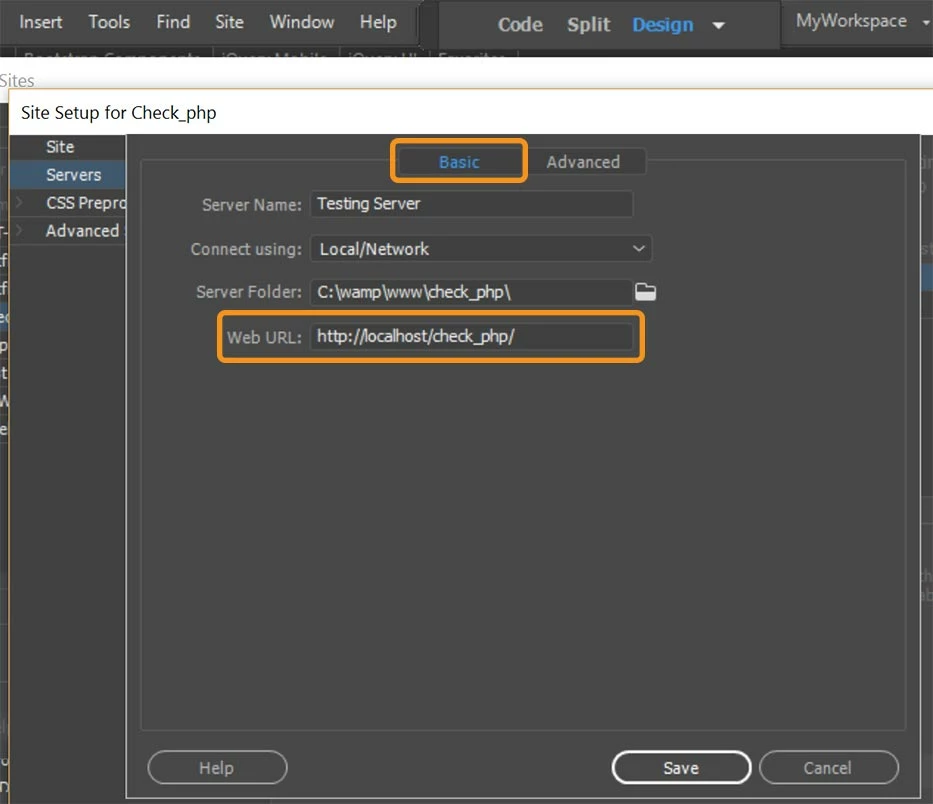
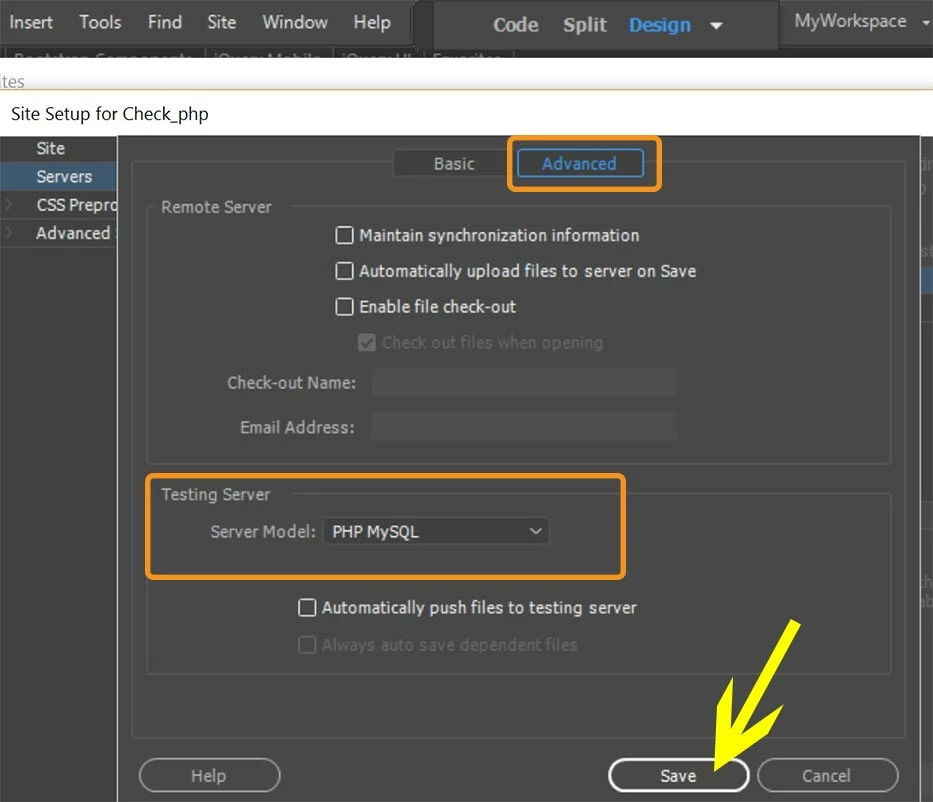
Install the server and define it in your Site Definition Settings.  See screenshots below for details.

Servers:

Basic tab:

Advanced Tab:

Final Screen (notice Local/Network connection is for Testing server.  FTP connection is to Remote server.)

Once your Apache server is installed & running on your computer, go to your remote server and export the MySQL data & tables  with PhpMyAdmin. 

Then launch your testing server's PhpMyAdmin and import the SQL file.

Nancy

2 replies

Nancy OShea
Community Expert
Nancy OSheaCommunity ExpertCorrect answer
Community Expert
January 8, 2017

Developing a CRUD usually requires a local Apache testing server on your computer.  Obviously, you don't want to deploy an app on your remote server until you know it works properly.  You must test locally first.

I use Wamp testing server on my Windows computer.  But you could use Xampp or Mamp or Mamp Pro for Mac. 

Install the server and define it in your Site Definition Settings.  See screenshots below for details.

Servers:

Basic tab:

Advanced Tab:

Final Screen (notice Local/Network connection is for Testing server.  FTP connection is to Remote server.)

Once your Apache server is installed & running on your computer, go to your remote server and export the MySQL data & tables  with PhpMyAdmin. 

Then launch your testing server's PhpMyAdmin and import the SQL file.

Nancy

Nancy O'Shea— Product User & Community Expert
BenPleysier
Community Expert
Community Expert
January 7, 2017

You are on the wrong track if you want to use the deprecated Server Behaviours panels. They have been removed because they do not create modern code.

You could purchase a commercial product, but in your case you may like to look at PHP CRUD Tutorial (part 1)

The reason for suggesting the tutorial is simple. It is of no use putting data into a database if you cannot access that data for viewing and maintenance. The tutorial will guide you through a CRUD (create, read, update, delete) system.

If you prefer the commercial product have a look at

Wappler is the DMXzone-made Dreamweaver replacement and includes the best of their powerful extensions, as well as much more!