


Known Participant
January 19, 2018
Answered

Connecting to Remote Server

  • January 19, 2018
  • 2 replies
  • 550 views

Hello,

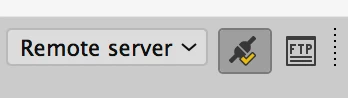
I'm having an issue uploading my website to my server. My website was created in Dreamweaver using the Bootstrap framework. I used my credentials from my Hosting Provider to connect to the server but and it worked. Now when I try viewing the website on the browser (Safari, Firefox, Chrome), I don't see the changes, it takes like 30mins or more to see the changes. I clear browser cache and everything like that but I still have the same issue. I did notice in Dreamweaver on the  Connect to Server buttons has a yellow checkmark on it. Does that seem right? I thought it wassuppose to be a solid green circle.

I just wanted to upload the files on the server and see the instant change. Any help would be appreciated.

    This topic has been closed for replies.
    Correct answer Jon Fritz

    If the info you have uploaded eventually shows up without any further input from you, it's not a DW issue but a browser or hosting problem.

    If you're 100% sure you've cleared your browser cache (Chrome is very, very sticky these days) it's possibly your server is caching files.

    To verify, try opening the site (after uploading new info) from a browser or device that has never been used to look at it before. If everything shows fine, its your browser's cache that's sticking. If new info doesn't show up for 30 minutes, even on the new browser/device, it's a server issue and you would need to talk to your hosting company to get it configured correctly (no caching).

    2 replies

    Nancy OShea
    Community Expert
    Community Expert
    January 19, 2018

    Try uploading a new, plain vanilla test document to see if it shows up right away.

    Nancy O'Shea— Product User & Community Expert
    BenPleysier
    Community Expert
    Community Expert
    January 20, 2018

    Just to add more confusion to the already excellent replies, I think that, as a developer, we should learn to live with browser cache and cater for it. One of the many articles on the topic is Strategies for Cache-Busting CSS | CSS-Tricks

    Wappler is the DMXzone-made Dreamweaver replacement and includes the best of their powerful extensions, as well as much more!
    Jon Fritz
    Community Expert
    Jon FritzCommunity ExpertCorrect answer
    Community Expert
    January 19, 2018

    If the info you have uploaded eventually shows up without any further input from you, it's not a DW issue but a browser or hosting problem.

    If you're 100% sure you've cleared your browser cache (Chrome is very, very sticky these days) it's possibly your server is caching files.

    To verify, try opening the site (after uploading new info) from a browser or device that has never been used to look at it before. If everything shows fine, its your browser's cache that's sticking. If new info doesn't show up for 30 minutes, even on the new browser/device, it's a server issue and you would need to talk to your hosting company to get it configured correctly (no caching).