Inspiring
October 23, 2017
Answered

Connection Errors

  • October 23, 2017
  • 1 reply
  • 511 views

After upgrading to the 2018 version of DW, I had some sync problems. DW seemed to think that all the local and site files had been changed. I forced the local files to the site and that problem seems to have gone except that there is an error indicated by the red circled cross on the bottom of the screen.

If I hover over the error indicator I get "Connection Errors" but no errors are listed if I click on it.

If I open the site dialog and select "Servers", there is one connection listed - the remote site. There is no testing server. There is a comment about "push on save" on the dialog saying that files are automatically pushed to the test server when saved and that "push on save" can be disabled on the advanced tab.

I can't try this option because there is no option to disable "push on save" on the advanced tab.

Is "push on save" likely to be the problem and how do I disable it.

Thanks

Jack
This topic has been closed for replies.
Correct answer TelephoneJack

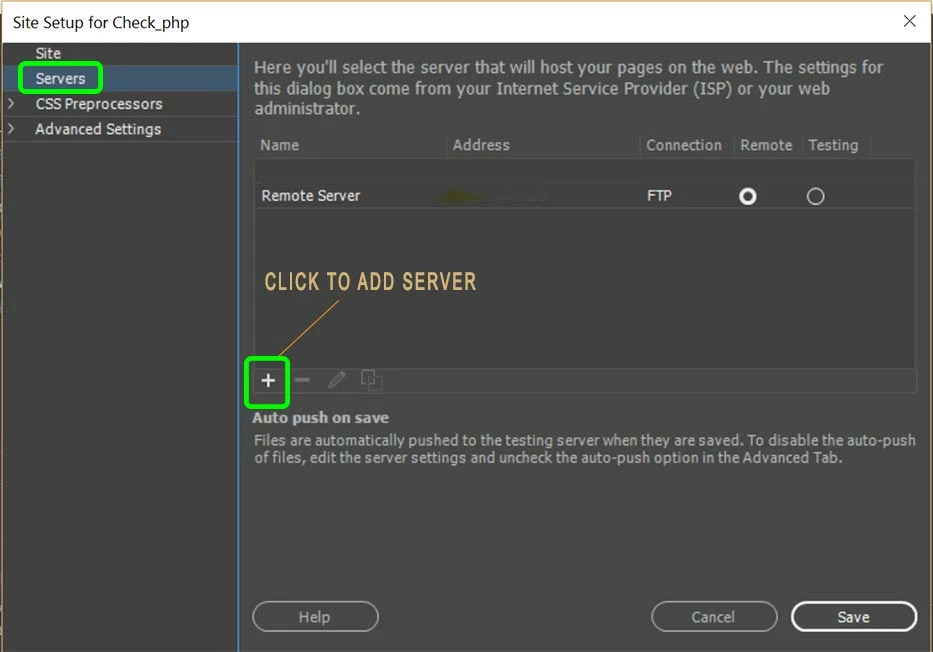
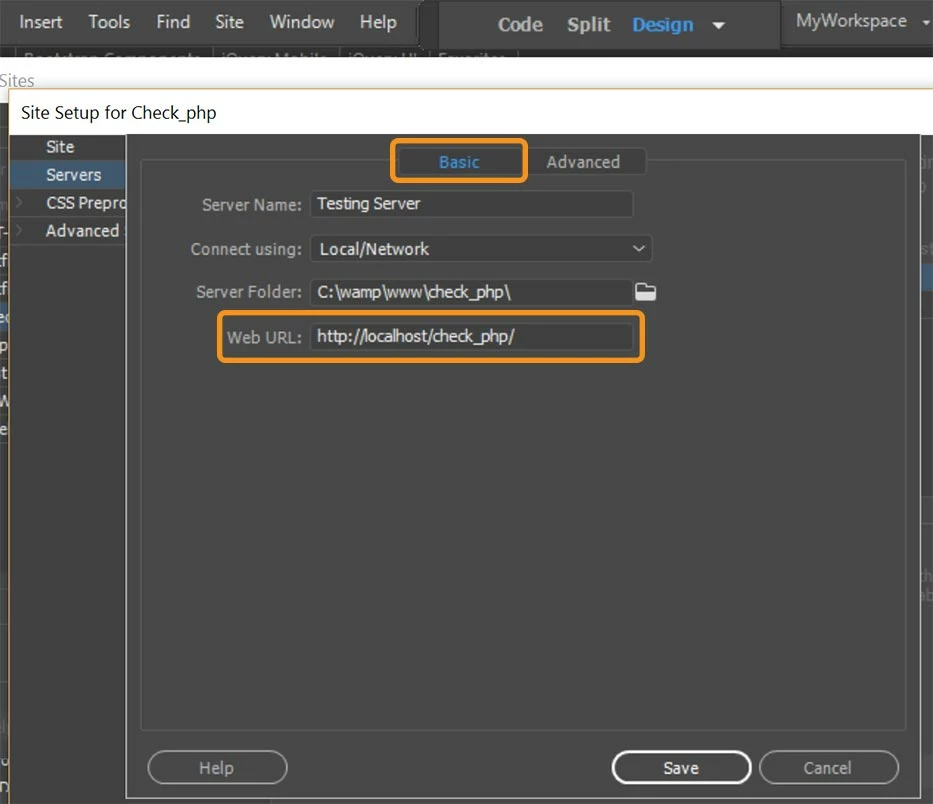
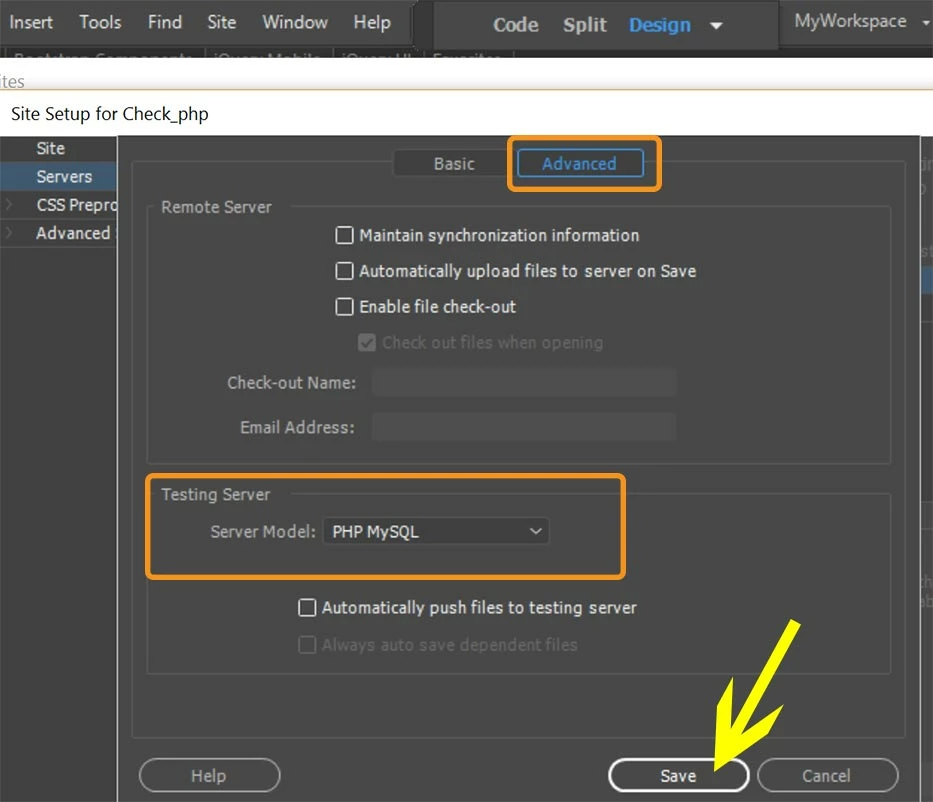
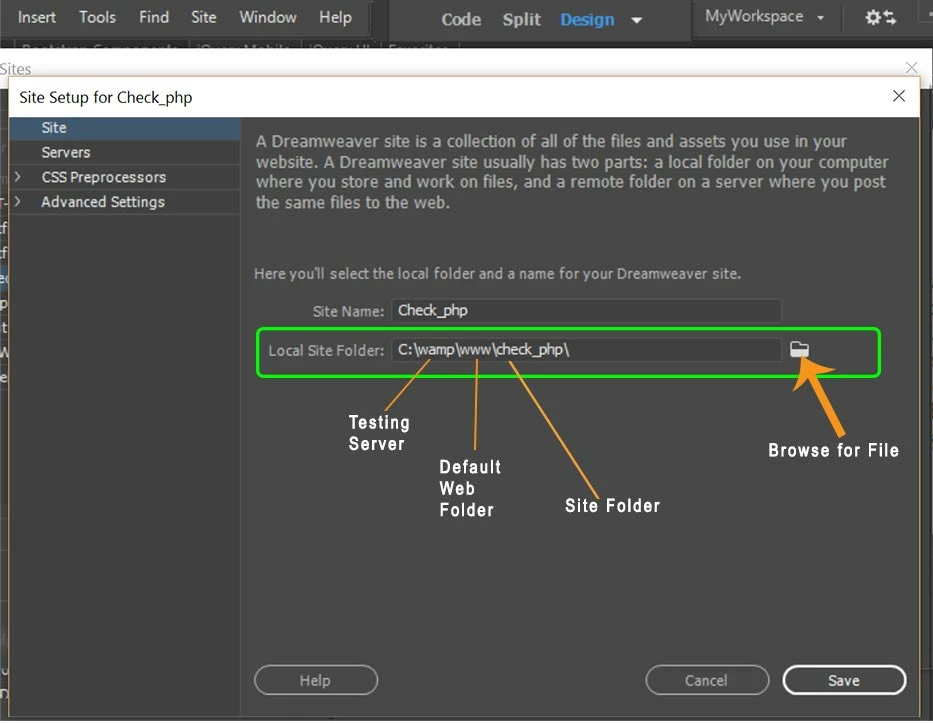
If you're working with PHP files, you should have a testing server defined.  The Advanced Tab to which you refer is in the Testing Server definition.  See bottom of 4th screenshot below. 

In this set-up, my local site folder is in my testing server's default web directory.   So there's no need to push files on save.  It's automatically stored in my local testing server.

Site

Servers

Basic tab

Advanced Tab.

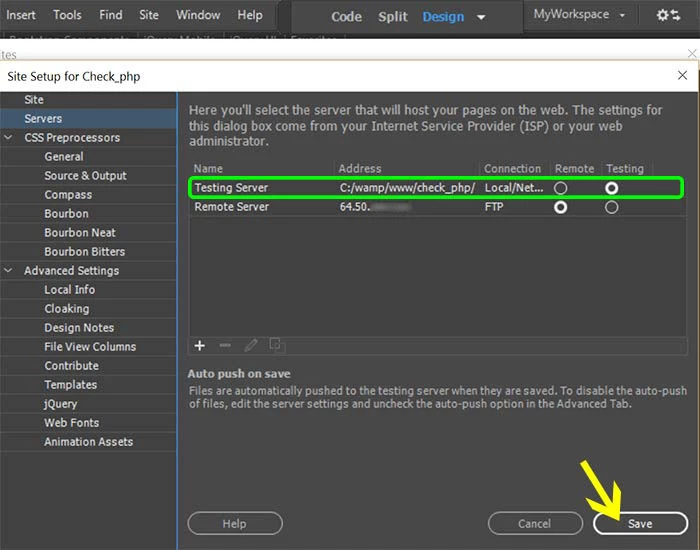
Final screen

Nancy


Thank you for your reply Nancy.

I do have pages that require php but none were loaded at the time so should not be generating an error.

Even though there was no indication what or where the error was, I assumed that the page or pages containing the error would have to be loaded (opened by DW) for the error to be displayed. Going through each of the pages that were open, I found one page with a place holder and an error message.

It seems that with the upgrade to DW 2018, there was something that required a reload which was not handled automatically. The offending section of HTML code displayed a Google map. I closed the page and re-opened it - the map appeared and the error went away.

I should have widened the search to look for this sort of thing myself. My excuse is that I expected DW to point to the problem area rather than just saying "there is an error". In addition I am still a bit new at debugging DW projects.

>> If I hover over the error indicator I get "Connection Errors" but no errors are listed if I click on it.

It turned out that the "connection errors" hint had nothing to do with the main or (lack of) test server. I suppose it was a reference to the "connection" to Google maps. A bit obtuse in my view.

It was not relevant to the problem but I have saved the information about creating a test server for when I need it.

Thanks for the assistance, the problem is solved.

Regards

Jack

1 reply

Preran
Community Manager
Community Manager
October 23, 2017

Hi Jack,

I am checking with the team. Please update this post if you do not hear from me in the next 24 hours.

Thanks,

Preran

Inspiring
October 24, 2017

Hello Preran,

Have you discovered anything interesting?

Regards

Jack

Nancy OShea
Community Expert
Community Expert
October 25, 2017

If you're working with PHP files, you should have a testing server defined.  The Advanced Tab to which you refer is in the Testing Server definition.  See bottom of 4th screenshot below. 

In this set-up, my local site folder is in my testing server's default web directory.   So there's no need to push files on save.  It's automatically stored in my local testing server.

Site

Servers

Basic tab

Advanced Tab.

Final screen

Nancy

Nancy O'Shea— Product User & Community Expert