

Question
Create asp.net connection with MSSQL server
At User Manual Page 596
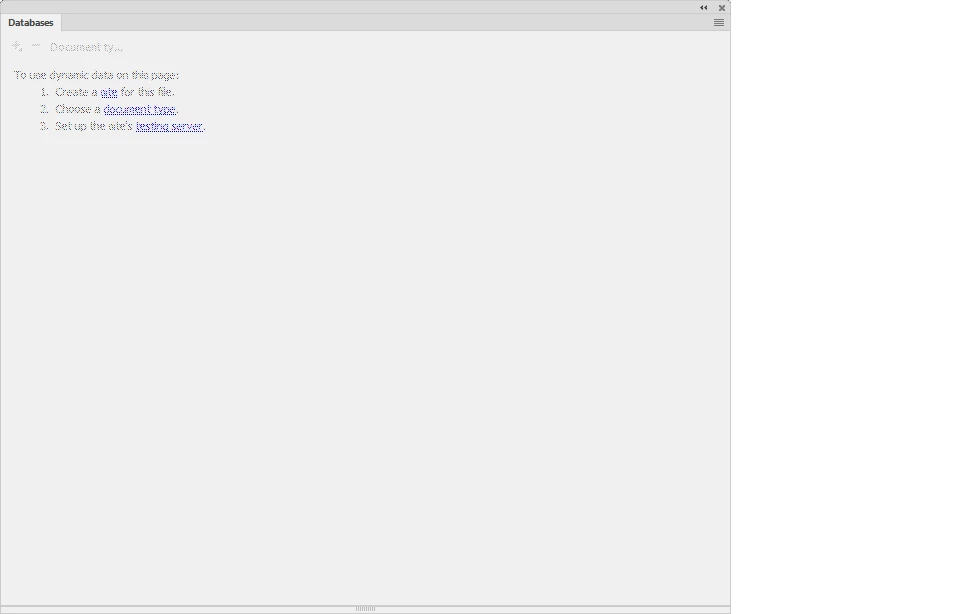
Open an ASP page in Dreamweaver, then open the Databases panel (Window > Databases).
3. Click the Plus  button on the panel and select Data Source Name (DSN) from the menu.
4. Enter a name for the new connection, without spaces or special characters.
5. Select Using DSN On Testing Server.
Note: Macintosh users can ignore this step because all database connections use DSNs on the application server.
6. Enter the DSN or click the DSN button to connect to the server and select the DSN for the database you want, then complete the options.
7. Complete the User Name and Password boxes.
but on step 3, i cannot click on the + button (the pop up window selections are all dimmed)
[Link removed by moderator.]


 AdChoices