
Participant
December 30, 2019
Question

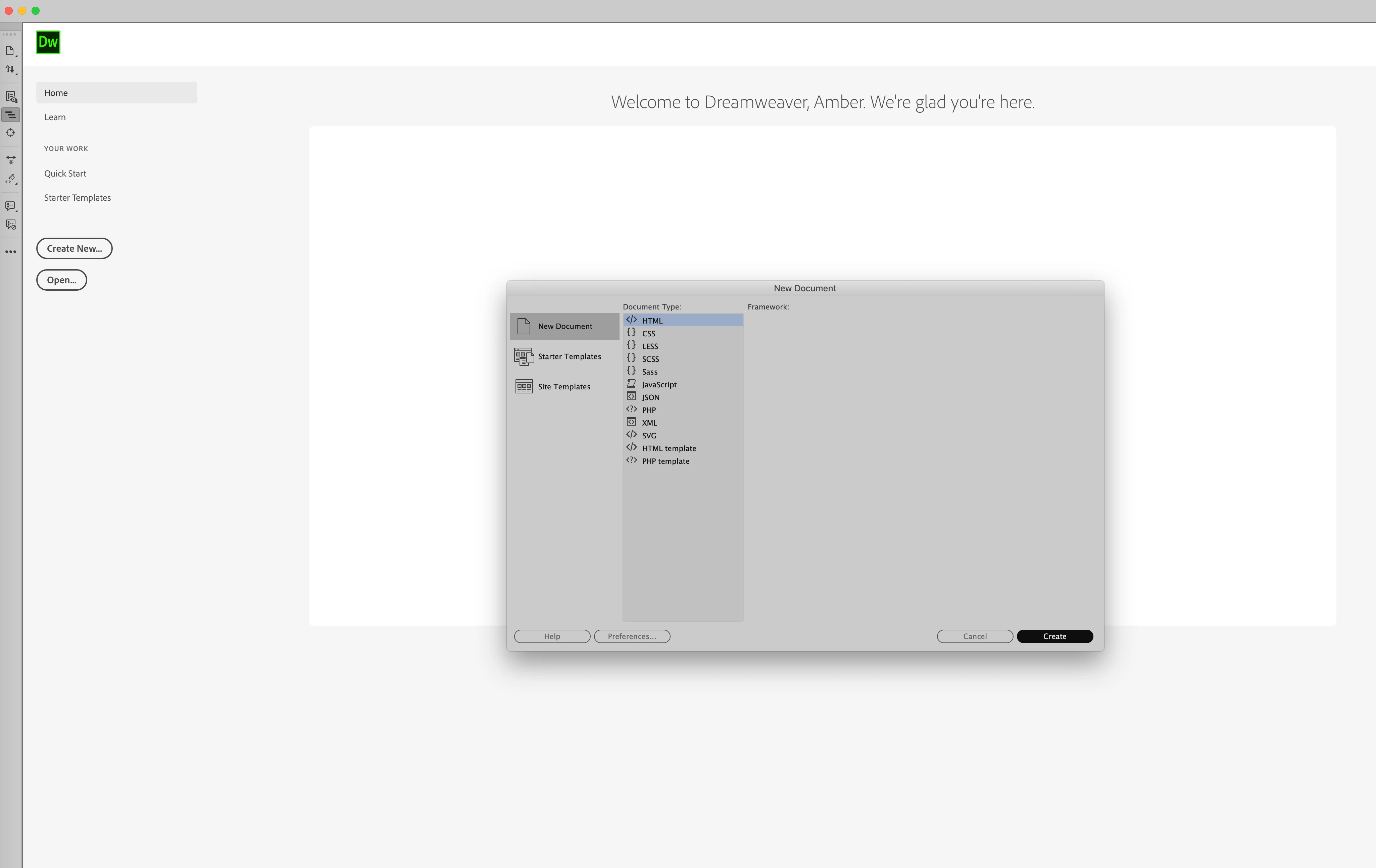
Create button, when pushed, does nothing

  • December 30, 2019
  • 2 replies
  • 874 views

Hi, I had a terrible experience with support. I called twice and spoke with different people, both told me the reason that I could no longer create a new html file was b/c I needed to update my operating system. I broke down and did this, as well as updated my application to the latest versions. It limited my plugins, and denied access to systems that are no longer compatible with the updated system. AND STILL, I cannot create a new file. I am beyond frustrated.


If anyone knows why I am unable to create a new html file, please let me know. The create button, when pushed, does nothing.
 

This topic has been closed for replies.

2 replies

Nancy OShea
Community Expert
Community Expert
December 30, 2019

Which version of Dreamweaver?  Which operating system and build #?


If you have the latest mac OS Catalina, you need the latest versions of DW 2019 or 2020 and a user profile with full administrative level permissions to read/write/create files.  There are also some known issues with Catalina you should be aware of.

https://helpx.adobe.com/dreamweaver/kb/known-issues-macos-Catalina.html


Nancy O'Shea— Product User & Community Expert
BenPleysier
Community Expert
Community Expert
December 30, 2019

We cannot see your system so that it becaomes a guessing game for us. Have you tried  https://helpx.adobe.com/au/dreamweaver/kb/restore-preferences-dreamweaver.html


As a side note: Your screen name will lead to you having more problems than Dreamweaver ever will. Email harvesters will have a field day and your identity will be will be owned by many.

Wappler is the DMXzone-made Dreamweaver replacement and includes the best of their powerful extensions, as well as much more!
awattsAuthor
Participant
December 30, 2019

Yikes! I never posted anything and didn't notice. How can I edit? Or cancel this?

BenPleysier
Community Expert
Community Expert
December 30, 2019

Amber,


  1. Go to https://www.adobe.com/account/account-information.html
  2. Sign in with your Adobe ID
  3. Under Personal Profile, change your screen name
  4. Click on Save My Changes
Wappler is the DMXzone-made Dreamweaver replacement and includes the best of their powerful extensions, as well as much more!