


Participant
March 18, 2017
Answered

CSS Apply source formatting not indenting inside @media screen

  • March 18, 2017
  • 1 reply
  • 582 views

This has been going on since cs5 but seems like no one wants to fix it. The indenitg inide @media screen does not work

Instead of this

@media screen and (max-width: 767px) {

  .thz-pagination li {

  display: none;

  }

  .thz-pagination li:first-of-type,

  .thz-pagination li:last-of-type {

  display: inline-block;

  }

}

we get this

@media screen and (max-width: 767px) {

.thz-pagination li {

  display: none;

}

.thz-pagination li:first-of-type,

.thz-pagination li:last-of-type {

  display: inline-block;

}

}
This topic has been closed for replies.
Correct answer Nancy OShea

I am not sure how I confused you ,

the first snippet has indent and the second one does not , either way indent is not aplied

> a screen shot of my file

that seems like Sass or LESS, put that in CSS file and apply formatting the media and everything inside will loose indent


Personally, I don't care much for indented code.  Ultimately, I minify my CSS code  anyway so the manner in which DW indents/spaces media queries is very low on my list of priorities.

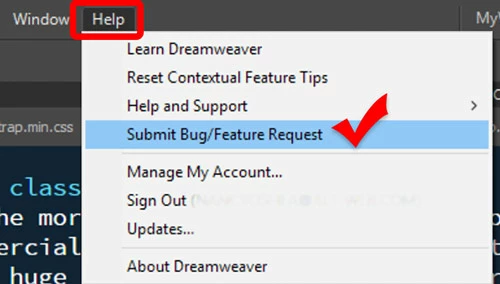
If you think this is important,  please file a feature request from the Help menu.

Nancy

1 reply

BenPleysier
Community Expert
Community Expert
March 19, 2017

It is hard to please everybody, but the way that you prefer is not my preference. In fact, if you look at examples throughout the web development community you will see that most, if not all, will indent Dreamweaver's way.

Have a look at CSS3 @media Rule 

Wappler is the DMXzone-made Dreamweaver replacement and includes the best of their powerful extensions, as well as much more!
themezlyAuthor
Participant
March 19, 2017

What do you mean please everybody? The media queries are supposed to be indented just like any other rule in CSS

even the W3C link you posted shows what I need

CSS3 @media Rule

right way

http://prntscr.com/elszx4

and this is the DW wrong way

http://prntscr.com/elt04t

BenPleysier
Community Expert
Community Expert
March 19, 2017

You have confused me, in your OP you stated

As far as I can judge from my version of Dreamweaver (and all versions prior), the latter is what we get as can be seen from a screen shot of my file

Wappler is the DMXzone-made Dreamweaver replacement and includes the best of their powerful extensions, as well as much more!