


CSS Editor is Hidden in Dreamweaver!! Why?!?
The best CSS editor is STILL in Dreamweaver CC latest version - but for some reason Adobe is hiding it!!
It only seems to appear when you want to style a table (I think this is because styling a table with the "new css edit" would take forever. and Adobe know it!)
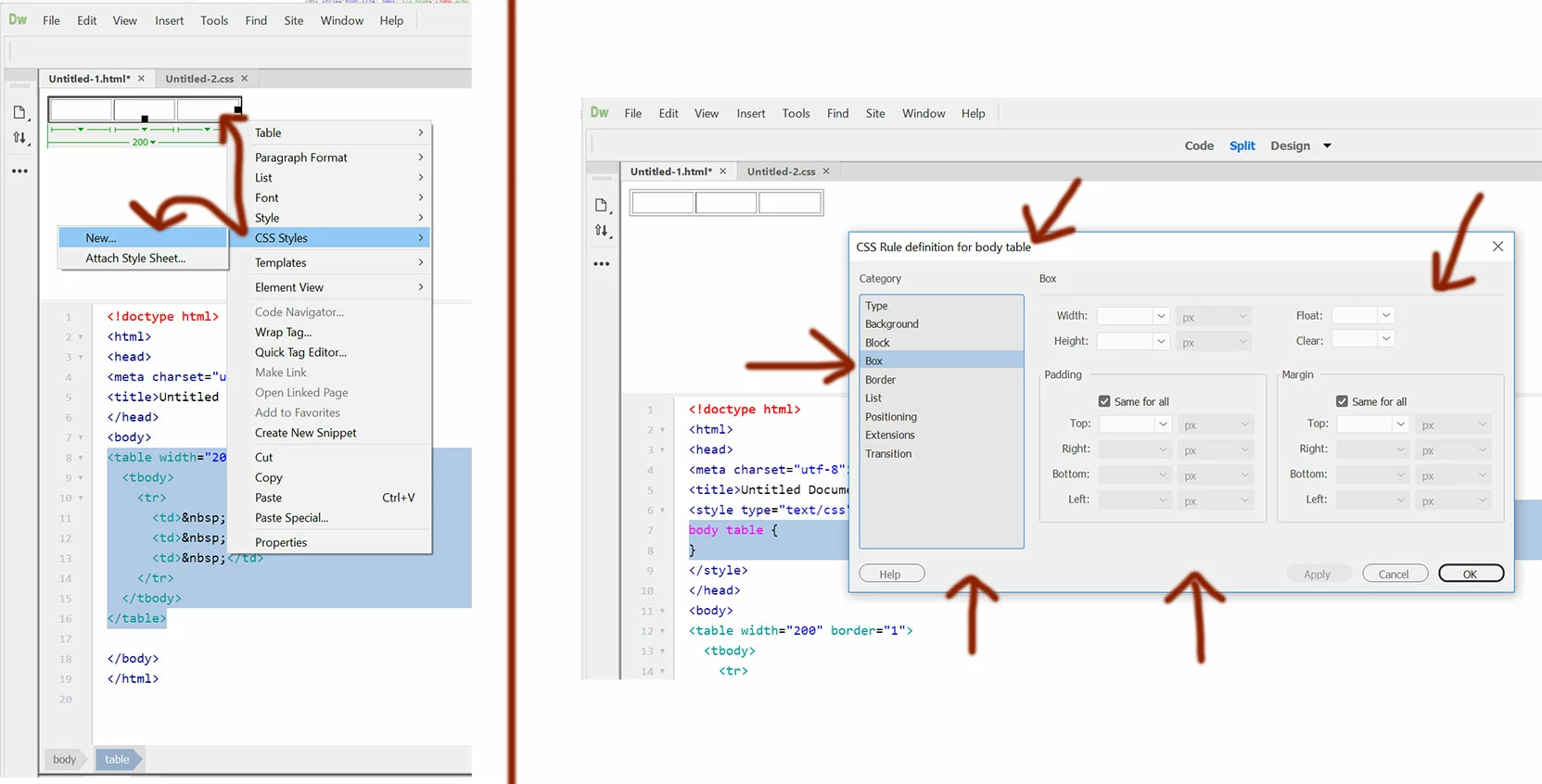
This dialog box makes it so easy to edit css fast - much faster then the new "css designer" - even faster then "quick edit" feature (for me).
Why can't I double click on a selector - and get this pop-up box - so i can change the settings like the above?! It's still built into the software!
How do i get it to show apart from when adding a new selector?
Does anyone know a way to reveal this box apart from creating a new style?
(On a side note - the Ctrl + Shift + Alt + P feature to bring back the old css editor panel - Please bring that back too!)
Thanks for the help!
 AdChoices