Participant
October 16, 2018
Answered

CSS image won't show

  • October 16, 2018
  • 2 replies
  • 778 views

Hey there,

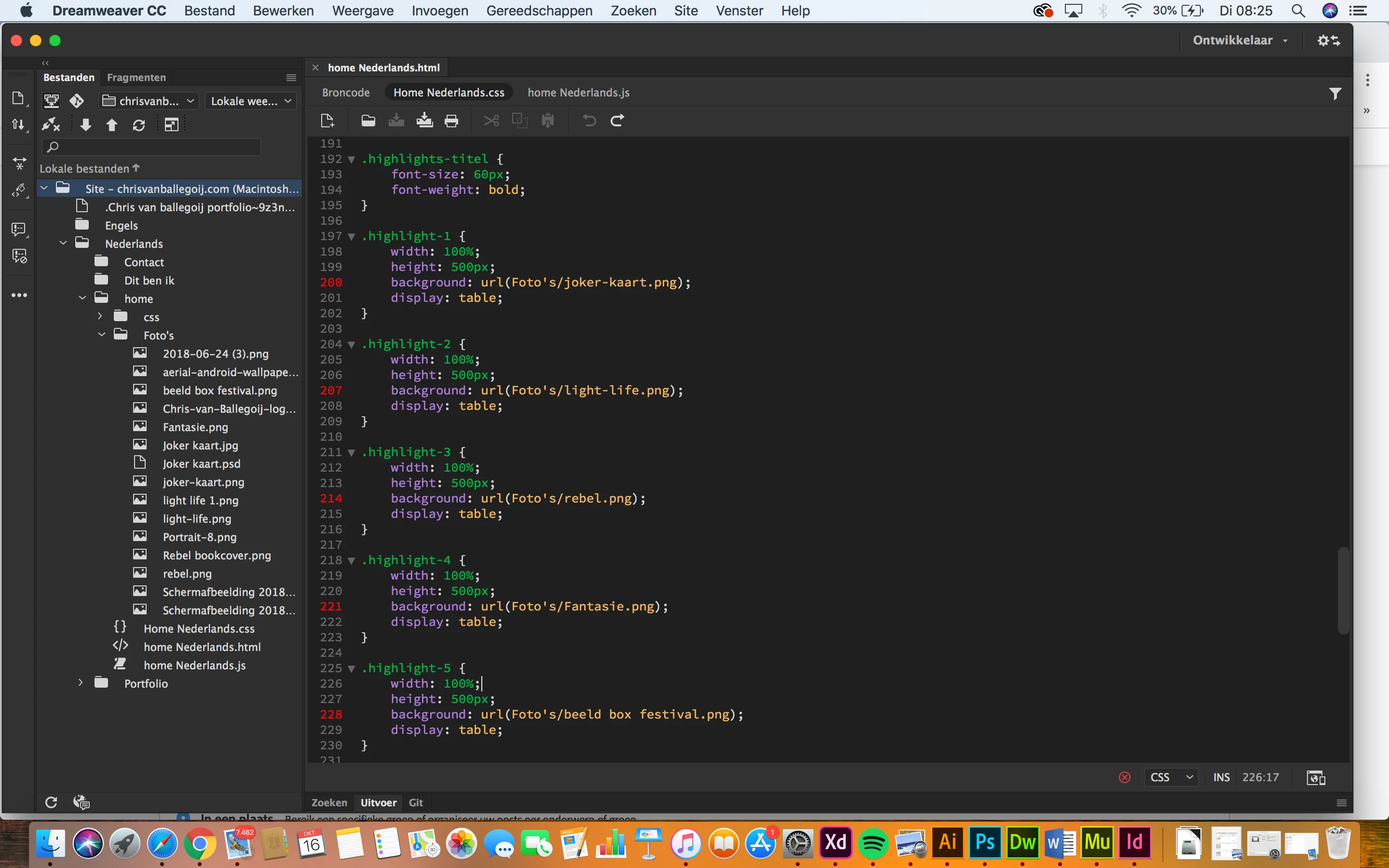
I have a problem with showing a image in css. As you can see in my css stylesheet I want to put a image on de background. Notice that al de rule-numbers of the images are red. So they won't show on my webpage. But if I hover over the css code he knows which image to use.

How can I solve this problem?
This topic has been closed for replies.
Correct answer BenPleysier

File names should not contain an apostrophe as in Foto's.

Suggest that you remove the apostrophe and all should be well.

2 replies

BenPleysier
Community Expert
BenPleysierCommunity ExpertCorrect answer
Community Expert
October 16, 2018

File names should not contain an apostrophe as in Foto's.

Suggest that you remove the apostrophe and all should be well.

Wappler is the DMXzone-made Dreamweaver replacement and includes the best of their powerful extensions, as well as much more!
Community Manager
October 16, 2018

Hi,

Thanks for reporting. What is the error shown while hovering over the lines in red mark, or open output panel from window menu->Results to see the errors.

Thanks

Chris1711Author
Participant
October 16, 2018

I get this error

Jon Fritz
Community Expert
Community Expert
October 16, 2018

The "Expected RBRACE..." error usually occurs when a media query is used, but missing one or more of its curly braces. See below...

@media screen and (width:500px) { <--this one
     .selector {

          property:value;
     }

     #selector {

          property:value;

     }

} <-- or this one


If you have all of your curly braces, for both the media queries, and the individual selectors, please post a link to your work in progress, or post the entire .css file here in the forum so we can show you where your error is coming from.