exfactory
Participant
February 21, 2018
Answered

CSS Selection in Right Click Menu

  • February 21, 2018
  • 2 replies
  • 957 views

Years ago in Dreamweaver you could assign pre-made CSS styles to your selection by right-clicking and a drop-down of all styles were there.  This seems to have disappeared in newer versions.  Anyone know of an add-on or preference that would add this back?

This topic has been closed for replies.
Correct answer anissa_thompson

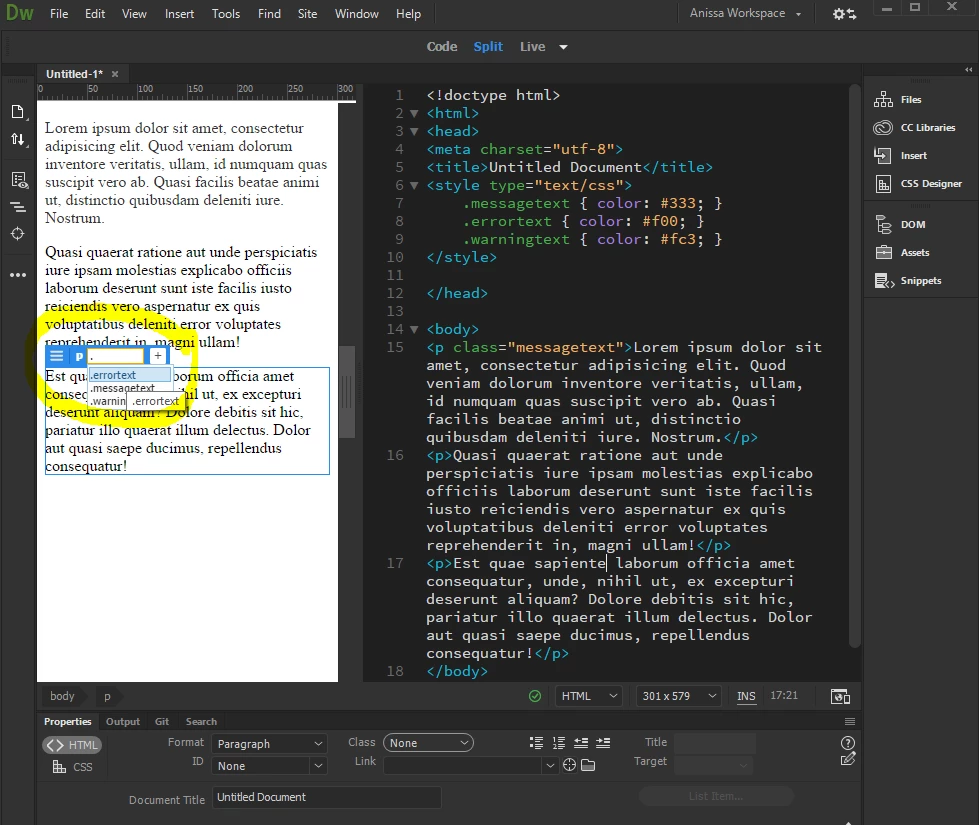
As long as your styles are already predefined in your <style> block or external stylesheet, you can easily apply styles using code hinting in the Code View:

You can also make selections in the Live View:

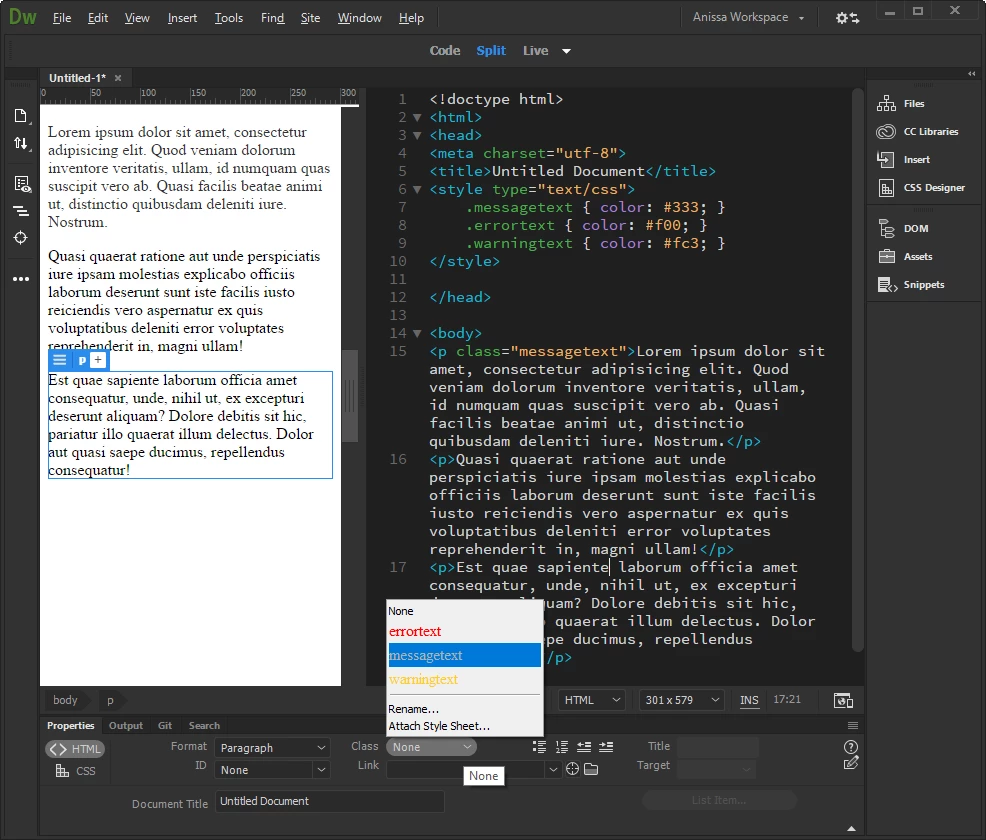
and from the Properties Panel:

2 replies

anissa_thompson
Community Expert
anissa_thompsonCommunity ExpertCorrect answer
Community Expert
February 22, 2018

As long as your styles are already predefined in your <style> block or external stylesheet, you can easily apply styles using code hinting in the Code View:

You can also make selections in the Live View:

and from the Properties Panel:

Hope this helps! Make sure to press "✔ Correct Answer" on this post if this answers your question. Happy Creating!Anissa • @anissat
Jon Fritz
Community Expert
Community Expert
February 21, 2018

A lot has changed in DW over the years, including the right click capability you're looking for.

The styles attached to your current document will show up in a pop-up list when you highlight something and click the Class or Id fields in the main Properties window.

If you are working on a new, blank document that doesn't have a stylesheet attached, nothing will appear in those menus.