

Date_beforeSave.htm error
Hi all,
When I open an html file in Dreamweaver and do a Save As to a different folder, such as copying index.html in one folder to another folder using File>Save As, I get the following error:
While executing onLoad, the following JavaScript error(s) occured:
At line 75 of file "C:\Program Files\Adobe\Dreamewaver 2021\Configuration\Commands\Date_beforeSave.htm": docElements has no properties
If I save as in the same folder, I do not get the error.
When I open Date_beforeSave.htm, I grabbed this screen shot of the code before and after Line 75, as shown here: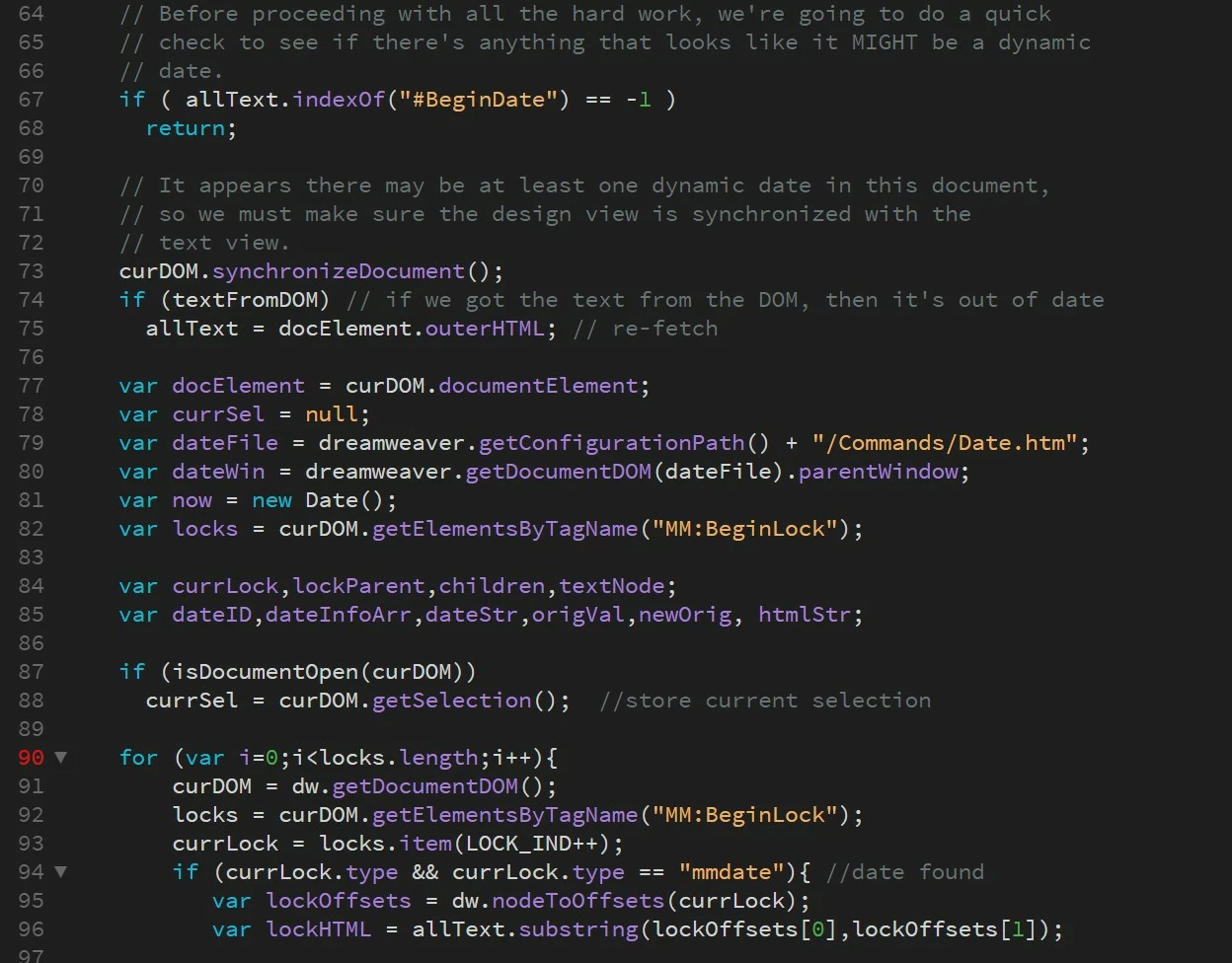
I have tried recreating site cache following a reference here in Adobe from 2012 but couldn't find mention of this more recently.
I'm not fluent in Java, so have no idea what it wrong with this code. Creatibe Cloud says my installation is up to date. I'm currently using DW 21.2 with Windows 11. This happens in all of my sites in Dreamweaver and has beenhappening for a long time (prior to current version).
Each of my site uses templates. The date code is in my template in a non-editable footer, and thus is in all my files. The code Dreamweaver inserted into my templates for the revision date is:
<!-- #BeginDate format:Am1a -->January 24, 2022 12:03 PM<!-- #EndDate -->
This code is what Dreamweaver creates when you use Insert>Date. The purpose is to update and display the date when I revise a file and upload it to my web server.
This issue doesn't affect my files inadversley, but it is annoying enough that I can't ignore it any longer. Any ideas how to fix this will be appreciated.


 AdChoices