
Participant
November 25, 2020
Question

Design View all of a sudden not rendering SVG's, some CSS like flex etc

  • November 25, 2020
  • 2 replies
  • 446 views

Hey,


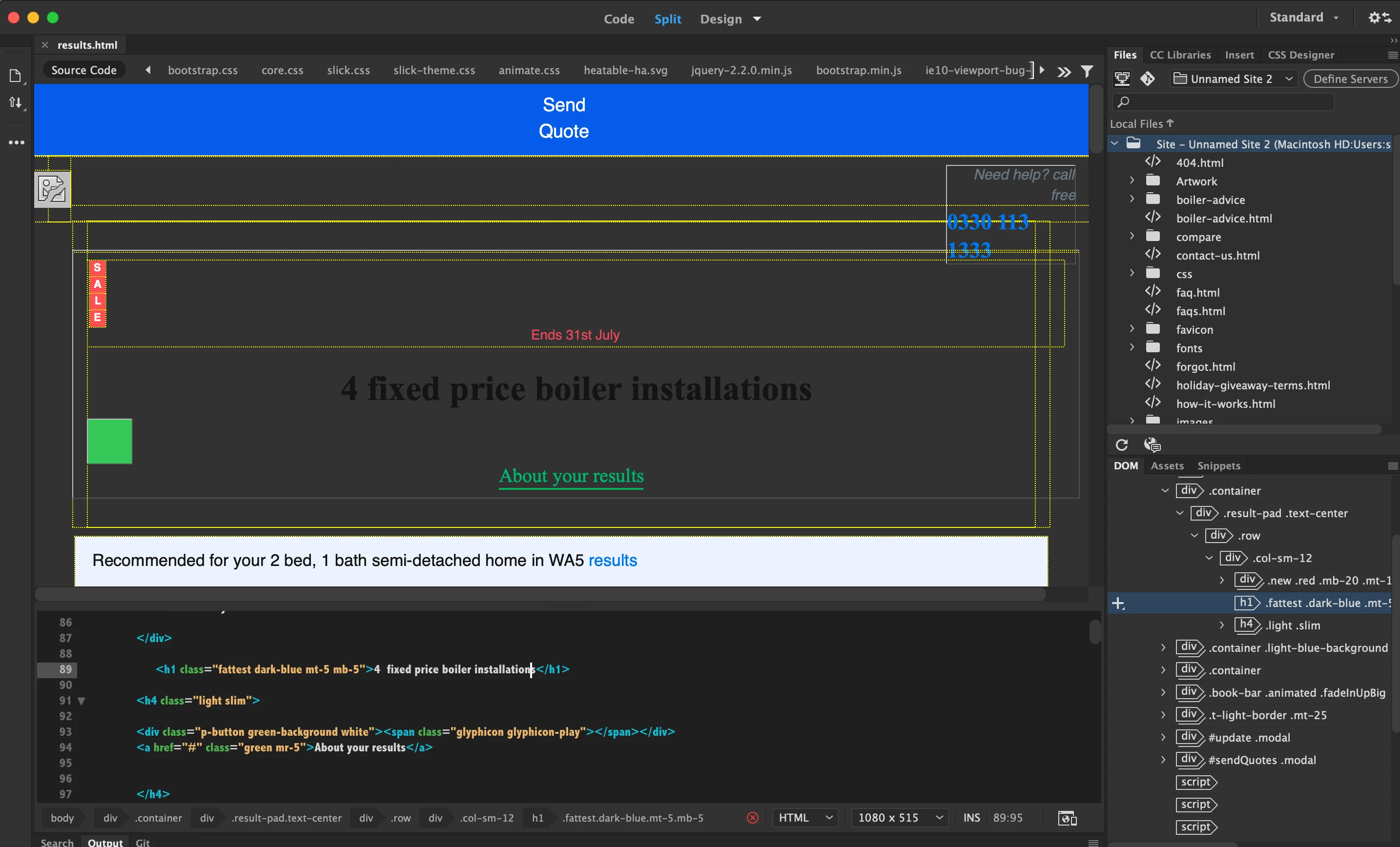
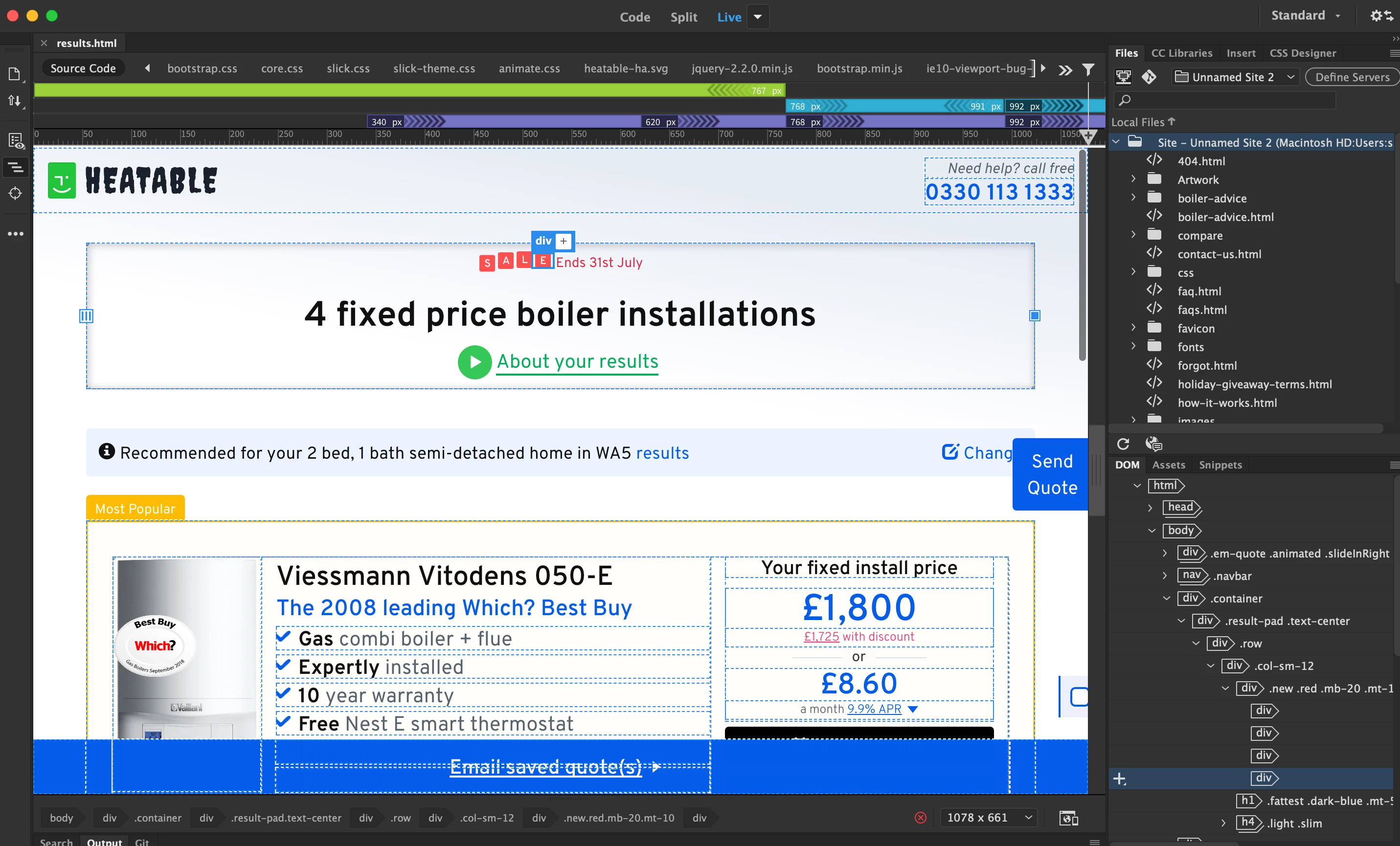
All of a sudden, Dreamweaver CC 2021 has stopped displaying some elements on screen. It renders fine in Live view, but, Design View (the one I use the most), is not rendering pages properly.


Design View:
 

Live View:
 

Any ideas? I don't recall changing any settings etc?


TIA

    2 replies

    Nancy OShea
    Community Expert
    Community Expert
    November 25, 2020

    Design View is at best an approximation of what you would see in old browsers.  It's not 100% perfect.

    Switch to Live view.  See screenshots.


    Also, you have code errors denoted by the red X in a circle. Validate code and fix reported errors.  

    Go to Window > Results > Validation > Check current document.  Repeat with other site pages.


    Nancy O'Shea— Product User & Community Expert
    Participant
    November 26, 2020

    Hey Nancy,


    Thanks for your reply.


    I know it's the the best to work from, but it's quickest for me.


    For some reason, Live View absolutely wrecks my MacBook Pro, it can't cope with it.


    With or without errors, the design view still doesnt render SVG's, Flex etc. It was working fine up until recently, it just decided to stop working. I must have hit a setting somewhere?

    Nancy OShea
    Community Expert
    Community Expert
    November 26, 2020

    "the design view still doesnt render SVG's, Flex etc. It was working fine up until recently..."

    You are mistaken. Take it from me, Design view has NEVER properly displayed CSS Flexbox, CSS Grids, SVG images or viewport units.  It's too old to cope with modern code.  


    For accurate rendering, use Preview in Browser or Real-Time Preview.


    A better question is what's going on in your document that precludes you from using Live view?

    Did you validate code and fix all reported errors as I suggested above? 


    Nancy O'Shea— Product User & Community Expert
    Nayan_Kankariya
    Community Manager
    Community Manager
    November 25, 2020

    Hi,


    Thanks for writing to us along-with screenshots. Please try performing below steps and see if the page renders as expected in Design view.


    1. Reset Dw app prefs by following steps available in this KB article.
    2. Invoke Preferences dialog and switch to Fonts section, change proportional font to some other font and click on Apply in Preferences dialog
    3. We see you have selected different view sizes in live and design view, can you set same sizes in both Live and Design view from View menu --> Design view options --> Window Size.


    Please revert if any of the above resolves the issue else we can further debug the issue.


    Regards,

    Nayan

    Dreamweaver Team

    Participant
    November 25, 2020

    Hey,


    Thank you for your reply.


    I have tried all of the above, still no joy, getting the same output on Design view.


    Could it be an issue/setting with the site perhaps?


    Thanks

    Sam

    Jon Fritz
    Community Expert
    Community Expert
    November 25, 2020

    Design View doesn't know what to do with scripts, SVG images, or anything beyond the simplest CSS. It just hasn't been updated since the internet stone age, and isn't likely to be, with the new Live View Editor.

    I don't recall ever being able to see an SVG in Design View. It doesn't work in any version I currently have installed, from CC2015 up.