


Participating Frequently
March 24, 2018
Answered

Design View in Dreamweaver - best display (setting question)

  • March 24, 2018
  • 2 replies
  • 606 views

I recently had a crash on my computer and re-installed Dreamweaver (fresh install) on my new computer.
I feel like it has been forever and I can't seem to remember if there is a specific setting for this...

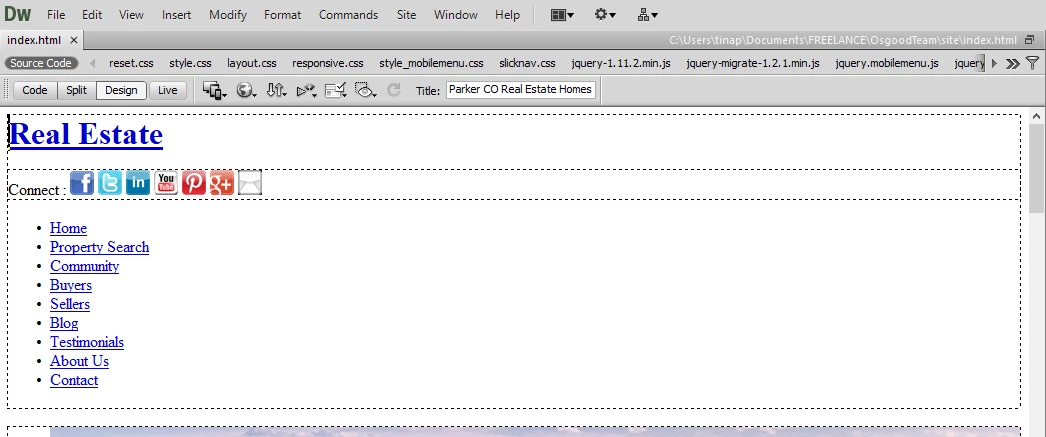
So now that I have a fresh install on a new computer that has never had the CS software on it, whenever I open up Dreamweaver, the Design View does NOT look like a true WYSIWYG! ... can anyone quickly help me find the setting or whatever I am missing?  Yes, I am desperate!

Below is an example of what my .html files look like whenever I open them:
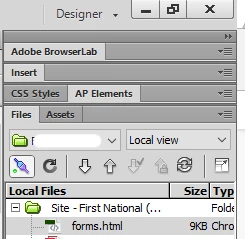
and my right side panel just in case for reference:

    This topic has been closed for replies.
    Correct answer Nancy OShea

    Nothing... it really doesn't change the view.  It still looks non-wysiwyg. 


    As I said before, your CSS is not displaying.  

    Are you in a defined local site folder?

    Can you show us your code?

    2 replies

    Community Manager
    March 26, 2018

    Hi,

    Thanks for reporting.

    Could you please share the crash logs with us so that we can look into it.

    Thanks

    Nancy OShea
    Community Expert
    Community Expert
    March 24, 2018

    Which OS & version of DW do you have?

    It looks like an unstyled document.  So the link to CSS is probably broken.

    Did you validate code & fix reported errors?

    CSS - http://jigsaw.w3.org/css-validator/

    HTML - http://validator.w3.org/

    HTML5 - https://validator.w3.org/nu/

    Nancy O'Shea— Product User & Community Expert
    Participating Frequently
    April 3, 2018

    I have CS6 version 12.0.  I had to do a fresh install on a brand new computer, since hardware on my last computer went bad.  So essentially right out of install, I can't get it to look like I did when I had it on my old computer - true WYSIWYG in Design View.
    I imagine it is a setting that I need to fix?

    Nancy OShea
    Community Expert
    Community Expert
    April 3, 2018

    Click on Live view.  What do you see?

    Nancy O'Shea— Product User & Community Expert