
Inspiring
September 1, 2018
Answered

Design View problem?

  • September 1, 2018
  • 1 reply
  • 678 views

I have done something which prevents the Design View from working.  It displays the top several lines of the page, leave a gap of about 1/2 inch, and then shows the very bottom of the page. 
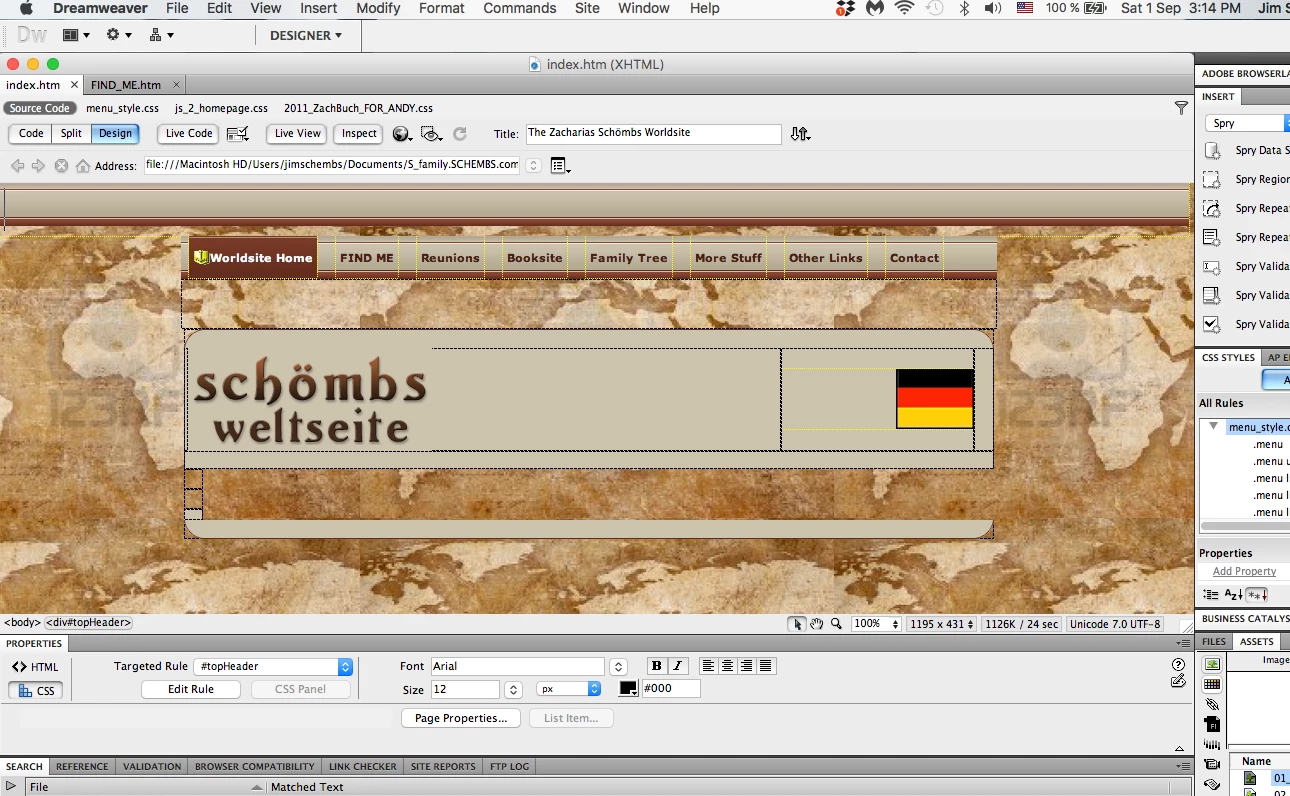
Also, note there is no Scroll Bar at the right side of the Design View.  The problem is unique to this .htm page.  Other pages display correctly as shown below:
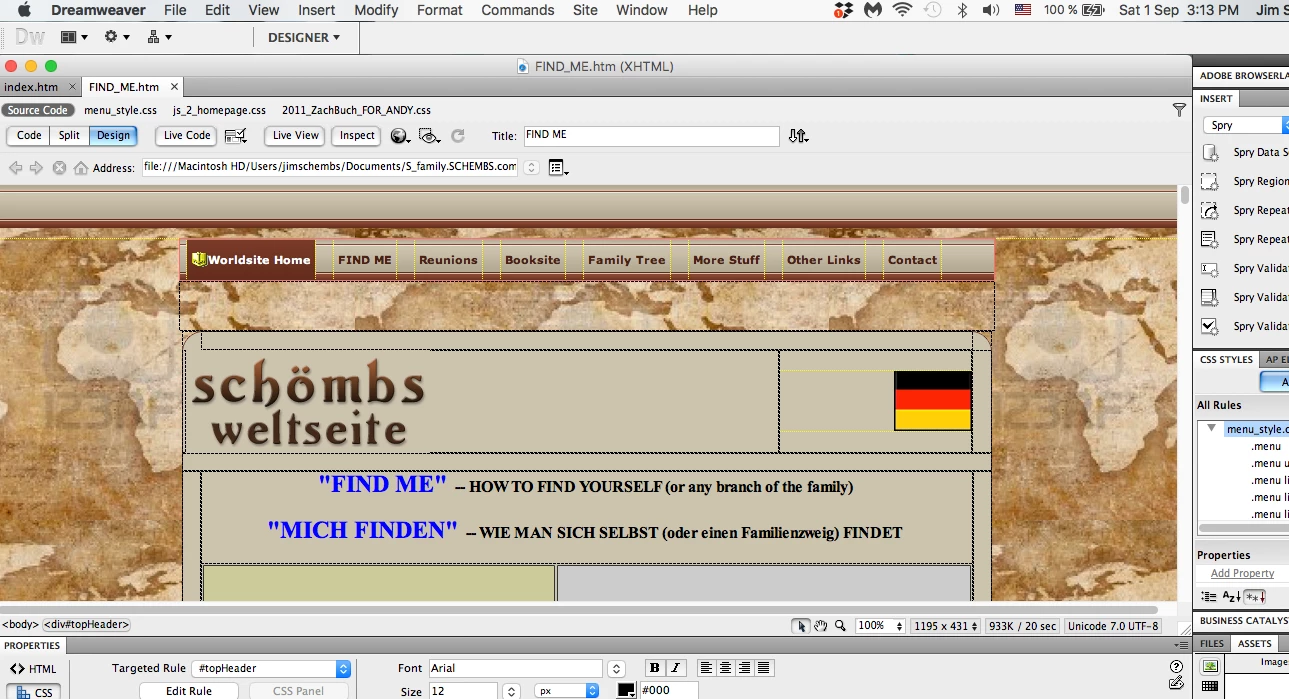
Note on this page that the Scroll Bar is shown on the right side of the Design View.

The .htm files themselves do render correctly in a browser.  It appears to be simply a problem in Design View of one page. 

I am using Dreamweaver V 11.0, Build 4909.  I have tried closing and re-opening Dreamweaver as well as re-booting.  These steps have not helped.  I have looked through all the drop-down menus but nothing is obviously wrong to me.

Thanks for your ideas.

jim

    This topic has been closed for replies.
    Correct answer Nancy OShea

    Version 11.0  Build 4909


    I assume you mean Creative Suite 5 which is  no longer updated.  In that case, you must go directly to the W3C Validation website to check your code.  

    The W3C Markup Validation Service

    1 reply

    Nancy OShea
    Community Expert
    Community Expert
    September 2, 2018

    Validate code and fix reported errors.  Pay particular attention to unmatched tag pairs.

    Nancy O'Shea— Product User & Community Expert
    Inspiring
    September 2, 2018

    Thank you Nancy.  I should have said I am a real novice.  Also my version of Dreamweaver is older than yours.

    I believe I did what you suggested:

    • made a copy of the file:   INDEX TEST.htm
    • in the Window Dropdown I selected FILES (rather than ASSETS).  This may not have been important but in your screenshot it was Files.
    • I clicked on Results, which opened the dropdown
    • I clicked on Validation
    • I then clicked on the Validation Tab at the bottom of the Window. 
    • I was expecting to see error messages but there were none:

    What shall I do next?

    Thanks.

    Jim

    Nancy OShea
    Community Expert
    Community Expert
    September 2, 2018

    Did you validare the document by clicking the triangle?

    Nancy O'Shea— Product User & Community Expert