ottmarv83009615
Participating Frequently
January 9, 2017
Answered

Device Preview dont work

  • January 9, 2017
  • 3 replies
  • 6132 views

Hallo all prerecs ar ok (I think so):

-same wireless network

- new WIN10 Computer

- Dreamweaver cc17

- Coockies an Javascript on

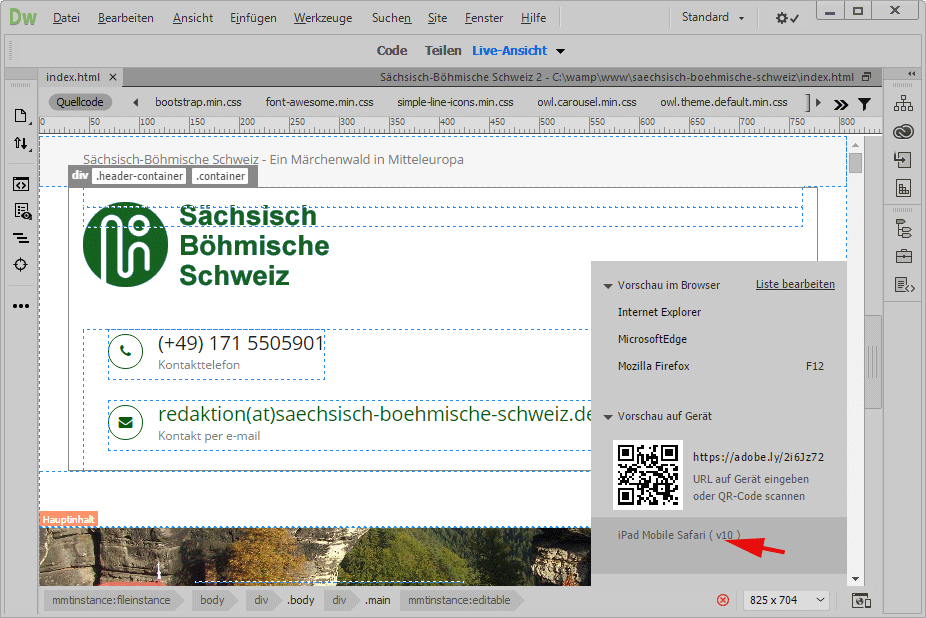
If I start "Live Ansicht" in Dreamweaver and activate Device Preview ... then I scan QRcode with IPad ... start savari on Ipad

---> Login with Adobe Account on IPad .... URL will be displayed ... but withe screen !

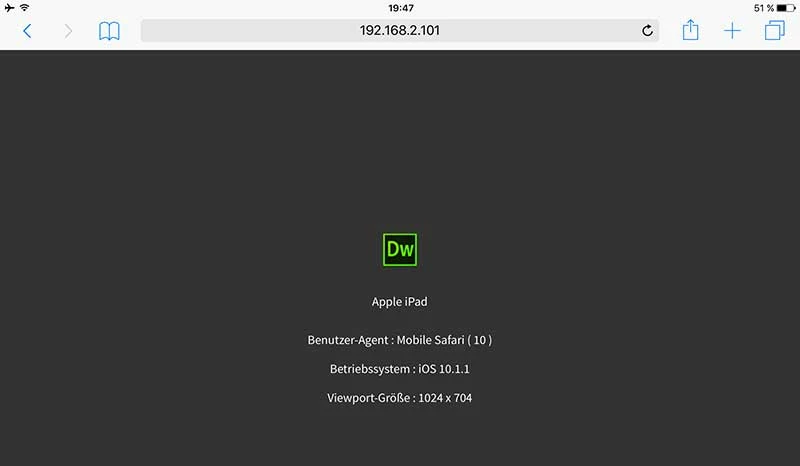
If I go with mouse in Dreamwaever over meassage "IPad mobile Safari (v10)" ; see red pointer, then will be displayed a meassage on IPad

(see 2. picture)

What is

    This topic has been closed for replies.
    Correct answer Niharika Jha

    Hallo,

    here my changes in httpd.conf:

    #

    # Deny access to the entirety of your server's filesystem. You must

    # explicitly permit access to web content directories in other

    # <Directory> blocks below.

    #

    #<Directory />

    #    AllowOverride none

    #    Require all denied

    #</Directory>

    <Directory /saechsisch-boehmische-schweiz>

        Options Indexes FollowSymLinks

        AllowOverride all

        Require all granted

    </Directory>

    ----------------------------------------------

    error remain !

    --------------------------------------------------------------------------------------------------------------

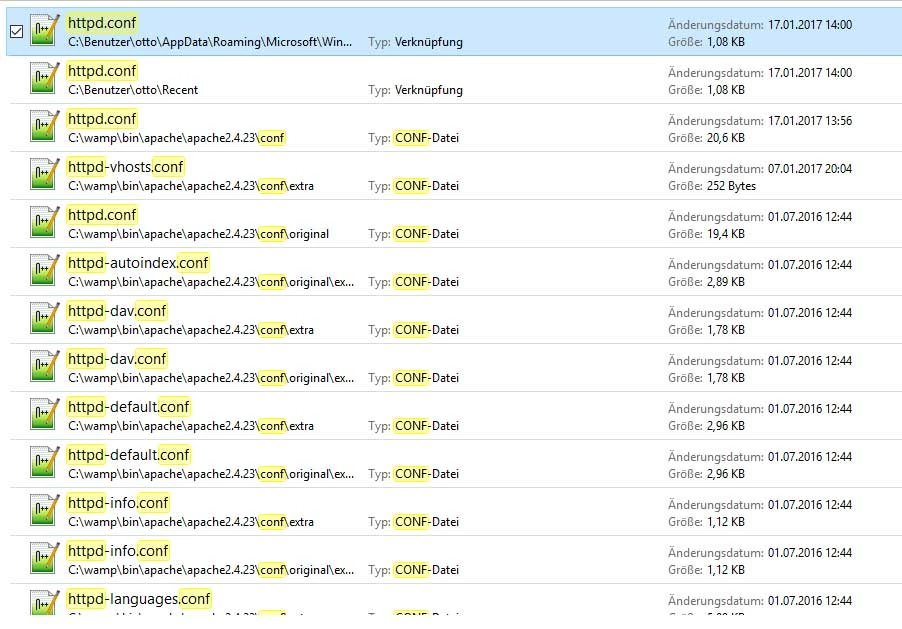
    But a question; there are many httpd*.conf files. I changed the first (top on list).

    Hi,

    Firstly, you need to make changes in the httpd.conf file of wamp-->apache, as per your search it is the third file from the top or just goto the location C:\wamp\bin\apache\apache2.4.23\conf\httpd.conf to find the right file to edit.

    Secondly, you need to provide the folder location in the tag and not just the site name. It should be like:

    <Directory "C:\wamp64\www\">

        Options Indexes FollowSymLinks

        AllowOverride all

        Require all granted

    </Directory>

    Do not forget to save the file and restart Wamp server once you are done editing the file.

    The issues you are facing now are totally related to Wamp server setup, please contact Wamp Customer Support in case issues still exist.

    Regards,

    Niharika Gupta

    3 replies

    RicoGizmo
    Participant
    February 1, 2018

    Having the same issue.  Page won't scroll on iPad and iPhone.  Ok on Desktop browsers.

    Participating Frequently
    February 2, 2018

    Hi all,

    We are aware of the scrolling issue in iPhone and iPad. We will look into this issue.

    Thanks,

    dbc

    Known Participant
    January 25, 2019

    Any news regarding the scroll problem?

    Niharika Jha
    Adobe Employee
    Adobe Employee
    January 16, 2017

    Hi,

    We need some inputs to help you with this issue:

    -Can you please share the site setup details that you are using to test your site? Testing Server details.

    -Also, can you see the real time preview of your site on your desktop browsers? Chrome/Mozilla/ IE?

    -When you manually type the URL in the iPad browsers, are you able to see any preview?

    Regards,

    Niharika Gupta

    Adobe Dreamweaver

    ottmarv83009615
    Participating Frequently
    January 16, 2017

    Hallo,

    -Can you please share the site setup details that you are using to test your site? Testing Server details.

    here testserver settings:

    -Also, can you see the real time preview of your site on your desktop browsers? Chrome/Mozilla/ IE?

    Yes, I can.. it works well.

    -When you manually type the URL in the iPad browsers, are you able to see any preview?

    ... the same wrong results

    Niharika Jha
    Adobe Employee
    Adobe Employee
    January 17, 2017

    Thank you so much for the inputs, the snapshot shared actually helped to figure out the problem.

    So when you are defining your testing server, you need to give the IP of the machine on which the wamp/xampp server is running and not localhost. localhost is recognizable only on your local machine but not on external devices/machines.

    Please change the Web-URL from http://localhost/<YourSite> to http://<your machine IP>/<Your Site>

    Regards,

    Niharika Gupta

    Adobe Dreamweaver

    BenPleysier
    Community Expert
    Community Expert
    January 10, 2017
    Wappler is the DMXzone-made Dreamweaver replacement and includes the best of their powerful extensions, as well as much more!
    ottmarv83009615
    Participating Frequently
    January 10, 2017

    I know this document !

    My understanding is, that I have connection between IPad and dreamweaver (see document  - screenshot from IPad)

    But if I move the Cursor (red arrow in document 1) into the "Live-Prewiew - html-document ... the IPad display is empty !

    Preran
    Community Manager
    Community Manager
    January 10, 2017

    Can you try on another browser on your iPad? I checked with a colleague, and he thinks that it could be an issue with a JavaScript conflict on Safari.

    Thanks,

    Preran