


Inspiring
March 22, 2023
Answered

Div issue

  • March 22, 2023
  • 2 replies
  • 610 views

Hello,

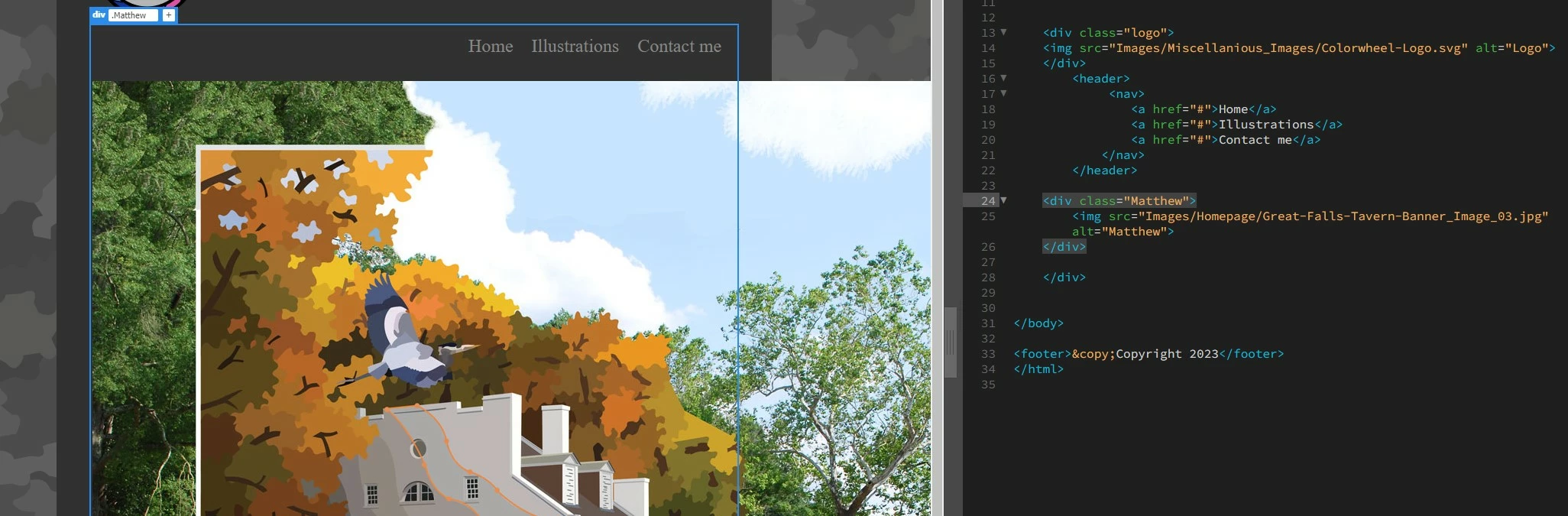
I'm probably overlooking something, but I'm trying to place an image into a webpage, inside a container. The image is nested inside a <div></div> tag and titled "Matthew" within a container in the html. When I go CSS, I create a selector, with the following declorations:


.Matthew {

        width: 90%;

        margin-left: auto;

        margin-right: auto;

}


I'm no DW expert. What am I doing wrong?


Sand Patch
This topic has been closed for replies.
Correct answer Nancy OShea

.Mathew img {max-width:100%}

This code will allow image to scale down on small screens and scale up on large screens but never exceed its native file size (1400 pixels).  Try it.


2 replies

Nancy OShea
Community Expert
Community Expert
March 22, 2023

Maybe the image is too big to fit container.  Try adding this to your CSS.


.Mathew img {max-width:100%}


Nancy O'Shea— Product User & Community Expert
Inspiring
March 22, 2023

When I treated the image, I made the width 1400px. The container is 70%. What do you recommend I should make the width?


Matthew

Legend
March 22, 2023
quote

When I treated the image, I made the width 1400px. The container is 70%. What do you recommend I should make the width?


Matthew


By @Trains1985


Ooops - correction - you need to make a new css selector for the image as Nancy pointed out:


.Matthew img {

max-width: 100%; 

}


That should do it assuming all your tags are present and correct.

Legend
March 22, 2023

I cant see anything incorrect about your css from the screen shot, although I cant see where the 'container' div starts. Does the container  house your 'logo' and 'header' contents as well and the start tag is just out of screen shot?

Inspiring
March 22, 2023

To give you a bit of context, I'm doing this project as a part of a college course. I assume, to a certain degree, the order of which the selectors affects the appearance of design(???) My instructor seems to say that it's irrelevant but that doesn't seem to be the case (by my opinion). To answer your question, the .logo selector is right above the .container selector.


I am totally perplexed about the image not being lined up with the grey container. It worked correctly in another project.


Matthew

Legend
March 22, 2023
quote

 To answer your question, the .logo selector is right above the .container selector.


By @Trains1985


But in your html code where does the container opening div tag start, is that above the logo div?


It might well be as Nancy has pointed out that the image is too wide for the container and you have to limit its width using css 'max-width'


@Trains1985 wrote:

I assume, to a certain degree, the order of which the selectors affects the appearance of design(???) My instructor seems to say that it's irrelevant but that doesn't seem to be the case (by my opinion).


The css selectors can be located anywhere within the css BUT it is good practice to keep them in some kind of order, if only for maintainence purposes but where they are located within the css will not affect the rendering of the construction.

