

Known Participant
November 10, 2022
Question

Document validation with warning

  • November 10, 2022
  • 2 replies
  • 1442 views


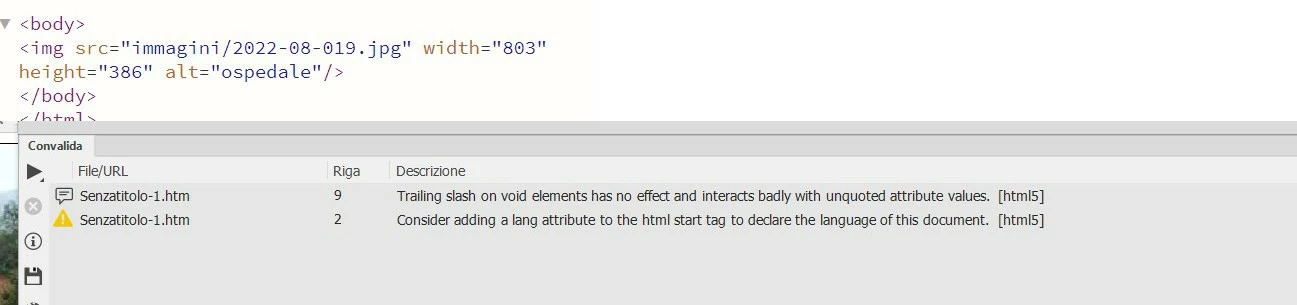
Hello, I am attaching a sample screenshot of code inserted with Dreamweaver that is incorrect in the validation phase. Thanks Webmaster

    This topic has been closed for replies.

    2 replies

    Nancy OShea
    Community Expert
    Community Expert
    November 10, 2022

    Review HTML5 syntax below. 

    https://www.w3schools.com/html/


    Nancy O'Shea— Product User & Community Expert
    mne5E04Author
    Known Participant
    November 11, 2022

    Thank you. Webmaster

    Jon Fritz
    Community Expert
    Community Expert
    November 10, 2022

    The first one is telling you you don't need a trailing / in a self closing tag. Items like <area> <img> or <link> don't get a closing slash like <link /> <br /> or <img /> under HTML 5. This usually happens when updating from (or while using) an old doctype declaration to HTML5 in DW. DW knows what doctype you're using and will write those in for older doctypes, but the validator validates against HTML5, so will show an error/warning. All you need to do is take them out...

    https://developer.mozilla.org/en-US/docs/Glossary/Void_element 


    The second wants you to add a language attribute to your <html> tag, like <html lang="en"> if the page is in English...

    https://www.w3.org/International/questions/qa-html-language-declarations 

    mne5E04Author
    Known Participant
    November 11, 2022

    Thank you. I was just wondering why Dreamweaver doesn't insert the correct code. Webmaster

    Nancy OShea
    Community Expert
    Community Expert
    November 11, 2022

    Dreamweaver is a tool.  When used correctly it works as expected.  Pasting bad code into any editor will produce mixed results usually resulting in errors.  


    Understanding proper code syntax is essential to get good results.


    Nancy O'Shea— Product User & Community Expert