Participant
December 20, 2017
Answered

Dreamweaver 18 - save without putting

  • December 20, 2017
  • 2 replies
  • 968 views

How can save a file in Dreamweaver 18 WITHOUT having it automatically put the file. I am often working on pages and EVERY TIME I save it also PUTS. I like to save frequently and I have not always finished my work. I don't always want the saved paged PUT.

Thanks

This topic has been closed for replies.
Correct answer Nancy OShea

I followed your link to the tracker and tried to add a bug - but Dreamweaver was not listed under the drop down menu under Products.

M/L


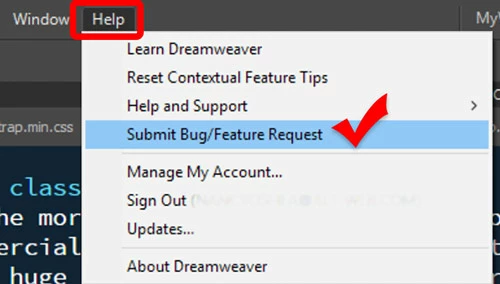
Go to Help Menu >

2 replies

Nancy OShea
Community Expert
Community Expert
December 20, 2017

DW should never PUT files to remote server on Save unless you gave it that instruction in your site settings.

See screenshot.

Nancy O'Shea— Product User & Community Expert
WolfShade
Legend
December 20, 2017

I'm not sure about DW 18, but if it's anything like older versions of DW, it's a setting in your Site Management.  Edit the project, go to SERVERS, double-click the server, go to ADVANCED, and uncheck the box next to "Automatically upload files to server on Save".

HTH,

^ _ ^

MikiWorkAuthor
Participant
December 21, 2017

Thanks for this reply. The problem is, The box indicated in the image above is UNCHECKED on my Server as is the box under the Testing Server to automatically push - but it's still pushing.

Do I have a bug?

WolfShade
Legend
December 21, 2017

Do I have a bug?

I can't say, for sure.  If you are looking directly at the file on the server and the last modified date changes when you save locally, then there is definitely something wrong.  Worth going to https://tracker.adobe.com and submitting a bug report.

V/r,

^ _ ^