


Participant
July 4, 2020
Question

Dreamweaver 2020 crashes on startup (node.js firewall problem)

  • July 4, 2020
  • 2 replies
  • 1758 views

So, I just installed a fresh, new Windows 10 and Dreamweaver.

I opened the program, it welcomed me, start screen, I chose to see a sample document.

And then the program just closed and disappeared and this showed up:
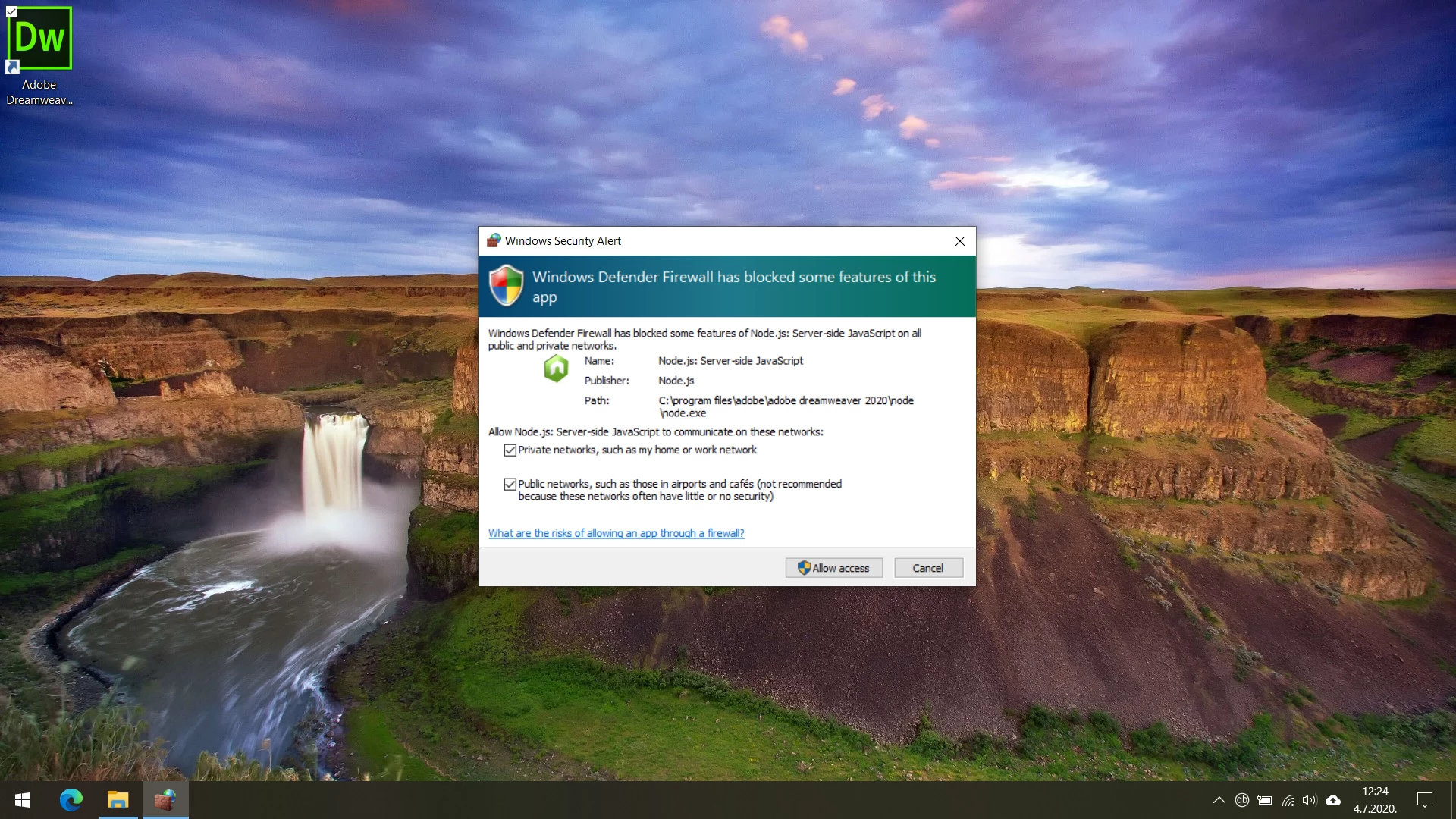
So, obviously, I ticked all the boxes and clicked Allow access.

I tried to run the program again. It closes immediately as I open it, without any prompts and crash reports.

What to do?


This topic has been closed for replies.

2 replies

BenPleysier
Community Expert
Community Expert
July 13, 2020

As a matter of interest, this is what Windows Defender shows on my system


Wappler is the DMXzone-made Dreamweaver replacement and includes the best of their powerful extensions, as well as much more!
BenPleysier
Community Expert
Community Expert
July 4, 2020

There are a few choices that you can make at this point

  • restart the computer (or firewall)
  • remove (or disconnect) the firewall
  • don't use Dreamweaver
  • Read the firewall manual
  • etc; etc;


The problem affects Dreamweaver without it being caused by Dreamweaver.

Wappler is the DMXzone-made Dreamweaver replacement and includes the best of their powerful extensions, as well as much more!
Participant
July 12, 2020

Hi, thank you for your reply, but I tried all of the above and none worked. 😞 I really don't know how to fix this. The firewall can be enabled or disabled but the program doesn't work either way.

BenPleysier
Community Expert
Community Expert
July 13, 2020

This may help https://helpx.adobe.com/au/dreamweaver/kb/commontroubleshooting.html


Alternatively, get in touch with https://helpx.adobe.com/au/contact.html and click the bottom right Contact Us icon

Wappler is the DMXzone-made Dreamweaver replacement and includes the best of their powerful extensions, as well as much more!