Participant
November 6, 2021
Question

Dreamweaver and Adobe Embed PDF API

  • November 6, 2021
  • 2 replies
  • 355 views

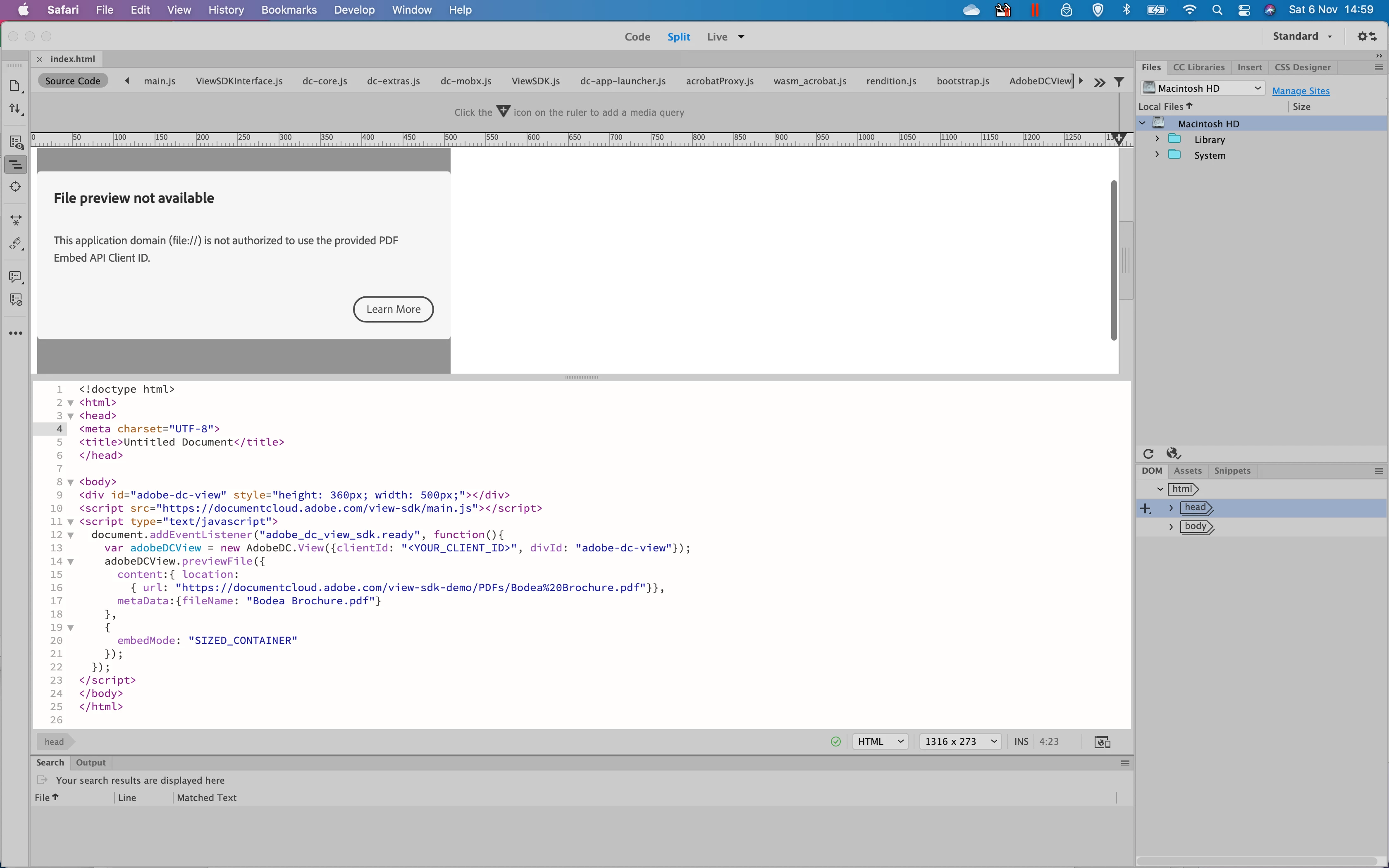
Why do I get this message and how can I rectify? 
 

    This topic has been closed for replies.

    2 replies

    BenPleysier
    Community Expert
    Community Expert
    November 7, 2021

    You are not authorised to use the API as long as you do not supply a Client ID.


    var adobeDCView = new AdobeDC.View({clientId: "<YOUR_CLIENT_ID>", divId: "adobe-dc-view"});


    As a sidenote: You need to set the local site up so that you do not get file:// as the domain.


    Wappler is the DMXzone-made Dreamweaver replacement and includes the best of their powerful extensions, as well as much more!
    Jon1000Author
    Participant
    November 8, 2021
    I have registered using localhost as the domain and now I see

    2 3 4 5 6 7 8 9 10 11
    12 13 24 25

    Rather than the PDF
    BenPleysier
    Community Expert
    Community Expert
    November 8, 2021

    I doubt that localhost will suffice. But you are better off asking the experts at

    Document Services APIs - Adobe Support Community

    Wappler is the DMXzone-made Dreamweaver replacement and includes the best of their powerful extensions, as well as much more!
    Nancy OShea
    Community Expert
    Community Expert
    November 6, 2021

    Dreamweaver is not a web browser.  The Embed API probably needs to be hosted on a live server and viewed from a real browser to work.


    Also for best results, you should define a local site folder in DW by going to Site > New Site...  designate a folder for your site files and assets on the primary hard drive.   Example, C:\MyTestSite\


    Nancy O'Shea— Product User & Community Expert
    Jon1000Author
    Participant
    November 7, 2021

    I understand but Dreamweaver should show the PDF.  I have created a new site on my Mac and saved index.html there but I get the same error although the PDF did momentarily appear before the error message appeared.
