


Participant
December 20, 2016
Answered

Dreamweaver CC 2017 continually crashing after update

  • December 20, 2016
  • 3 replies
  • 875 views

I've been using Dreamweaver CC 2017 for a couple weeks without any problems.  After applying an update to Dreamweaver CC 2017, my Dreamweaver continually crashes after a few seconds of opening different documents.  It just disappears and is followed by the standard Apple dialog box saying my app has crashed and asks if I want to restart, reopen, submit to Apple, etc.  No other apps are running, and I don't have any add-ons installed.  I've tried restarting, zapping the PRAM, removing peripherals, and nothing helps.  Again, it was working fine until I applied an update today.

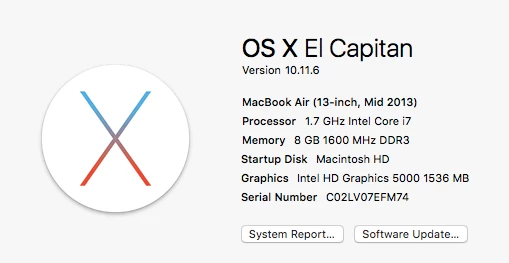
Here's my system:
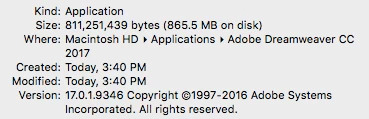
Here's my version of Dreamweaver:
    This topic has been closed for replies.
    Correct answer Jon Fritz

    Have you tried any of the standard DW DIY Troubleshooting items?

    Clear Program Cache - Deleting a corrupted cache file

    Rename Personal Configuration Folder - Locating your personal configuration folder

    Restore Preferences CC Versions - Unusual behavior in Dreamweaver? Try restoring preferences.

    Cleaner Tool (last resort) - Use the Creative Cloud Cleaner Tool to solve installation problems

    3 replies

    Participant
    January 10, 2017

    I have been waiting to upgrade from DW CS 6 but there are too many horror stories for DW 2017. From my perspective Dreamweaver has just gotten worse since they purchased it from Macromedia. This is actually very sad, I still use Dreamweaver 8.02 with the Kollection extension and it seems that Adobe is trying their utmost to under perform what dreamweaver use to be able to do.

    The interface is awful now, developers are making it more Design only oriented and have basically thrown php out the door. Poor product management decisions because at one point they owed the php development market.

    I wish they'd hire me I would get them back on track.

    SuhasYogin
    Adobe Employee
    Adobe Employee
    December 22, 2016

    Hi Robert,

    Sorry to hear Dreamweaver is crashing on you!

    Could I request you to send us logs? Instructions here: Log Collector Tool

    Please upload the logs to assets.adobe.com and DM me the link!

    Thanks,

    Suhas Yogin

    Jon Fritz
    Community Expert
    Jon FritzCommunity ExpertCorrect answer
    Community Expert
    December 20, 2016

    Have you tried any of the standard DW DIY Troubleshooting items?

    Clear Program Cache - Deleting a corrupted cache file

    Rename Personal Configuration Folder - Locating your personal configuration folder

    Restore Preferences CC Versions - Unusual behavior in Dreamweaver? Try restoring preferences.

    Cleaner Tool (last resort) - Use the Creative Cloud Cleaner Tool to solve installation problems

    Participant
    December 22, 2016

    I used the Cleaner Tool, which erased just about everything related to Adobe, and reinstalled everything.  Dreamweaver seems to work fine, now.  I imagine it was a preference file that became corrupted.

    Thanks,

    Robert
