


Dreamweaver CC 2017 Crashing
Over the past number of days I have been unable to use Dreamweaver, on Windows 7 64bit, using my normal Domain account here on campus. Dreamweaver had been working fine but now with the introduction of redirected folders I suspect Dreamweaver CC 2017 is having issues because of this.
I also have Photoshop CC 2017 and Acrobat DC running without any problems so this is isolated to Dreamweaver.
When I try to load Dreamweaver from my Domain account it loads and then stops responding. Selecting the Debug option I get this error: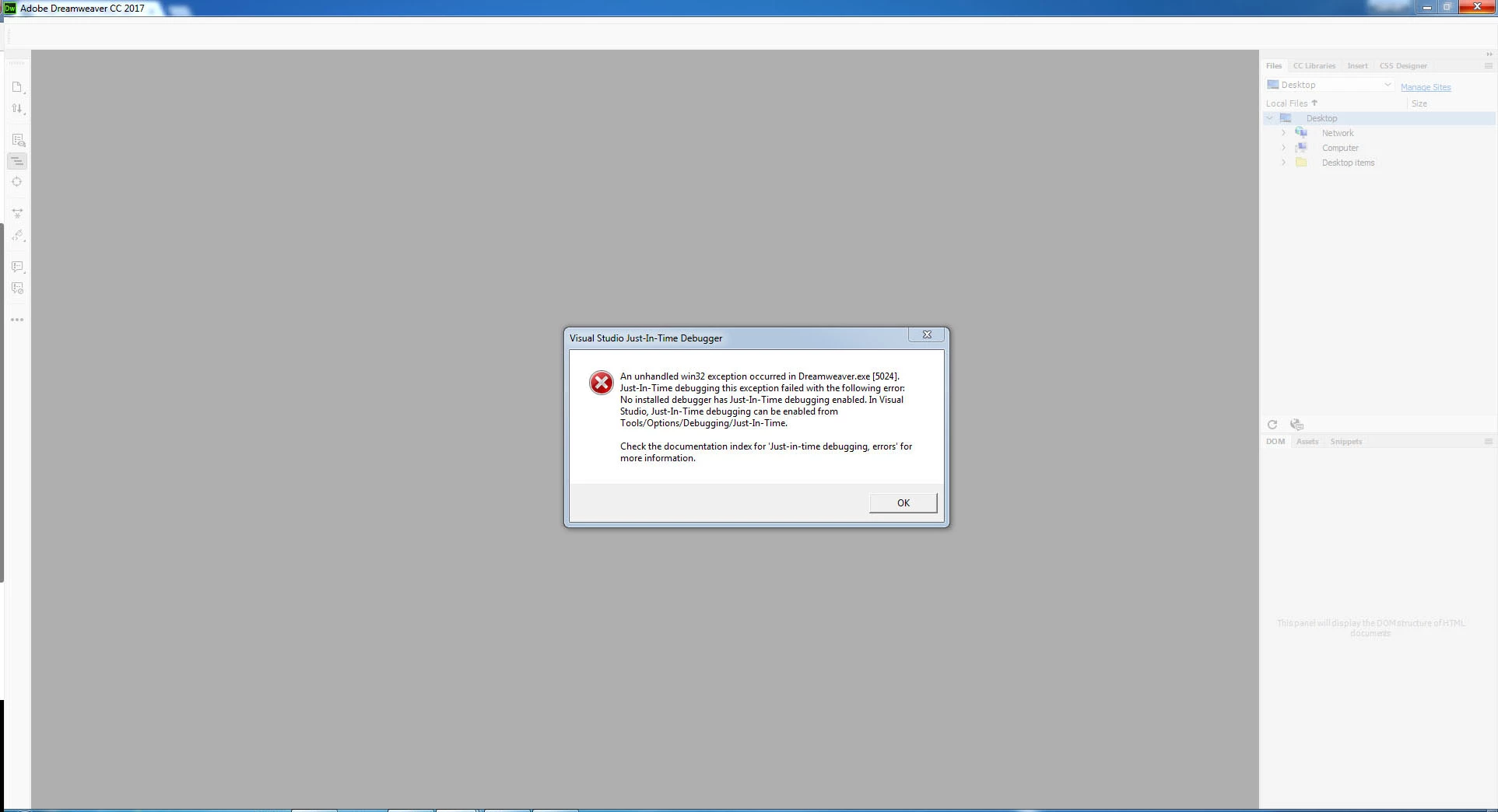
The actual number in the [] change each time but I can not successfully get it to load. I have uninstalled all Adobe products using the CC App manager and then removed it. I have then gone through my registry and cleared out all mentions of Adobe. I have removed the Adobe folders from all the App Data locations so that I am starting from a clean slate!
All installed perfectly and Dreamweaver loaded fine the first time - however when I tried to load it again it started crashing again. I also tried logging in with a different user profile and again it loaded fine the first time however it did not load again for that user.
IF I logon as Domain Admin or a local user Dreamweaver works without any problem and therefore this suggests to me that it is a redirected folders issue. As mentioned all other Adobe Apps that I have installed are working on any account so Dreamweaver is the black sheep.
I came across this discussion: Dreamweaver won't launch for standard user which seems to be exactly the same issue, however the suggested work-around doesn't work. Has anybody else come across this issue? And if so have you found a solution either temporary or semi-permanent?
 AdChoices