
Participant
May 23, 2018
Answered

Dreamweaver CC 2018 Bootstrap Site Setup Issues

  • May 23, 2018
  • 1 reply
  • 889 views

OK I am having an issue after the last update that was to allow me to use the Bootstrap 4.0 for the actual sites to migrate them over. I keep resetting the preferences and uninstalling the program but it still keeps giving me only 3.3.7 for the version for both of the options to choose for my sites.

I took the liberty of a screenshot to show what it is only giving me. Anyone else had this issue or know of the work around for it? It has become a pain in my side for over a week and half now.
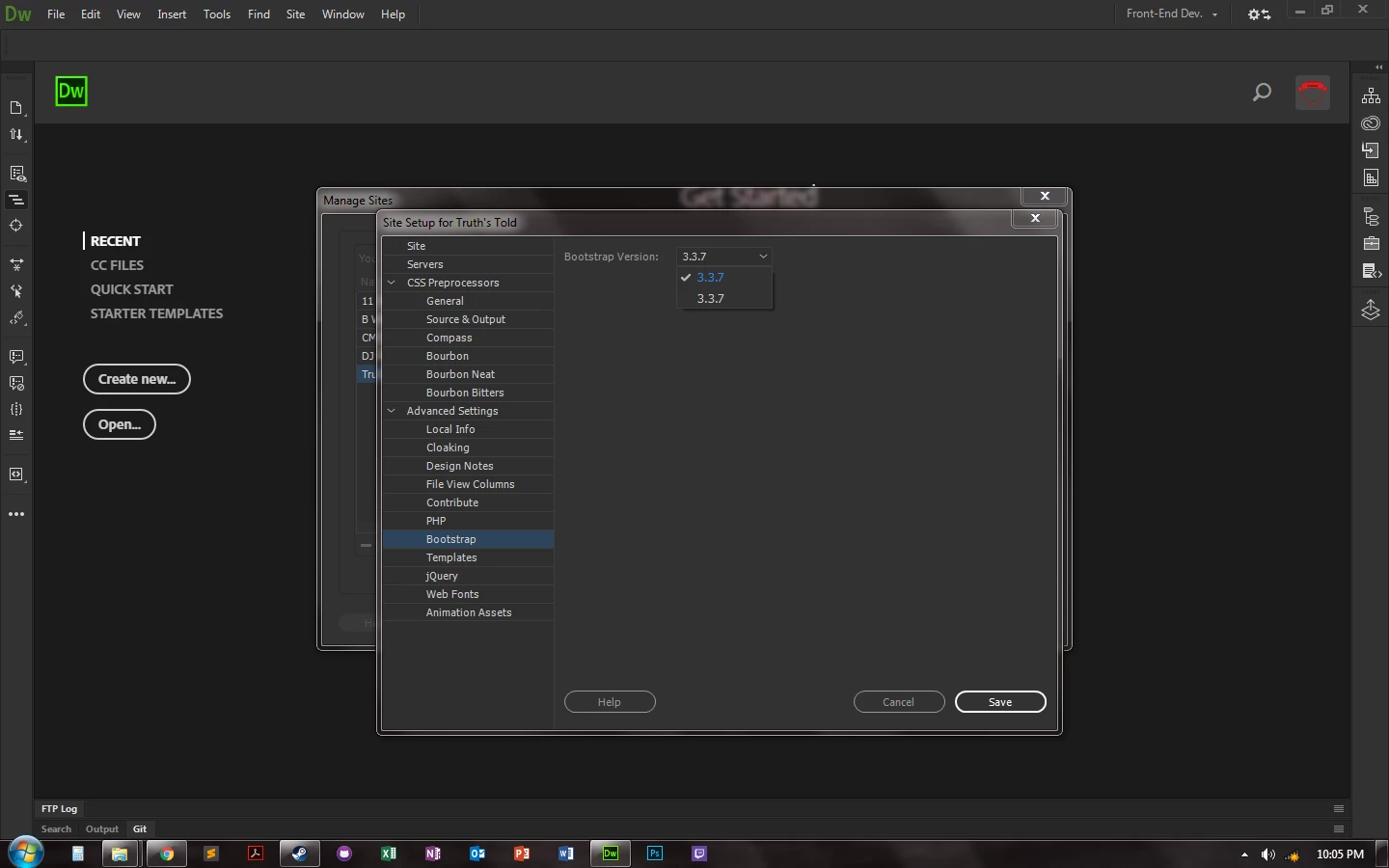

This topic has been closed for replies.
Correct answer BenPleysier

Version build 10155


At this point, I think I would un-install Dreamweaver, use the CC Cleaner Tool and re-install Dreamweaver.

1 reply

Community Manager
May 23, 2018

Hi,

Thanks for reporting. What is the OS you are using?

Could you please try clearing Dreamweaver Preferences and see if it resolves the issue.

Unusual behavior in Dreamweaver? Try restoring preferences.

Thanks

Participant
May 23, 2018

I have already tried that beforehand. It still keeps giving me only the 3.3.7 when I do that. Plus with uninstalling it and trying to load it back up.

BenPleysier
Community Expert
Community Expert
May 23, 2018

If you go to

C:\Users\[username]\AppData\Roaming\Adobe\Dreamweaver CC 2018\en_US\Configuration\Shared\LiveEdit\ResponsiveAssets

is there a Bootstrap4 folder?

Wappler is the DMXzone-made Dreamweaver replacement and includes the best of their powerful extensions, as well as much more!